Hello,
This is a thread connected with:
 for me ofc
I start some fixing on great client release created by sayianking.
The goal is to make a client fully compabitle with 772 tfs engine (maybe with leaked also) with features from 7.4 client (the one's I know).
You should of course limit some functions in options to make it more 7.4 (there is light slider).
anyway, here is change log from today:
If you want to use extended sprites then extend below in game.cpp (enableGameFeature(GAME_FEATURE_EXTENDED_SPRITES):
void Game::clientChangeVersion(Uint32 clientVersion, Uint32 fileVersion)
{
m_gameFeatures.reset();
enableGameFeature(GAME_FEATURE_UPDATE_TILE);
if(clientVersion >= 770)
{
enableGameFeature(GAME_FEATURE_XTEA);
enableGameFeature(GAME_FEATURE_RSA1024);
enableGameFeature(GAME_FEATURE_MESSAGE_STATEMENT);
enableGameFeature(GAME_FEATURE_LOOKTYPE_U16);
//enableGameFeature(GAME_FEATURE_EXTENDED_SPRITES); // Extended .dat/.spr (U32 sprite IDs)
}
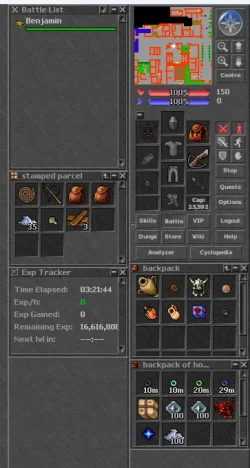
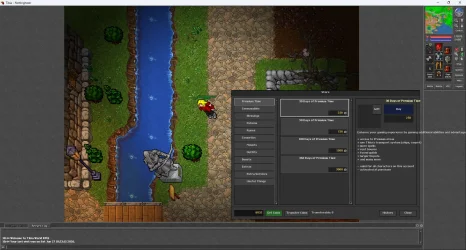
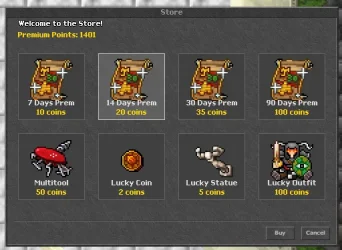
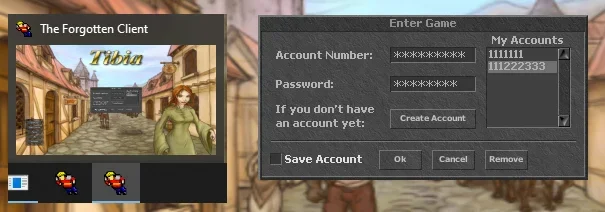
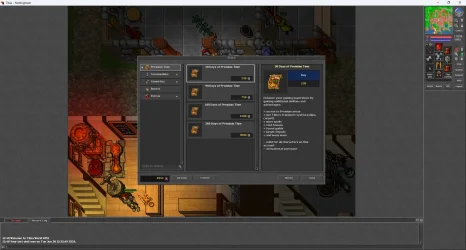
This is how client looks like:
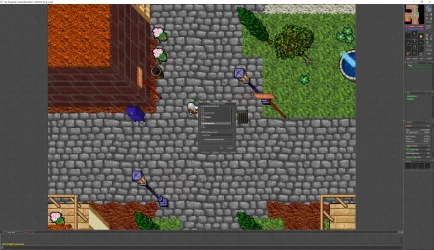
It feels really responsive. But how it would handle a big war on a screen? i do not know.
Source and compiled client in attachment. With stock 772 sprites and pic from 2006.
Regards,
Gover
This is a thread connected with:

Well actually i claim that this client is better than official one from cipsoft atleast for my server, as i’m using the real cip engine i have tested both clients and mine works much way better and faster also it is better than otcHehe I already tried your 7.1 version and it looks great.
Maybe you have more experience with this open-source client then?
Is it smooth like vanilla one? did you maybe test it in bigger scale with more active players using it?
I will definitely test it further today.
for me ofcI start some fixing on great client release created by sayianking.
The goal is to make a client fully compabitle with 772 tfs engine (maybe with leaked also) with features from 7.4 client (the one's I know).
You should of course limit some functions in options to make it more 7.4 (there is light slider).
anyway, here is change log from today:
Rendering Bugfixes
-engine.cpp — LoadPicture(): Fixed pixel format for Tibia.pic — client was reading 4 bytes (RGBA) instead of 3 (RGB), causing the entire GUI to render scrambled
-protocol.cpp — getProtocolVersion() / getClientVersion(): Both were returning the override flag value (1) instead of the actual protocol version (772), causing "Protocol mismatched" on login
-surfaceDirect3D11.cpp — loadSprite() / loadSpriteMask(): Pixel copy loop was iterating texture->m_height (atlas size) instead of 32 (sprite size), causing an access violation crash when switching to D3D11
-surfaceOpengl.cpp, surfaceOpenglCore.cpp, surfaceOpengles.cpp, surfaceOpengles2.cpp — isSupported(): GL_ATI_meminfo returns 4 values but code only allocated int vram (4 bytes) — fixed to int vram[4], resolving a stack corruption crash on OpenGL renderers
Version Configuration
-const.h: Set CLIENT_OVVERIDE_VERSION = 1, CLIENT_OVERRIDE_PROTOCOL_VERSION = 772, CLIENT_OVERRIDE_FILE_VERSION = 772
-game.cpp — clientChangeVersion(): Added GAME_FEATURE_EXTENDED_SPRITES for version 772 to support .dat/.spr files with more than 65535 sprites
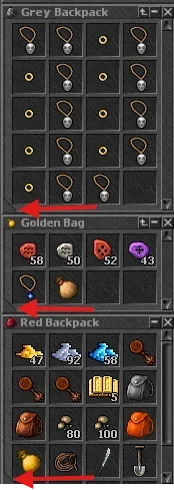
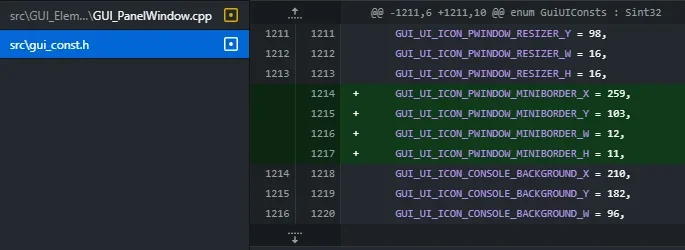
-gui_const.h: Replaced configure button icon with scrollbar down arrow; removed broken bottom-left/right panel border sprites
UI — Hotkeys Window
-Hotkeys.cpp: Full rewrite — new "Hotkey Options" window with F1–F12 / Shift+F1–F12 / Ctrl+F1–F12 slots, text input field, "Send automatically" checkbox, live list update on typing, auto-focus on text field after row selection, white/grey color per row based on sendAuto state
-engine.cpp — bindHotkeyAction(): New function to assign text to a hotkey slot
-engine.cpp — CLIENT_HOTKEY_ACTION handler: Implemented — sends text automatically or pastes it into chat input
-engine.h: Added bindHotkeyAction() declaration
GUI_Window.h
+ GUI_Window.cpp: Added lockActiveElement(bool) and m_lockActive — permanently locks focus on the text field after a hotkey row is selected
UI — Inventory / Soul
-Inventory.cpp
— GUI_Icons::render(): New 2D grid layout (max 6 icons, patterns: 1 / 2 / 2+1 / 2+2 / 3+2 / 3+3), anchored to absolute screen position
Inventory.cpp
— GUI_Icons:nMouseMove(): Rewritten hover tooltips to match the new 2D layout
Inventory.cpp
— inventory panel: Removed Soul background, labels and old status bar strip; status icons moved into the Soul area; panel height reduced accordingly
SkillsWindow.cpp
: Removed "Soul Points" row from the stats list and its update handler
UI — Panel Window Resize
GUI_PanelWindow.cpp
— setRect(): Children are no longer moved when only y1 changes (resize from top) — movement only happens on drag
GUI_PanelWindow.cpp
— render(): Panel background anchored to absolute screen position via setClipRect + y=0; removed resizer graphic
GUI_Panel.cpp
— checkPanels(): setRect() is now only called when position actually changed
GUI_Panel.cpp
— render(): Free-space background anchored via setClipRect
Chat.cpp
— render(): Chat background anchored to absolute screen position via setClipRect + y=0 — background tiles no longer shift during resize
Graphics Engines
surfaceSoftware.cpp — drawBackground(): Fixed pixel copy to account for window surface pitch
Automap Path
main.cpp: g_mapPath changed from AppData\TheForgottenClient\Automap\ to the directory next to the .exe — makes it easy to distribute a pre-filled minimap with the client
If you want to use extended sprites then extend below in game.cpp (enableGameFeature(GAME_FEATURE_EXTENDED_SPRITES):
void Game::clientChangeVersion(Uint32 clientVersion, Uint32 fileVersion)
{
m_gameFeatures.reset();
enableGameFeature(GAME_FEATURE_UPDATE_TILE);
if(clientVersion >= 770)
{
enableGameFeature(GAME_FEATURE_XTEA);
enableGameFeature(GAME_FEATURE_RSA1024);
enableGameFeature(GAME_FEATURE_MESSAGE_STATEMENT);
enableGameFeature(GAME_FEATURE_LOOKTYPE_U16);
//enableGameFeature(GAME_FEATURE_EXTENDED_SPRITES); // Extended .dat/.spr (U32 sprite IDs)
}
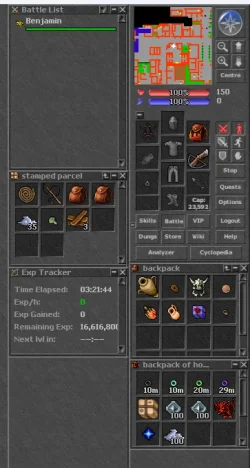
This is how client looks like:
It feels really responsive. But how it would handle a big war on a screen? i do not know.
Source and compiled client in attachment. With stock 772 sprites and pic from 2006.
Regards,
Gover
Attachments
-
CLientPack.zip22.6 MB · Views: 49 · VirusTotal
Last edited: