• There is NO official Otland's Discord server and NO official Otland's server list. The Otland's Staff does not manage any Discord server or server list. Moderators or administrator of any Discord server or server lists have NO connection to the Otland's Staff. Do not get scammed!
  • 2026 staff recruitment is open! Check it out and consider applying!

Compiling 1.2

Himii

Premium User
Premium User
Joined
Jan 19, 2011
Messages
1,268
Solutions
5
Reaction score
188
Location
Sweden
Hello!
Im trying to setup everything to compile 1.2 and im getting stuck on one of the first steps
right now i have everything downloaded and im trying to run register_tfssdk_env.bat
but the window just show up like a milisecond and then closes again

No paths are getting added on my pc :/

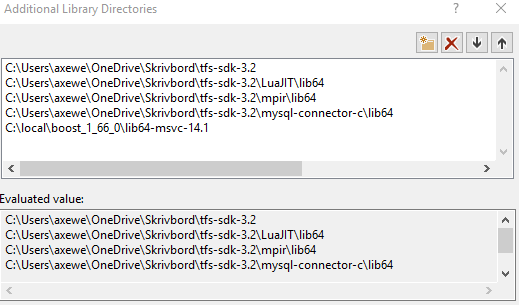
Tried this way aswell but i dont know if i did it right
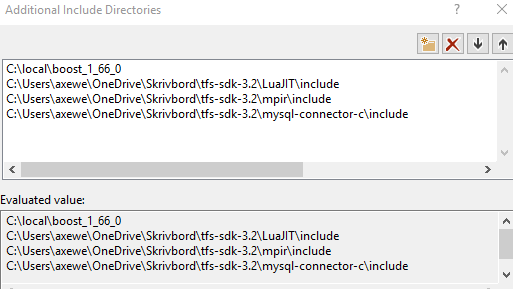
d66f82c68b22c1315c1b5f015d1bfa67.png


63a5d069e7e389ea78cc98a024b15799.png


This is my error:
8378f87ceb8f2920a67dc00fd38285d2.png


Thanks!
 
The error tells you exactly what to do download and install the required Windows SDK or change the SDK version. It even gives you instructions on how to do it.
 
The error tells you exactly what to do download and install the required Windows SDK or change the SDK version. It even gives you instructions on how to do it.
I know about that, but i am following the tutorial on github and it does only tell me about the tfs sdk that i am writing of in the top of my post
and in the "Target Solution" window i only get Windows SDK Version: 10.0.17763.0 and no others
 
I know about that, but i am following the tutorial on github and it does only tell me about the tfs sdk that i am writing of in the top of my post
and in the "Target Solution" window i only get Windows SDK Version: 10.0.17763.0 and no others
 
So the tfs sdk isnt the one i shuld use there?

Still having the problems with both register_tfssdk_env.bat and register_boost_env.bat
so that i cant get the boost setup
TFS SDK has nothing to do with the error that visual studios is giving you. You need to close out visual studios and download and install a copy of Windows 10 SDK (10.0.17134.0) so that when you relaunch visual studios you won't receive that error.
 
Back
Top