• There is NO official Otland's Discord server and NO official Otland's server list. The Otland's Staff does not manage any Discord server or server list. Moderators or administrator of any Discord server or server lists have NO connection to the Otland's Staff. Do not get scammed!
  • 2026 staff recruitment is open! Check it out and consider applying!

Lua Error: Teleport in Tile ID

chupaescadatri

Banned User
Joined
Jul 5, 2014
Messages
338
Reaction score
49
Code:
function onStepIn(cid, item, pos) -- old distro, old parameters?
  
local back = {x=1000, y=1000, z=7}
local tileid = 12711 -- ID do Piso de Stamina, ActionID usada no Piso

if getTileItemById(getpos, tileid) then
        doTeleportThing(cid, back)
    end
  
    return true
end
I made this code every time someone touches the ID 12711 tile it is teleported, but it does not work, does anyone know what the error is?
 
Instead of checking for an Item ID on the position you should just register Item ID 12711 to movements.xml instead
But if you insist on using this script, your error is with "getpos" (it is not defined anywhere). You need to swap "getpos" for "pos", which is defined in the onStepIn parameters.
 
Instead of checking for an Item ID on the position you should just register Item ID 12711 to movements.xml instead
Code:
<movevent event="StepIn" item="12711" script="rookbugponte.lua"/>
Code:
local positions =
{
    place = {x=100, y=100, z=7} -- New position.
}
function onStepIn(cid, item, fromPos, item2, toPos)
    if getTileItemById(12711) then -- Unique ID of the Tile.
        doPlayerSendTextMessage(cid, MESSAGE_INFO_DESCR, "You've been teleported!")
        doTeleportThing(cid, positions.place)
    end
    return TRUE
end
I tried to make the code but it still did not work ..
 
If you want it to work off of a UniqueID instead of an Item ID use uniqueid="12711" and remove the if statement from your script.
 
If you want it to work off of a UniqueID instead of an Item ID use uniqueid="12711" and remove the if statement from your script.
Code:
<movevent event="StepIn" uniqueid="12711" script="rookbugponte.lua"/>
Code:
local positions =
{
    place = {x=100, y=100, z=7} -- New position.
}
function onStepIn(cid, item, fromPos, item2, toPos)
    getTileItemById(12711) then -- Unique ID of the Tile.
        doPlayerSendTextMessage(cid, MESSAGE_INFO_DESCR, "You've been teleported!")
        doTeleportThing(cid, positions.place)
    end
    return TRUE
end
dont work ;s
 
Code:
<movevent event="StepIn" uniqueid="12711" script="rookbugponte.lua"/>
Code:
local positions =
{
    place = {x=100, y=100, z=7} -- New position.
}
function onStepIn(cid, item, fromPos, item2, toPos)
    getTileItemById(12711) then -- Unique ID of the Tile.
        doPlayerSendTextMessage(cid, MESSAGE_INFO_DESCR, "You've been teleported!")
        doTeleportThing(cid, positions.place)
    end
    return TRUE
end
dont work ;s
u say dont work, but u dont say if have error in console, we dont have a magic ball to see it
 
u say dont work, but u dont say if have error in console, we dont have a magic ball to see it
It did not represent any errors, I will explain why I can not use uniqueid
35012
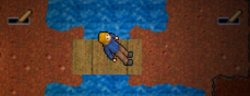
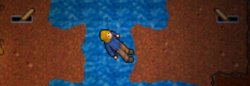
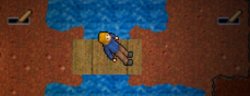
the map has the bridge and it is removed in the script, so I can not put the unique id, because the ground is created to pull the lance, and if someone pulls the lance and I'm on the bridge, I stay on the water
35014
so I was trying to do the script without using uniqueid, but it did not work either, it could be because the tile is created at the time, not that the character passed over it
This is the lavanca script, the floor tile that is created and the character stands on the water instead of teleporting 1 sqm forward is the
12711, 12712..
Code:
 -- rook lever by QuaS~
local posi3 = {x=301, y=287, z=8} --
poss = {
[2] = {x=160, y=108, z=7},
[3] = {x=161, y=108, z=7}
}

local lever = {
[2] = {x=164, y=107, z=7}
}
local itemids = 5770
function onUse(cid, item, fromPosition, itemEx, toPosition)
if item.itemid == 1945 then
doCreateItem(itemids,poss[2])
if getTileItemById(poss[2],12712).itemid ~= nil then
doTransformItem(getTileItemById(poss[2],12712).uid,itemids)
end
if getTileItemById(poss[3],12711).itemid > 0 then
doTransformItem(getTileItemById(poss[3],12711).uid,itemids)
end
for i=1,#lever do
if lever.x == fromPosition.x then
o = i
end
end
if o == 1 then
b = 2
else
b = 1
end
doTransformItem(item.uid,item.itemid+1)
--doTransformItem(getTileItemById(lever,1945).uid,1946)
elseif item.itemid == 1946 then
for p = 1,#poss do
--doRelocate(poss[p], posi3)
end
for z =1,#poss do
poss[z].stackpos = 254
if getThingFromPos(poss[z]).itemid > 1000 then
doRemoveItem(getThingFromPos(poss[z]).uid)
end
poss[z].stackpos = 1
if getThingFromPos(poss[z]).itemid > 1000 then
doRemoveItem(getThingFromPos(poss[z]).uid)
end

end
for i=1,#lever do
if lever.x == toPosition.x then
o = i
end
end
if o == 1 then
b = 2
else
b = 1
end
doCreateItem(12712,poss[2])
doCreateItem(351,poss[1])
doCreateItem(351,poss[3])
doCreateItem(351,poss[1])
doCreateItem(12711,poss[3])
doTransformItem(item.uid,item.itemid-1)
--doTransformItem(getTileItemById(lever,1946).uid,1945)
end
return TRUE
end

 

Attachments

You need one script for teleport u (and others inside bridge) with action lever, not stepIn (If player stay in sqm, the stepIn will dont work, only if he was moved before) and if the player logs on top of the water he will teleport automatically (for temple in this case).

Example:
 
You need one script for teleport u (and others inside bridge) with action lever, not stepIn (If player stay in sqm, the stepIn will dont work, only if he was moved before) and if the player logs on top of the water he will teleport automatically (for temple in this case).

Example:
dont work in my tfs version
 
Back
Top