How-2-Cloudflare
1) If you're using a domain host such as godaddy, enter the page where you change your DNS servers.
1.1) Enter cloudflare, start the setup process
1.2) Take the given nameservers, swap the godaddy or other domain handler's nameservers to given cloudflare nameservers.
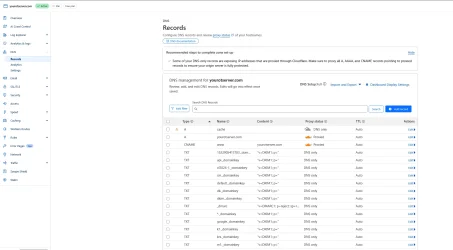
2) Once you're on cloudflare, quick setup recommended. It will look something like this.
Ignore the cache one I have, it's running DNS only which means cloudflare is not protecting this path.
Mine is setup to allow all HTTP traffic under cache dir only, it declines any other entry access other than /cache
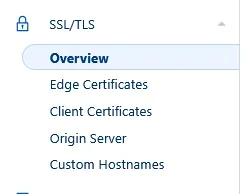
3) Entert SSL/TLS tab, at overview, press configure
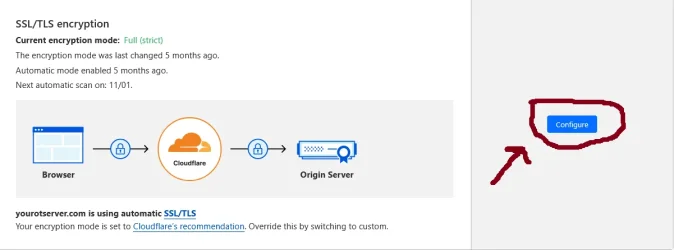
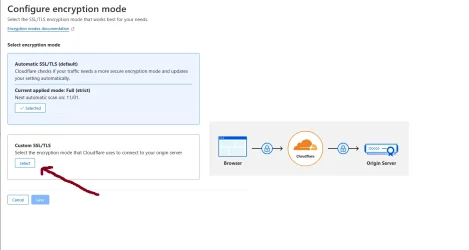
3.1) Press select, then configure it to use Full(Strict)
4) Now, you can play around with the settings, watch tutorials on google and use the built in tools given by cloudflare.
If you plan on putting your server on OTServlist or alike, use a DNS ONLY sub domain, and point it to the same ipv4.
This will allow you to put it up, but be careful using a re-direct onto main page or anything a like since this will most likely flag your webpage as suspicious by google and/or others.
This will give a warning everytime someone accesses your webpage, and while on it. It's really annoying.


