
SOLVED. If you are having the same problem, the solution is at the bottom of this post!
Thanks terrain and Fredde3436 for the help, you guys are awesome (they replied me in another forum)
Hello everybody!
So, I was on the process to open my own otserver. Me and some friends were developing it, we had a lot of ideas and over the last 1 and a half month we were creating the map and the scripts...
The server was running smoothly, we were on the final step to make it public... When, suddenly (the day before yesterday), the server crashed, there is no way it was a nuker, there were only 3 people online (me and 2 friends) and only we knew about it.
No bugs on console, we were not searching for bugs at that time, we were at the dp, just having some fun...
So I thought: Ah, probably just a crash, might be common...
When I opened the server again, it happened again "Server stopped responding".
I did some search on the web, and all I could find is that it was probably something related to my computer not supporting it.. And I thought it made sense because I was running Global Map with some extra areas that we created. On ther other hand, how could the server be running smooth for more than a month, and now it doesn´t even open anymore ?
I let my PC turned down for 24 hours (yesterday) and tried to open it today with no luck...
I tried differents .exe's, more than 10, and still the same problem... Tried using Laatido and nothing again...
To run a "final test", I tried to open my server with a small map. Didn't work!
It leads me to think that probably the problem is really not computer not supporting it anymore...
Altough I downloaded a brand new tfs, without changing anything and it worked like a charm (small map)... Maybe it is a problem with my scripts ?
And I'm here to ask for your help, what can I do to make my computer support it ? Is there any .exe that is truly 64 bits for windows ?
If I increase my RAM to 16 GB will it solve the problem ?
Also, if I'm wrong and it is not a problem with my computer, what else can it be and how to solve it ?
Thanks A LOT already for the help!
~If you need any information that I didn't say, please just ask --- Sorry for my bad english!
---EDIT
I just tried opening it again with a small map, it worked! But now, even though the server doesn't crash, I can't login...
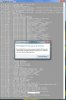
I place my acc and pass, my char list loads, but when I try to enter the game this error happens on tibia:
Cannot connect to game server.
Error: Connection timed out (10060)
For more information take a look at the FAQs in the support section at www.tibia.com
What can it be now ?
Small map -> opens, but can't log-in
Big map -> doesn't even open
Computer Specs:
Windows 7 Professional x64 bit (Not craked, the real one)
8 GB RAM
Intel I7 870 @ 2.93 GHz
NVidia GeForce GTS 250
5,9 on the windows rating
Server is The Forgotten Server 0.4.0a1 (with Laatido or not-2 different .exe's-) 8.60
Map size is 89.263 KB
Running MySql with Xampp
Pic of the error:
just in case, here is a image shack upload:
ImageShack - Online Photo and Video Hosting
- - - Updated - - -
This thread can be closed, I found my answers...
If anybody is having this problem, here is the solution:
Thanks to terrain and fredde3436 I noticed that the problem had to be something with the IP...
But, it was not the port that was blocked, it was simply a wrong . in the config.lua
I mean, my ip was suppose to be: xxx.xxx.xxx.xxx and it was xxx.xxx.xxxx.xx
Just a little spelling error generated all this problem...
For some reason tfs can´t recognize this error and just shutdown
So, after that, I tried with the big map, and it worked like a charm!
I have to say though, that I can't believe the solution was this simple, I feel stupid now, lol
Thanks a lot for those guys that helped me!
Thanks terrain and Fredde3436 for the help, you guys are awesome
(they replied me in another forum)Hello everybody!
So, I was on the process to open my own otserver. Me and some friends were developing it, we had a lot of ideas and over the last 1 and a half month we were creating the map and the scripts...
The server was running smoothly, we were on the final step to make it public... When, suddenly (the day before yesterday), the server crashed, there is no way it was a nuker, there were only 3 people online (me and 2 friends) and only we knew about it.
No bugs on console, we were not searching for bugs at that time, we were at the dp, just having some fun...
So I thought: Ah, probably just a crash, might be common...
When I opened the server again, it happened again "Server stopped responding".
I did some search on the web, and all I could find is that it was probably something related to my computer not supporting it.. And I thought it made sense because I was running Global Map with some extra areas that we created. On ther other hand, how could the server be running smooth for more than a month, and now it doesn´t even open anymore ?
I let my PC turned down for 24 hours (yesterday) and tried to open it today with no luck...
I tried differents .exe's, more than 10, and still the same problem... Tried using Laatido and nothing again...
To run a "final test", I tried to open my server with a small map. Didn't work!
It leads me to think that probably the problem is really not computer not supporting it anymore...
Altough I downloaded a brand new tfs, without changing anything and it worked like a charm (small map)... Maybe it is a problem with my scripts ?
And I'm here to ask for your help, what can I do to make my computer support it ? Is there any .exe that is truly 64 bits for windows ?
If I increase my RAM to 16 GB will it solve the problem ?
Also, if I'm wrong and it is not a problem with my computer, what else can it be and how to solve it ?
Thanks A LOT already for the help!
~If you need any information that I didn't say, please just ask --- Sorry for my bad english!
---EDIT
I just tried opening it again with a small map, it worked! But now, even though the server doesn't crash, I can't login...
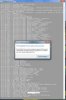
I place my acc and pass, my char list loads, but when I try to enter the game this error happens on tibia:
Cannot connect to game server.
Error: Connection timed out (10060)
For more information take a look at the FAQs in the support section at www.tibia.com
What can it be now ?
Small map -> opens, but can't log-in
Big map -> doesn't even open
Computer Specs:
Windows 7 Professional x64 bit (Not craked, the real one)
8 GB RAM
Intel I7 870 @ 2.93 GHz
NVidia GeForce GTS 250
5,9 on the windows rating
Server is The Forgotten Server 0.4.0a1 (with Laatido or not-2 different .exe's-) 8.60
Map size is 89.263 KB
Running MySql with Xampp
Pic of the error:
just in case, here is a image shack upload:
ImageShack - Online Photo and Video Hosting
- - - Updated - - -
This thread can be closed, I found my answers...
If anybody is having this problem, here is the solution:
Thanks to terrain and fredde3436 I noticed that the problem had to be something with the IP...
But, it was not the port that was blocked, it was simply a wrong . in the config.lua
I mean, my ip was suppose to be: xxx.xxx.xxx.xxx and it was xxx.xxx.xxxx.xx
Just a little spelling error generated all this problem...
For some reason tfs can´t recognize this error and just shutdown
So, after that, I tried with the big map, and it worked like a charm!
I have to say though, that I can't believe the solution was this simple, I feel stupid now, lol
Thanks a lot for those guys that helped me!
Attachments
-
 bug.jpg10.2 KB · Views: 21 · VirusTotal
Last edited: