• There is NO official Otland's Discord server and NO official Otland's server list. The Otland's Staff does not manage any Discord server or server list. Moderators or administrator of any Discord server or server lists have NO connection to the Otland's Staff. Do not get scammed!

not invisible npc on rme

Krystian9898

New Member
Joined
Mar 25, 2016
Messages
4
Reaction score
0
Hiho
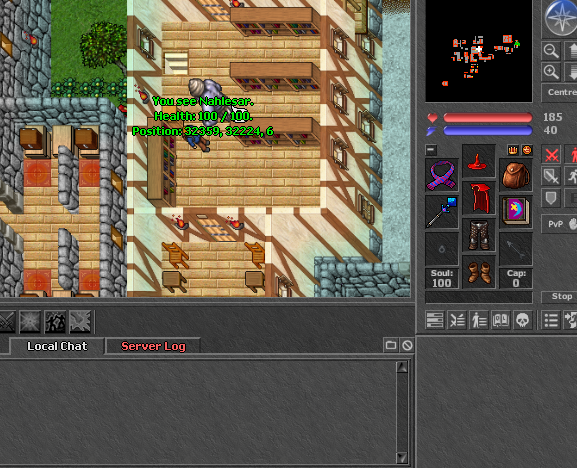
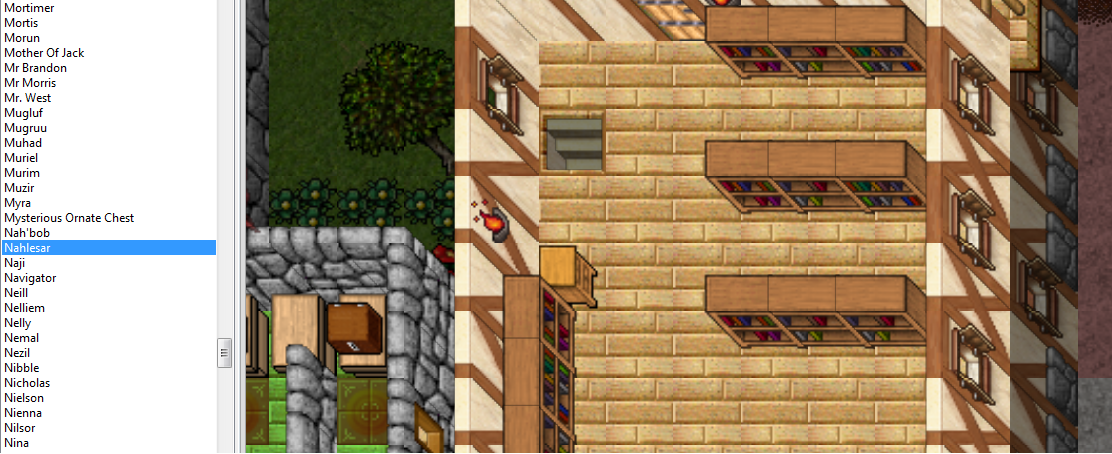
i have small question how to remove npc on map i no see "nahlesar"
in game yes i try remove file this npc and have this informations on console
[Error - Npc::loadFromXML] Failed to load data/npc/Nahlesar.xml: File was not found
 
remove him from both data/npc/scripts and data/npc and your error should be fixed. However, it's not a critical one and it's just notifying you about it.
 
i have rme bro and on this rme no see spawn this npc only in game spawn ......
If a monster doesn't have a looktype assigned they will appear as 'nothing' on the map editor, although if you click on the space where the npc spawns, you'll notice you will have selected the invisible npc at the bottom of rme.
Once you have the npc selected, simply delete and save.

Alternatively, go to your maps 'map_name-spawn.xml'
use ctrl+f (find) the npc's spawn.. something like this
Code:
<spawn centerx="1601" centery="1411" centerz="7" radius="5">
  <monster name="pirate minion" x="-5" y="-4" z="7" spawntime="30"/>
  <monster name="pirate minion" x="5" y="-4" z="7" spawntime="30"/>
  <monster name="pirate minion" x="-5" y="0" z="7" spawntime="30"/>
  <monster name="pirate captain" x="0" y="0" z="7" spawntime="30"/>
  <monster name="pirate minion" x="5" y="0" z="7" spawntime="30"/>
  <monster name="pirate minion" x="-5" y="4" z="7" spawntime="30"/>
  <monster name="pirate minion" x="5" y="4" z="7" spawntime="30"/>
  </spawn>
and delete it this way.
 
Last edited by a moderator:
If a monster doesn't have a looktype assigned they will appear as 'nothing' on the map editor, although if you click on the space where the npc spawns, you'll notice you will have selected the invisible npc at the bottom of rme.
Once you have the npc selected, simply delete and save.

Alternatively, go to your maps 'map_name-spawn.xml'
use ctrl+f (find) the npc's spawn.. something like this
Code:
<spawn centerx="1601" centery="1411" centerz="7" radius="5">
  <monster name="pirate minion" x="-5" y="-4" z="7" spawntime="30"/>
  <monster name="pirate minion" x="5" y="-4" z="7" spawntime="30"/>
  <monster name="pirate minion" x="-5" y="0" z="7" spawntime="30"/>
  <monster name="pirate captain" x="0" y="0" z="7" spawntime="30"/>
  <monster name="pirate minion" x="5" y="0" z="7" spawntime="30"/>
  <monster name="pirate minion" x="-5" y="4" z="7" spawntime="30"/>
  <monster name="pirate minion" x="5" y="4" z="7" spawntime="30"/>
  </spawn>
and delete it this way.
THIS NPC I DONT SEE IN RME ... AND ON ME SPAWN.XML .... HAVE THIS SAME PROBLEM
RME WORK GOOD ..... NO HAVE ANY ISSUES ...
 
eTJ2uRH.png


n98jpcN.png
 
Children. Children! There is no reason to shout.
Do not take your frustrations out on others because something does not appear to be working in your favour.
There is always a solution.

Check your globalevents for a start-up script.
More then likely the npc is being spawned this way, if it does not appear in your map editor.
 
Back
Top