
• There is NO official Otland's Discord server and NO official Otland's server list. The Otland's Staff does not manage any Discord server or server list. Moderators or administrator of any Discord server or server lists have NO connection to the Otland's Staff. Do not get scammed!
  • 2026 staff recruitment is open! Check it out and consider applying!

Linux Running a normal user in Linux (Questions)

Joriku

Working in the mines, need something?
Joined
Jul 16, 2016
Messages
1,175
Solutions
17
Reaction score
481
Location
Sweden
Hi,
I wounder how I would create a "Normal" user instead of a Root user.
While I'm using this user for the database connection but It pops up that the server has been started as a root user. How would I start It and avoid the root part?
31f47bc927531482de39a953610c69d0.png
 
CREATE USER 'urUser'@'localhost' IDENTIFIED BY 'urPassword';
GRANT SELECT ON 'urOtBrDatabase to 'urUser'@'localhost';
FLUSH PRIVILEGES;


Something like this should work. After then u need to replace the currently database user in config.lua by this new.
 
CREATE USER 'urUser'@'localhost' IDENTIFIED BY 'urPassword';
GRANT SELECT ON 'urOtBrDatabase to 'urUser'@'localhost';
FLUSH PRIVILEGES;


Something like this should work. After then u need to replace the currently database user in config.lua by this new.
Right, @ = root?
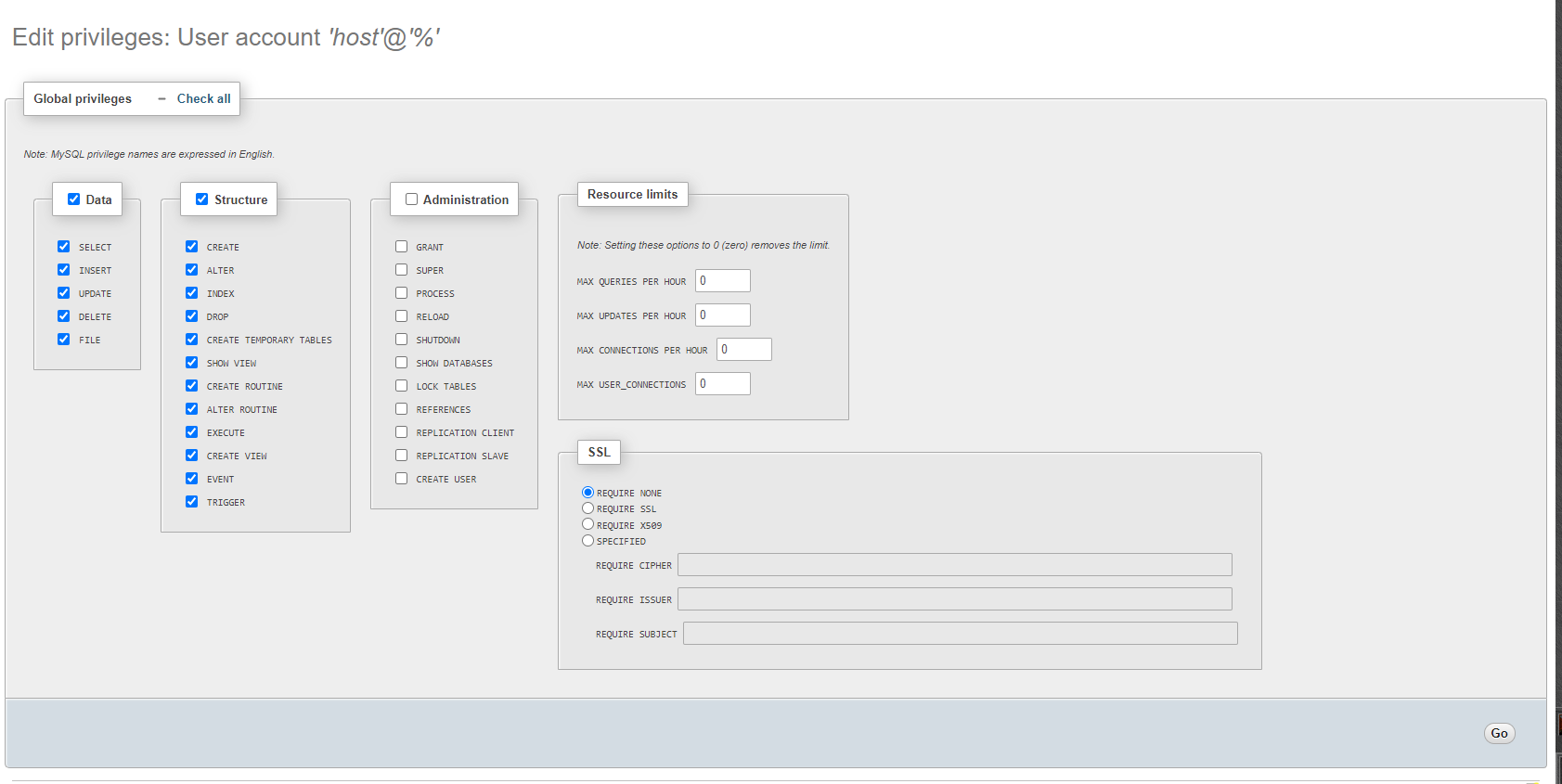
Can I use all the Global privileges or will it be classified as an Administrator?
 
"Right, @ = root?" no, is the sentence syntax.
I should try it to find out exactly what happens but is better use local privileges for database (from my point of view).
 
GRANT SELECT ON 'urOtBrDatabase to 'urUser'@'localhost';
Or of course you can grant more privileges by either doing
GRANT ALL ON ...
or for example
GRANT SELECT, UPDATE, DELETE ON ...

You can also grant privileges on certain tables
GRANT SELECT ON 'database'.'table' to 'user'@'host';

But again this is one of these things that you could have figured out much faster by just googling @Klonera
Like googling "add MySQL user" that's all it is.

Same goes for the system user.
just adduser
you got a new user.
and for example to manage your ot, you can then use screen to execute the server there after you switched to the user using su user. To then get back into that screen you just have to su user again and if screen -list doesn't show the screen you additionally have to do script /dev/null to be able to :)
But google can tell you that and how to give that user privileges :p
 
Or of course you can grant more privileges by either doing
GRANT ALL ON ...
or for example
GRANT SELECT, UPDATE, DELETE ON ...

You can also grant privileges on certain tables
GRANT SELECT ON 'database'.'table' to 'user'@'host';

But again this is one of these things that you could have figured out much faster by just googling @Klonera
Like googling "add MySQL user" that's all it is.

Same goes for the system user.
just adduser
you got a new user.
and for example to manage your ot, you can then use screen to execute the server there after you switched to the user using su user. To then get back into that screen you just have to su user again and if screen -list doesn't show the screen you additionally have to do script /dev/null to be able to :)
But google can tell you that and how to give that user privileges :p

Totally agree :)
 
Back
Top