• There is NO official Otland's Discord server and NO official Otland's server list. The Otland's Staff does not manage any Discord server or server list. Moderators or administrator of any Discord server or server lists have NO connection to the Otland's Staff. Do not get scammed!
  • 2026 staff recruitment is open! Check it out and consider applying!

Write to text document, whenever a function is called

  • Thread starter Thread starter Xikini
  • Start date Start date
X

Xikini

Guest
Reason for script.

I write down all of the storage values I have used inside scripts, so I never have to worry about which ones are used and not used. My friend doesn't always write them into the text document though. And the random people that helped with the project in the past never did either, they just used storage values willy-nilly.

I want to write into a text document all storage values that are called in the server.
I've already searched using Notepad++ in all documents for key words, and believe I have found most/all of the storage values used.. But I want a back-up assurance, in case I missed anything.

To the specifics.

Looking for a script to install in the server. (TFS 0.3.7)
Although, I expect this script would only require actual lua functions, figured I'd state the tfs version. xD

Specifically wanting this for the functions..
(These would be two separate text documents)
Code:
doPlayerSetStorageValue
doCreatureSetStorage
setPlayerStorageValue
Code:
setGlobalStorageValue
doSetStorage
Script needs to monitor all function calls, and when certain function calls are called, write them to a text document.
In my case, I want it to grab the storage number used in the above functions, and the directory path from where the function call originated.
Code:
45629 | data/actions/scripts/bbbbbb.lua
45629 | data/creaturescripts/scripts/aaaaaaaa.lua
45901 | data/movements/scripts/aaaaa.lua
45629 | data/creaturescripts/scripts/aaaaaaaa.lua
45629 | data/creaturescripts/scripts/ggggggg.lua
45157 | data/talkactions/scripts/dddddddd.lua
44289 | data/weapons/scripts/ttttttttt.lua
45629 | data/creaturescripts/scripts/aaaaaaaa.lua
48295 | data/spells/scripts/sorcerer spells/uuuuuuuu.lua
45629 | data/creaturescripts/scripts/aaaaaaaa.lua

Best case scenario, the script would be able to search for specific information inside the text document, before writing the information into it, so there are no duplicate entries.
Code:
45629 | data/actions/scripts/bbbbbb.lua
45901 | data/movements/scripts/aaaaa.lua
45629 | data/creaturescripts/scripts/aaaaaaaa.lua
45629 | data/creaturescripts/scripts/ggggggg.lua
45157 | data/talkactions/scripts/dddddddd.lua
44289 | data/weapons/scripts/ttttttttt.lua
48295 | data/spells/scripts/sorcerer spells/uuuuuuuu.lua

In a perfect scenario, the script would also be able to organize the information numerically and alphabetically.
Code:
44289 | data/weapons/scripts/ttttttttt.lua
45157 | data/talkactions/scripts/dddddddd.lua
45629 | data/actions/scripts/bbbbbb.lua
45629 | data/creaturescripts/scripts/aaaaaaaa.lua
45629 | data/creaturescripts/scripts/ggggggg.lua
45901 | data/movements/scripts/aaaaa.lua
48295 | data/spells/scripts/sorcerer spells/uuuuuuuu.lua

I hope this is enough information for someone to help.
I'm certain I'm not the only person in a similar situation, so this script would benefit a lot of people.

I'm not wanting to parse all documents, as I've already done that.
This is a back-up assurance, in case someone has set-up a function to use multiple storage values, without actually declaring those storages.

If you have any specific questions, feel free to PM me, or post below.

Thanks for reading!

Xikini
 
Solution
untested, try this out (put it somewhere in your lib so it loads on start)
im not exactly 100% sure if you can get the function name through debug.getinfo since setting storage values is a C function (which lua has limited information about due to it being a C function)
LUA:
local names = {
    creatureStorages = {
        "doPlayerSetStorageValue",
        "doCreatureSetStorage",
        "setPlayerStorageValue"
    },
    globalStorages = {
        "setGlobalStorageValue",
        "doSetStorage"
    }
}

local function writeToFile(filename, storageKey, path)
    local file = io.open(filename, "a+")
    if not storageKey then
        return file:close()
    end
    -- only write to file if the storage hasnt been written down yet...
untested, try this out (put it somewhere in your lib so it loads on start)
im not exactly 100% sure if you can get the function name through debug.getinfo since setting storage values is a C function (which lua has limited information about due to it being a C function)
LUA:
local names = {
    creatureStorages = {
        "doPlayerSetStorageValue",
        "doCreatureSetStorage",
        "setPlayerStorageValue"
    },
    globalStorages = {
        "setGlobalStorageValue",
        "doSetStorage"
    }
}

local function writeToFile(filename, storageKey, path)
    local file = io.open(filename, "a+")
    if not storageKey then
        return file:close()
    end
    -- only write to file if the storage hasnt been written down yet
    local text = file:read("*a")
    if text and text:match(storageKey) then
        return file:close()
    end
    file:write(storageKey, " | ", path, "\n")
    return file:close()
end

debug.sethook(
    function()
        local info = debug.getinfo(2)
        local i, j = debug.traceback():find("<([^%.]*%.lua):%d*>")
        local path = debug.traceback():match("<([^%.]*%.lua):%d*>", j)
        if isInArray(names.creatureStorages, info.name) then
            -- use 2 for local position since key is the first argument ( doPlayerSetStorageValue(cid, key, value) )
            --                                                                                          ^
            local name, val = debug.getlocal(2, 2)
            writeToFile("creatureStorages.txt", val, path)
        elseif isInArray(names.globalStorages, info.name) then
            -- use 1 for local position since key is the first argument ( doSetStorage(key, value) )
            --                                                                          ^
            local name, val = debug.getlocal(2, 1)
            writeToFile("globalStorages.txt", val, path)
        end
    end,
    "c"
)
 
Last edited:
Solution
untested, try this out (put it somewhere in your lib so it loads on start)
im not exactly 100% sure if you can get the function name through debug.getinfo since setting storage values is a C function (which lua has limited information about due to it being a C function)
LUA:
local names = {
    creatureStorages = {
        "doPlayerSetStorageValue"
        "doCreatureSetStorage"
        "setPlayerStorageValue"
    },
    globalStorages = {
        "setGlobalStorageValue",
        "doSetStorage"
    }
}

local function writeToFile(filename, storageKey, path)
    local file = io.open(filename, "w")
    local storageKey = debug.getlocal(2, 2)
    if not storageKey then
        return file:close()
    end
    -- only write to file if the storage hasnt been written down yet
    if not file:read("*a"):match(storageKey) then
        file:write(storageKey, " | ", path, "\n")
    end
    return file:close()
end

debug.sethook(
    function()
        local info = debug.getinfo(2)
        local path = debug.traceback():match("<(%a*%.lua):%d*>"
        if isInArray(names.creatureStorages, info.name) then
            -- use 2 for local position since key is the first argument ( doPlayerSetStorageValue(cid, key, value) )
            --                                                                                          ^
            local name, val = debug.getlocal(2, 2)
            writeToFile("creatureStorages", val, path)
        elseif isInArray(names.globalStorages, info.name) then
            -- use 1 for local position since key is the first argument ( doSetStorage(key, value) )
            --                                                                          ^
            local name, val = debug.getlocal(2, 1)
            writeToFile("globalStorages", val, path)
        end
    end,
    "c"
)
Thanks for the interest. :p

To clarify, all scripts on the server are fully functioning with no errors, before installing the above script.

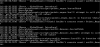
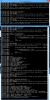
Sorry that it's only a picture, but after installing in data/lib/000_constant.lua
all of the storage calls, can't find themselves any longer.
and of course, before the server started, it was an almost unreadable flow of text, that looked like it was giving the same errors, and lasted for about 4 minutes, before the server started up, and slowly calls the global functions, with errors.
 

Attachments

Thanks for the interest. :p

To clarify, all scripts on the server are fully functioning with no errors, before installing the above script.

Sorry that it's only a picture, but after installing in data/lib/000_constant.lua
all of the storage calls, can't find themselves any longer.
the script doesn't edit any scripts or functions, it's just a hook so that shouldn't happen
are you sure you didn't paste it into an existing function or something?
also i edited the script a few times cause i saw some errors, re copy it
it honestly might have been caused by one of the errors i had originally (i forgot to close parentheses for the matching pattern) so it just simply made the lib not load since there was a syntax error
 
the script doesn't edit any scripts or functions, it's just a hook so that shouldn't happen
are you sure you didn't paste it into an existing function or something?
also i edited the script a few times cause i saw some errors, re copy it
it honestly might have been caused by one of the errors i had originally (i forgot to close parentheses for the matching pattern) so it just simply made the lib not load since there was a syntax error
I put the new edit in, and it actually crashed the server after attempting to call 2 functions.

I got some print screen's while the server was starting up though.
Maybe it'll help.

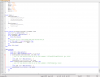
Also, a screenshot of my data/lib/ooo_constant.lua
I've pasted your script at the very bottom, under my global tables.


-- Edit, the first table appears to be missed some comma's.
Going to restart server after adding them
 

Attachments

I put the new edit in, and it actually crashed the server after attempting to call 2 functions.

I got some print screen's while the server was starting up though.
Maybe it'll help.

Also, a screenshot of my data/lib/ooo_constant.lua
I've pasted your script at the very bottom, under my global tables.


-- Edit, the first table appears to be missed some comma's.
Going to restart server after adding them
fug re copy again
forgot to add commas in the names table
 
Okay, it starts up, but lib doesn't load.
0.3.7 is rigged doesnt have isInArray
here, put this in your 050-functions lib
LUA:
function isInArray(array, value)
    for k, v in pairs(array) do
        if v == value then
            return true
        end
    end
    return false
end
 
0.3.7 is rigged doesnt have isInArray
here, put this in your 050-functions lib
LUA:
function isInArray(array, value)
    for k, v in pairs(array) do
        if v == value then
            return true
        end
    end
    return false
end
Well, we do have an isInArray. :P
Looks quite a bit different though.
Should I replace it with yours, or keep as-is?
LUA:
function isInArray(array, value, caseSensitive)
   if (caseSensitive == nil or caseSensitive == false) and type(value) == "string" then
       local lowerValue = value:lower()
       for _, _value in ipairs(array) do
           if type(_value) == "string" and lowerValue == _value:lower() then
               return true
           end
       end
   else
       for _, _value in ipairs(array) do
           if (value == _value) then return true end
       end
   end
   return false
end
 
Well, we do have an isInArray. :p
Looks quite a bit different though.
Should I replace it with yours, or keep as-is?
LUA:
function isInArray(array, value, caseSensitive)
   if (caseSensitive == nil or caseSensitive == false) and type(value) == "string" then
       local lowerValue = value:lower()
       for _, _value in ipairs(array) do
           if type(_value) == "string" and lowerValue == _value:lower() then
               return true
           end
       end
   else
       for _, _value in ipairs(array) do
           if (value == _value) then return true end
       end
   end
   return false
end
replace with mine, that one won't iterate unordered arrays
also if you have one, why would it say that it's nil?
 
replace with mine, that one won't iterate unordered arrays
also if you have one, why would it say that it's nil?
Unsure.
I'll replace and try to get some printscreens.

Replaced, and recopied your script from above as well.
I got a print screen before the errors start, which were identical.

It loads to items, then start erroring. (It may get the few things past that, but it literally pauses at loading items for 0.05 seconds, then error's for about 15 seconds, that starts up, just like before.)

Seems like my friend was doing something before heading to work, so there is a few error's when starting up now.
But here is how it looks normally, when starting up.
 

Attachments

Unsure.
I'll replace and try to get some printscreens.

Replaced, and recopied your script from above as well.
I got a print screen before the errors start, which were identical.

It loads to items, then start erroring. (It may get the few things past that, but it literally pauses at loading items for 0.05 seconds, then error's for about 15 seconds, that starts up, just like before.)

Seems like my friend was doing something before heading to work, so there is a few error's when starting up now.
But here is how it looks normally, when starting up.
well, what errors?
same thing with isInArray as a nil value?
 
well, what errors?
same thing with isInArray as a nil value?
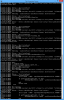
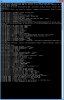
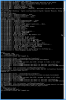
More of the same, yeah.

First small window is when it started up.
Second longer window, is when it let me resize the window, and finishes start up.

It looks identical to the error as before.

(I have to run inbetween rooms. I'm getting a lot of exercise doing this testing. :P)
 

Attachments

More of the same, yeah.

First small window is when it started up.
Second longer window, is when it let me resize the window, and finishes start up.

It looks identical to the error as before.
where did you define isInArray?
if it's not in 050-functions.lua put it there
if it is in 050-functions, try putting it in 000-constant.lua before the code for all the text doc shit, that way it's 100% defined before
 
where did you define isInArray?
if it's not in 050-functions.lua put it there
if it is in 050-functions, try putting it in 000-constant.lua before the code for all the text doc shit, that way it's 100% defined before
Alright, removed from 050_functions.lua, and put before.

It starts up.

When attempting to login, it errors and disconnects the character before they can login fully.
 

Attachments

Back
Top