
-
2026 staff recruitment is open! Check it out and consider applying!
You are using an out of date browser. It may not display this or other websites correctly.
You should upgrade or use an alternative browser.
You should upgrade or use an alternative browser.
otclient new source compiling
- Thread starter Michcol94
- Start date


NvSo
NvSo is there!
It is better that you use something more current such as GitHub - mehah/otclient: An alternative tibia client for otserv written in C++20 and Lua, made with a modular system that uses lua scripts for ingame interface and functionality, making otclient flexible and easy to customize (https://github.com/mehah/otclient)

El Bringy
Banned User
- Joined
- Jan 5, 2013
- Messages
- 333
- Solutions
- 6
- Reaction score
- 286
try without manifest

since its vcpkg thats failing did you try manually installing all libs from powershell with ./vcpkg install? probably not

Mateus Robeerto
Legendary OT User
It's something simple, nothing complicated.
Which one are you using, OTC v8?
If it's Kondra's, you need to use vcpkg and older libraries/boost.
If it's OTC v8 from OTAcademy, it automatically downloads libraries and boost.
My recommendation: first delete your vcpkg folder, then clone everything again and follow the OTAcademy OTC v8 tutorial. After that, open v17/otclient.vcxproj and compile it, and it will download all dependencies automatically. Simple as that.
If you've already modified your OTC source code, just take the src from your v17 and put it into OTAcademy v8 and compile.
That's what I did. When I tried to compile, I got many errors. I had to delete the vcpkg folder and download it again. Then I used OTAcademy v8, it downloaded everything fine, compiled, and generated the .exe without problems.
If your OTC v8 is from Kondra, unfortunately it's not compatible with OTAcademy v8.
You'll need to look for older libraries/boost. But I recommend migrating to the latest OTAcademy v8 so you don't waste time.
OTAcademy v8

 github.com
Which one are you using, OTC v8?
If it's Kondra's, you need to use vcpkg and older libraries/boost.
If it's OTC v8 from OTAcademy, it automatically downloads libraries and boost.
My recommendation: first delete your vcpkg folder, then clone everything again and follow the OTAcademy OTC v8 tutorial. After that, open v17/otclient.vcxproj and compile it, and it will download all dependencies automatically. Simple as that.
If you've already modified your OTC source code, just take the src from your v17 and put it into OTAcademy v8 and compile.
That's what I did. When I tried to compile, I got many errors. I had to delete the vcpkg folder and download it again. Then I used OTAcademy v8, it downloaded everything fine, compiled, and generated the .exe without problems.
If your OTC v8 is from Kondra, unfortunately it's not compatible with OTAcademy v8.
You'll need to look for older libraries/boost. But I recommend migrating to the latest OTAcademy v8 so you don't waste time.
OTAcademy v8
GitHub - OTAcademy/otclientv8: OTAcademy's fork of OTClientV8
OTAcademy's fork of OTClientV8. Contribute to OTAcademy/otclientv8 development by creating an account on GitHub.
github.com
Last edited:

chucky91
Advanced OT User
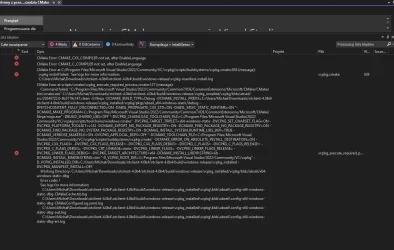
u try open vsc on folder otclient with mouse right click, and click in vsc, this mode cmake open, auto download all libs.View attachment 94863
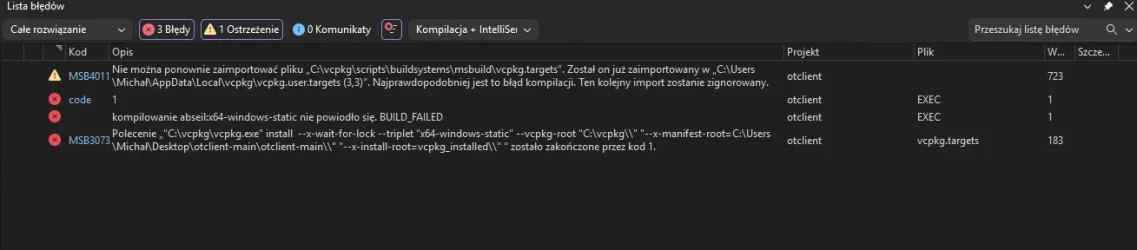
When I use a new source, an error message appears. I'm doing everything according to the guide.
Post automatically merged:
oh it seems you done done it for the image.
try clear vcpkg.
OP
OP

Michcol94
Active Member
- Joined
- Sep 2, 2021
- Messages
- 159
- Solutions
- 2
- Reaction score
- 30
Could someone check the compilation in Win 11 Pro? Every possible compilation of OtClient Mehah 4.04b ends with errors. I do everything according to the Wiki from the VCPK Visual Studio Community.