
You are using an out of date browser. It may not display this or other websites correctly.
You should upgrade or use an alternative browser.
You should upgrade or use an alternative browser.
Moving database
- Thread starter exique
- Start date


It depends on where you have installed your databse.
I advise you to dump database in phpmyadmin (export), and then import on another computer.
I advise you to dump database in phpmyadmin (export), and then import on another computer.
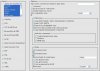
I tried to export it..
but this error came:
And I choose "INSERT" when I wanted to import..
Here is a screenie:
but this error came:
Code:
#1146 - Table 'outlander.player_skills' doesn't existHere is a screenie:
Attachments
-
 export1.JPG73.6 KB · Views: 12 · VirusTotal


Its hard to move it, i did it today because of crash. You cant simply import that what u exported before because you get errors then etc. I splitted the file so imported everything myself in parts. First created the db's, then inserted all contents. Takes some time but it works without loosing anything 

There are different ways to move database to another computer. You can simply export it in to a doc file, and than import it on other pc. But you will probably get errors(I always do). Super nooby but easy way - replace xampp folder installed on other pc with your xampp folder. Cuz all data are there. It worked for me when I had to reninstall operating system 
So Is it enough with just moving xampp?
I am not 100% sure, but I think it should be enough. Though you have install the xampp in the pc you want to move your database and only than replace folder. Try it, you cant lose anything.

Nikkster
Programmer
Are you getting trigger errors?

EASY WAY: go to xampp/mysql/data (there's all the databases that appear in PhpMyAdmin), just take your database folder out.
Same goes to insert it, just put your folder in xampp/mysql/data and you won't need to update anything.
Same goes to insert it, just put your folder in xampp/mysql/data and you won't need to update anything.
What's trigger errors?
[700th POST~]
Nothing you need to worry about now, since moving a database doesn't cause any error if you do it correctly.
EASY WAY: go to xampp/mysql/data (there's all the databases that appear in PhpMyAdmin), just take your database folder out.
Same goes to insert it, just put your folder in xampp/mysql/data and you won't need to update anything.
Thanks!
Reputation for the master! Xd
EASY WAY: go to xampp/mysql/data (there's all the databases that appear in PhpMyAdmin), just take your database folder out.
Same goes to insert it, just put your folder in xampp/mysql/data and you won't need to update anything.
Well I did what you said, but after that I started my server and got huge amount of errors about trigers. If I trie to login in my acc Im getting debug. :S Here is ss:


Im getting this triger error everytime ot starts.
