• There is NO official Otland's Discord server and NO official Otland's server list. The Otland's Staff does not manage any Discord server or server list. Moderators or administrator of any Discord server or server lists have NO connection to the Otland's Staff. Do not get scammed!
  • 2026 staff recruitment is open! Check it out and consider applying!

can help me abut OT t Snowz Thyranic 3.1 (8.6)

Sir Deep Freeze

Atlantis OT
Joined
Sep 11, 2008
Messages
166
Reaction score
7
Location
Atlantis OT
I'm from Egypt my English not good but i try to say what i need

i make my ot on my vps win 2008

and OT online now and i make my

and all work
Apache Service: work
MySQL Service : work

config

sqlType = "sqlite" <--- change sqlite to mysql ot no open if i change
sqlHost = "localhost"
sqlPort = 3306
sqlUser = "root"
sqlPass = "2567458972"
sqlDatabase = "TFS"
sqlFile = "Database.s3db"


see
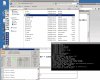


13365076221.jpg

and i open change ip

and tibia and all work

but no can log on and make acc

so can help me
 
go to data/"Folder" XML / servers

port " 7172 " try that and replay here if u fixed it or ... something else ....


thx walkingdragon i open site and have msg see

Error: I could not see your service on 109.169.80.144 on port (7171)
Reason: Connection timed out

Error: I could not see your service on 109.169.80.144 on port (7172)
Reason: Connection timed out
 
I'll explain my way then give you a tutorial link:

My way:
Step 1: Goto your router and go to the option to where you can make new ports
Step 2: Open a port using TCP with the opening and closing ports 7171 (name it whatever you want)
Step 3: Same thing as step 2 but instead of 7171 you make it 7172 (different name but w.e you want)
Step 4: Goto your firewall and goto exceptions
Step 5: Add port 7171 (opening and ending ports) via TCP with whatever name you want
Step 6: Same thing as step 5 but with port 7172
Step7: Check your ports through Open Port Check Tool to see if they are succesfully open.

Tutorial (incase you didn't understand or something went wrong):
PortForward.com - PortForward.com
Once you've located your router brand and model it'll give you a detailed tutorial.
 
You still go through your gateway (router) to open the ports unless you have two NIC (Network interface cards) acting as your router then it's just the firewall. Contact your VPS hoster and see if it's through the computer or an external router.
 
Back
Top