• There is NO official Otland's Discord server and NO official Otland's server list. The Otland's Staff does not manage any Discord server or server list. Moderators or administrator of any Discord server or server lists have NO connection to the Otland's Staff. Do not get scammed!
  • 2026 staff recruitment is open! Check it out and consider applying!

Linux Can login to acc, cant to game (WAN)

Szafi

www.rookwar.pl
Joined
Mar 2, 2009
Messages
165
Reaction score
10
Location
Poland
Hello. I have a problem. Can login only to server from LAN. Network WAN can only connect only to character list, cant to login game character.

All ports (80, 7171, 7172) forwarding and open to 192.168.0.101 - why can't connect to TFS on WAN ip adres?

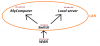
Look attached files - i paint my network and upload other information.

Thanks to help.
 

Attachments


I no have domain, i try
192.168.0.1 84.234.13.166

not working


@edit 20:09 (17.01.2015r)

[17/1/2015 20:6:28] (Error - void ServicePort::eek:pen(IPAddressList, uint16_t)) NETWORK: bind: Address already in use

[17/1/2015 20:7:14] (Error - void ServicePort::eek:pen(IPAddressList, uint16_t)) NETWORK: bind: Cannot assign requested address

I found error log, any idea?
 
Last edited:
On the computer where you are hosting the server you have to do what I suggested above. Also, you haev to use the local IP of THAT COMPUTER in the hosts file. Not the ip of your router.

In fig. 2 the ip appears to be 192.168.0.101 so it should look like: 192.168.0.101 84.234.13.166
 
On the computer where you are hosting the server you have to do what I suggested above. Also, you haev to use the local IP of THAT COMPUTER in the hosts file. Not the ip of your router.

In fig. 2 the ip appears to be 192.168.0.101 so it should look like: 192.168.0.101 84.234.13.166

Ok i try

/etc/hosts
127.0.0.1 localhost
127.0.0.1 krzak
192.168.0.1 84.234.13.166
# The following lines are desirable for IPv6 capable hosts
::1 localhost ip6-localhost ip6-loopback
ff02::1 ip6-allnodes
ff02::2 ip6-allrouters

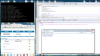
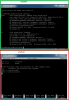
and (look ss) settings.

Server is offline

@edit 20:42
/etc/hosts
127.0.0.1 localhost
127.0.0.1 krzak
192.168.0.1 84.234.13.166
# The following lines are desirable for IPv6 capable hosts
::1 localhost ip6-localhost ip6-loopback
ff02::1 ip6-allnodes
ff02::2 ip6-allrouters

@edit 20:43

/etc/hosts
127.0.0.1 localhost
127.0.0.1 krzak
192.168.0.101 84.234.13.166
# The following lines are desirable for IPv6 capable hosts
::1 localhost ip6-localhost ip6-loopback
ff02::1 ip6-allnodes
ff02::2 ip6-allrouters

bindOnlyGlobalAddress = false or true

not working
 

Attachments

Last edited:
step 1: go to port check web page.
step 2: check your external adress.
step 3: put this adress on config.lua (ip="external adress").
step 4: open your server(click on tfs.exe or whatever your .exe is called).
step 5: back to port check web page.
step 6: change Port Number to 7171 and click in check.

if it says closed, your port isnt released, if it says open even with .exe closed peharps there is a pc in your lan running a server using the same ports and causing conflict.

remember to use your external ip adress on ip changer for connect to your server, in case it does the same error try to put your ip="127.0.0.1" and connect using your external adress.
 
step 1: go to port check web page.
step 2: check your external adress.
step 3: put this adress on config.lua (ip="external adress").
step 4: open your server(click on tfs.exe or whatever your .exe is called).
step 5: back to port check web page.
step 6: change Port Number to 7171 and click in check.

if it says closed, your port isnt released, if it says open even with .exe closed peharps there is a pc in your lan running a server using the same ports and causing conflict.

remember to use your external ip adress on ip changer for connect to your server, in case it does the same error try to put your ip="127.0.0.1" and connect using your external adress.

I'm not a moron
 
Are your ports forwarded to your server? Why are you editing the servers.xml file? lets forget about the hosts file for now and in the IP line enter your external IP address. In the IP changer use the external IP. If this does not work, try everything with the internal IP and if that does not work make sure that you can actually access the computer from within the network; make sure that you have iptables set up for local and external access on those ports.

Also(unlikely but worth checking) if one of the computers is on a wireless network make sure that the router is allowing WLAN-LAN traffic; some routers disable it as a security reason.
 
so can you just put your external ip in your config.lua and show us a print of the port check web page showing your port 7171 is open for your external ip?
Yes. If I connect directly to the WAN server it works. Ports 100% open in switch.

@edit

i buy normal dedicated server, fuck this shiet - worked :) thanks for all - you owe me if you need something then write
 
Last edited:
Back
Top