Hello!
I have made a 8.6 TFS ot with a page and everything.
Everything works smooth with accounts, players, map etc. But when i try to change my Connection Config IP to the IP from (whatsmyip.org) neither me nor my friends can logg on.
I have opened the ports 7171, 7172, 80 and 3060 (i know 3060 is not needed and i'll get hacked, i'm going to remove it when i get it up).
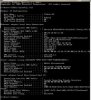
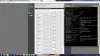
I use a d-link router and i put my IP adress as the Ipv4 adress from ipconfig CMD and the names of the ports as Tibia, Tibia, Apache, MySQL.
I have made a no-ip.com host and downloaded DUC v4.0.1. It says my host is up.
At Open Port Check Tool i get the message:
Error: I could not see your service on 31.209.42.230 on port (7171)
Reason: Connection timed out
I have no clue how to fix the problem and i tried to search for a solution but cant find one.
This is my config.lua info:
-- Connection config
worldId = 0
ip = "31.209.42.230"
bindOnlyConfiguredIpAddress = false
loginPort = 7171
gamePort = 7172
adminPort = 7171
statusPort = 7171
loginTries = 10
retryTimeout = 5 * 1000
loginTimeout = 60 * 1000
maxPlayers = 1000
motd = "Welcome to the Forgotten Server 8.60!"
displayOnOrOffAtCharlist = false
onePlayerOnlinePerAccount = true
allowClones = false
serverName = "Forgotten 8.60"
loginMessage = "Welcome to the Forgotten Server 8.60!"
statusTimeout = 5 * 60 * 1000
replaceKickOnLogin = true
forceSlowConnectionsToDisconnect = false
loginOnlyWithLoginServer = false
premiumPlayerSkipWaitList = false
Would appreciate any help i can get!
Regards,
Tikkiz
I have made a 8.6 TFS ot with a page and everything.
Everything works smooth with accounts, players, map etc. But when i try to change my Connection Config IP to the IP from (whatsmyip.org) neither me nor my friends can logg on.
I have opened the ports 7171, 7172, 80 and 3060 (i know 3060 is not needed and i'll get hacked, i'm going to remove it when i get it up).
I use a d-link router and i put my IP adress as the Ipv4 adress from ipconfig CMD and the names of the ports as Tibia, Tibia, Apache, MySQL.
I have made a no-ip.com host and downloaded DUC v4.0.1. It says my host is up.
At Open Port Check Tool i get the message:
Error: I could not see your service on 31.209.42.230 on port (7171)
Reason: Connection timed out
I have no clue how to fix the problem and i tried to search for a solution but cant find one.
This is my config.lua info:
-- Connection config
worldId = 0
ip = "31.209.42.230"
bindOnlyConfiguredIpAddress = false
loginPort = 7171
gamePort = 7172
adminPort = 7171
statusPort = 7171
loginTries = 10
retryTimeout = 5 * 1000
loginTimeout = 60 * 1000
maxPlayers = 1000
motd = "Welcome to the Forgotten Server 8.60!"
displayOnOrOffAtCharlist = false
onePlayerOnlinePerAccount = true
allowClones = false
serverName = "Forgotten 8.60"
loginMessage = "Welcome to the Forgotten Server 8.60!"
statusTimeout = 5 * 60 * 1000
replaceKickOnLogin = true
forceSlowConnectionsToDisconnect = false
loginOnlyWithLoginServer = false
premiumPlayerSkipWaitList = false
Would appreciate any help i can get!
Regards,
Tikkiz


![url]](/proxy.php?image=http%3A%2F%2F%5Burl%5Dhttp%3A%2F%2F4.imgland.net%2FQTuEzM.png%5B%2Furl%5D&hash=d33c2b6fd7af46ec2b032cfca0e5151b)