
You are using an out of date browser. It may not display this or other websites correctly.
You should upgrade or use an alternative browser.
You should upgrade or use an alternative browser.
Can't Play Any Server
- Thread starter elmayorrr
- Start date

Mjmackan
Mapper ~ Writer
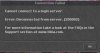
Probably a firewall blocking.Hey Guys , well I can't play any ot I just keep gettin this View attachment 14379
At first i thought it was the server that i was playing but then i tried to play another ones but i couldn't ... any idea why ? :/
So simply check your firewall if its blocking Tibia, if you don't know how tell me which sort of firewall you are using and i will be able to help you.
Probably a firewall blocking.
So simply check your firewall if its blocking Tibia, if you don't know how tell me which sort of firewall you are using and i will be able to help you.
Well I can play tibia , what i can't play is others people server. I've tried about 20 different OTs and I can't play any of them.
Can it be my anti virus ?
walkingdragon
Advanced OT User
- Joined
- Sep 9, 2008
- Messages
- 3,620
- Reaction score
- 190
It could be your antivirus, firewall or modem firewall, check to see if it is blocking it.
walkingdragon
Advanced OT User
- Joined
- Sep 9, 2008
- Messages
- 3,620
- Reaction score
- 190
No, just close your Tibia client, and open it, and it will work perfect, Rofl.
It's just because you've tried to login on a server that's does not exist or offline.
Tips:
Restart Tibia Client.
Doesn't always work. Check the stuff first and if the problem persists, uninstall the program and reinstall.
I'm sure ^^Doesn't always work. Check the stuff first and if the problem persists, uninstall the program and reinstall.
It could be your antivirus, firewall or modem firewall, check to see if it is blocking it.
I have norton any idea ? xD
walkingdragon
Advanced OT User
- Joined
- Sep 9, 2008
- Messages
- 3,620
- Reaction score
- 190
I have norton any idea ? xD
Here's what I'd do, check your ports on your firewall first, if they arn't blocked then move onto with the antivirus, disable it real quick to see if you can connect, if not then re-enable it and uninstall then reinstall the program and try to see if that will let you connect.
Here's what I'd do, check your ports on your firewall first, if they arn't blocked then move onto with the antivirus, disable it real quick to see if you can connect, if not then re-enable it and uninstall then reinstall the program and try to see if that will let you connect.
:/ still not working, thanks anyway.
