
• There is NO official Otland's Discord server and NO official Otland's server list. The Otland's Staff does not manage any Discord server or server list. Moderators or administrator of any Discord server or server lists have NO connection to the Otland's Staff. Do not get scammed!
  • 2026 staff recruitment is open! Check it out and consider applying!

Compiling TFS 1.5

Xentiss

New Member
Joined
Aug 30, 2020
Messages
11
Reaction score
0
Error Compiling TFS 1.5 Through Windows/vcpkg

Hi OTland

So as my title say's I have error's in my TFS 1.5 src/vc/17 build on Windows C++ 2022. I've followed every step by step guide of compiling through github pulls/masters downloading the vcpkg files manually from Neikro's tutorial, I've downloaded other src folders and tried to compile but with pretty much the same error's as shown below.
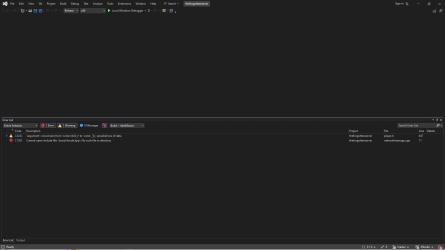
builderror.png

I'm trying to make my own OT again after a long time out and since iv'e had a life changing injury I have a lot of free time for the PC & OT's! So i'm feeling restarted for only getting this far & asking for help but I just need a little guidance if anyone is willing to help :)


Thank you for reading
Xentiss
 
it can't find the boost locale,
give a try:
64bit:
Code:
.\vcpkg install --triplet x64-windows boost-locale
32bit:
Code:
.\vcpkg install boost-locale
 
when i write these out i get the parameter in my gitbash > command not found! I know my post sounds so stupid, but when im following the steps and getting error's how is it possible to get the latest git pulls and still not compile!? I clearly have bad luck..
 
Open your cmd depending on where your vcpkg is located (default is c:/vcpkg) if it's installed to another location you have to adjust the following
Code:
cd c:/vcpkg
and then type in
Code:
vcpkg install boost-locale:x64-windows
This should install boost-locale and you should be able to compile
 
when i write these out i get the parameter in my gitbash > command not found! I know my post sounds so stupid, but when im following the steps and getting error's how is it possible to get the latest git pulls and still not compile!? I clearly have bad luck..
dont use gitbash use cmd instaed.
 
Open your cmd depending on where your vcpkg is located (default is c:/vcpkg) if it's installed to another location you have to adjust the following
Code:
cd c:/vcpkg
and then type in
Code:
vcpkg install boost-locale:x64-windows
This should install boost-locale and you should be able to compile
or it will print another missing library, but atleast he move on with this one
 
I had this issue because I tried to install vcpkg in a custom folder, I couldn't make it work.
Ended up installing in C:/ and everything worked fine after that.
 
use this command is updated, it will leave all the libs for tfs in order.
  1. 64x: ./vcpkg --triplet x64-windows install boost-asio boost-filesystem boost-iostreams boost-lockfree boost-system boost-variant cryptopp curl jsoncpp parallel-hashmap protobuf libmariadb luajit mpir pugixml spdlog fmt magic-enum mio abseil argon2 libxml2 eventpp


  2. 32x: ./vcpkg install boost-asio boost-filesystem boost-iostreams boost-lockfree boost-system boost-variant cryptopp curl jsoncpp parallel-hashmap protobuf libmariadb luajit mpir pugixml spdlog fmt magic-enum mio abseil argon2 libxml2 eventpp


    if your windows is 64 bit then use the one above,

    tfs libs are out of date

    Don't forget to download these options in your look 2022

    SDK to windows 11 or 10 if u use
    packages of vcpkg


erro: no triplet x64-windows: Não foi possível encontrar uma instância válida do Visual Studio
Não foi possível localizar uma instância completa do Visual Studio.
Os seguintes caminhos foram examinados para instâncias do Visual Studio:
C:\Program Files\Microsoft Visual Studio\2022\Community\VC\Auxiliary/Build\vcvarsall.bat
Se este comando for atualizado, ele deixará todas as bibliotecas do TFS em ordem.
  1. 64x: ./vcpkg --triplet x64-windows install boost-asio boost-filesystem boost-iostreams boost-lockfree boost-system boost-variant cryptopp curl jsoncpp parallel-hashmap protobuf libmariadb luajit mpir pugixml spdlog fmt magic-enum mio abseil argon2 libxml2 eventpp


  2. 32x: ./vcpkg install boost-asio boost-filesystem boost-iostreams boost-lockfree boost-system boost-variant cryptopp curl jsoncpp parallel-hashmap protobuf libmariadb luajit mpir pugixml spdlog fmt magic-enum mio abseil argon2 libxml2 eventpp.


    Se o seu Windows for de 64 bits, use a opção acima.

    As bibliotecas do TFS estão desatualizadas.

    Não se esqueça de baixar essas opções no seu

    SDK Look 2022 para Windows 11 ou 10 se você usar
    pacotes do vcpkg.


Back
Top