• There is NO official Otland's Discord server and NO official Otland's server list. The Otland's Staff does not manage any Discord server or server list. Moderators or administrator of any Discord server or server lists have NO connection to the Otland's Staff. Do not get scammed!

Could not connect to database.

tobias89

Pikaz Liek Pikaz
Joined
Apr 24, 2010
Messages
110
Reaction score
0
Could not connect to database.
Could not find your database.


After ive added the sql to my data base, and added the link to the
modern acc.. it wont work..


Can somebody tell me if im doing anything wrong ?

C:\xampp\mysql\data\acc
 
Nvm!

Edit:
The path should look like this:
"C:\xampp\html\" (I think it is the right path for xampp)
If you haven't fixed security for your xampp server,enter: "Localhost/security" in here change password for mysql
For the database, enter: "localhost/phpmyadmin" - Enter username: Root and password: (The one you used when u changed password in security)

--------------- If you didn't understand anything here then go to: http://otland.net/f137/how-setup-mysql-otservers-80269/
A tip, use uniform insted of Xampp :P better security, faster, more user friendly :P
A good guide for installation for it: http://otland.net/f137/nothing-full...niform-server-forgotten-server-0-3-6-a-77593/
 
Last edited:
I did what you say. But it dosent find the folder still..

Could not connect to database.
Could not find your database.


Are you sure this isent the right path?
D:\xampp\mysql\data\acc

acc = mysql from OT.
 
.... a question-.-' do u know how to execute an sql-querry?-.-'
if not, as I said before, login to: Localhost/phpmyadmin
Look for: "Create new Database"
type: otserv
(As an example)
Now, you got a database

When you install Modern ACC
Type in host: Localhost
Database: otserv
Username: *Your username to Phpmyadmin
Password: *Your password to Phpmyadmin
 
.... a question-.-' do u know how to execute an sql-querry?-.-'
if not, as I said before, login to: Localhost/phpmyadmin
Look for: "Create new Database"
type: otserv
(As an example)
Now, you got a database

When you install Modern ACC
Type in host: Localhost
Database: otserv
Username: *Your username to Phpmyadmin
Password: *Your password to Phpmyadmin

ive added the data all ready.

So if i call it otserv, i dont need to copy a direct link only the name of the folder?

edit: I did. and it dident work.
 
I've done everything in the guide. It's just when im trying to add the modern Acc (install) that it get's this msg.

Could not connect to database.
Could not find your database.'


:/
 
Okey.... Just need to check with you so you are doing everything correct:

When you install Modern Acc
At server name what do you type there?
Then at hostname should be 127.0.0.1 or localhost
login: username to your phpmyadmin
password: Password to your phpmyadmin
table: databasename (The name where your accounts, bans, players ect. are)

Should look like this:
Server Name: Myserver
Hostname: localhost
login: root
password: 123
table: otserv
 
Last edited:
Okey.... Just need to check with you so you are doing everything correct:

When you install Modern Acc
At server name what do you type there?
Then at hostname should be 127.0.0.1 or localhost
login: username to your phpmyadmin
password: Password to your phpmyadmin
table: databasename (The name where your accounts, bans, players ect. are)

Should look like this:
Server Name: Myserver
Hostname: localhost
login: root
password: 123
table: otserv


Server name = My server.

Full website URL = blabla.no-ip.org


Hostname =10.0.0.1

Login root

Password *****

Database D:\xampp\mysql\data\acc
 
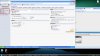
Database is wrong, when you login to: phpmyadmin, you have so called Databases at the left side (looks like a panel).
you should have databases called: information_schema, mysql and phpmyadmin
And your Tibia server database should exist there (I don't know what you have named it) but that name is what you shall put in the Database field.
 

Attachments

Database is wrong, when you login to: phpmyadmin, you have so called Databases at the left side (looks like a panel).
you should have databases called: information_schema, mysql and phpmyadmin
And your Tibia server database should exist there (I don't know what you have named it) but that name is what you shall put in the Database field.


[IMG=http://img203.imageshack.us/img203/3548/sqljr.jpg][/IMG]

And could you tell me how the pathway should look like?


I named the database acc.
 
so as you have said it should look like this:

Server name = My server.
Full website URL = blabla.no-ip.org
Hostname =10.0.0.1
Login root
Password *****
Database acc

Edit:
Did it work this time?
 
Last edited:
so as you have said it should look like this:

Server name = My server.
Full website URL = blabla.no-ip.org
Hostname =10.0.0.1
Login root
Password *****
Database acc

Edit:
Did it work this time?

Same problem.

Could not connect to database.
Could not find your database
 
Back
Top