jeanphilip
Well-Known Member
- Joined
- Oct 26, 2023
- Messages
- 251
- Reaction score
- 54
this work wuth lats tibia too¡? i mean the bot or like is pixel it work?I started to play with your code and some interesting features to be considered
1) Cavewalker it's very simple (only walk between each point. Like base, it's helpful as fuck because using benchmarking tools you can check how many time take using basic algorithm vs a developed algorithm)
So, if you want enhance your cavewalker (but like OP said, it's a finished work and he will not make changes), check this:
1) Block Path (i used A* to check 2 SQM around player. 1 SQM it's the real path, 2° SQM it's an aux SQM). This method it's trash as fuck, but you can fix this problem using a hybrid method (A* + Map data from Memory reading). Because bot dont have a way to know full map (only know your route), so, if a player use a magic wall, your character gonna be stucked. The basic way it's using A* (check around player, check 2 SQM around player and offer a new path).
Tibia 12 use a screen checker (visual way, similar to OCR). I think can be a good step if you dont know how read Bit map from Cheat Engine to check item properties (like block path property in walls, stones, etc).
2) Field find (i used few functions from CandyBot from OTCV8). OTCV8 use server side functions, so, only use Candybot like reference (because can obtain info directly from server meanwhile you need read memory to obtain this info).
3) Humanizer (this add "error" to route to simulate a player error). I dunno if is important, only added for Lulz (and i complain each second because sometimes my character avoid walk or make his own routes xDDD)
4) Timestamp (this shit it's hard too add, so, ideally, it's the first thing to be added before add other class of things, because other functions gonna use your timestamp like reference)
5) Discrepancy between your computer and the server (small latencies between typing and the character's reaction). I suggest check how work keyboard functions using benchmark tools;
6) Benchmarking (to check how many time take a human vs how many time take the bot); Example in my actual manual route (25 nodes using 3 floors), i take 9s to walk from Pi to Pf; Started to add few benchmark tools to keyboard functions/walkerthread and reduced from 16s to 12s my bot time (still have 3s difference to be enhanced).
Something important:
Meanwhile more "math" you add in your bot, more slow gonna walk your character, because your character will check, make few stimations and gonna step 1 SQM. This "few stimations" it's your bottleneck
I was working with a bot time ago (but was using OCR and was a CPU bleeding before learn about your guides using Cheat Engine). Now i saved like 90% resources thanks to your guide (and added a Turbo Mode to waste a bit of CPU/GPU to enhance bot). If Proc T < 60 °C, my notebook raise resources on bot. But if my Proc > 60°, reduce resources on bot.
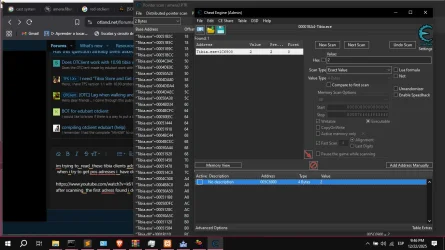
View attachment 92955
Post automatically merged:
this work on tibianic old tibia client by medivia? OR SIMLAR or 8.0 and such tibia clients?
Last edited: