

Hey..
Im trying to get this to work but there is one little thing left, the images wont show in the second category only in the first one
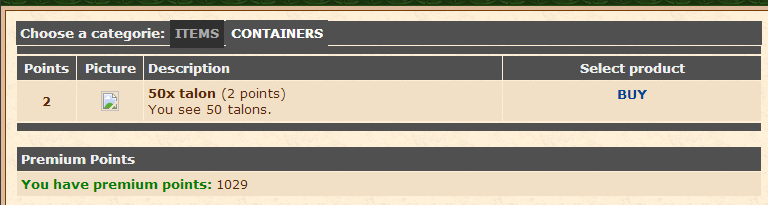
Im trying to get this to work but there is one little thing left, the images wont show in the second category only in the first one
Code:
if(count($offer_list['container']) > 0) $main_content .= '<a href="?subtopic=shopsystem&action=container" style="padding: 5px 5px 7px 5px; margin: 5px 1px 0px 1px; background-color: '.selectcolor('container').';">CONTAINERS</a>';
Code:
        //show list of containers offers
        if((count($offer_list['container']) > 0) and ($action == 'container'))
        {
            if(!is_int($number_of_rows / 2)) { $bgcolor = $config['site']['darkborder']; } else { $bgcolor = $config['site']['lightborder']; } $number_of_rows++;
            $main_content .= '<table border="0" cellpadding="4" cellspacing="1" width="100%"><tr bgcolor="'.$config['site']['vdarkborder'].'"><td width="8%" align="center" class="white"><b>Points</b></td><td width="9%" align="center" class="white"><b>Picture</b></td><td width="350" align="left" class="white"><b>Description</b></td><td width="250" align="center" class="white"><b>Select product</b></td></tr>';
            foreach($offer_list['container'] as $container)
            {
                $main_content .= '<tr bgcolor="'.$bgcolor.'"><td align="center"><b>'.$container['points'].'</b></td><td align="center"><img src="' . $config['site']['item_images_url'] . $container['item_id'] . $config['site']['item_images_extension'] . '"></td><td><b>'.htmlspecialchars($container['name']).'</b> ('.$container['points'].' points)<br />'.htmlspecialchars($container['description']).'</td><td align="center">';
                if(!$logged)
                {
                    $main_content .= '<b>Login to buy</b>';
                }
                else
                {
                    $main_content .= '<form action="?subtopic=shopsystem&action=select_player" method="POST" name="contform_'.$container['id'].'"><input type="hidden" name="buy_id" value="'.$container['id'].'"><div class="navibutton"><a href="" onClick="contform_'.$container['id'].'.submit();return false;">BUY</a></div></form>';
                }
                $main_content .= '</td></tr>';
            }
            $main_content .= '</table>';
        }
