• There is NO official Otland's Discord server and NO official Otland's server list. The Otland's Staff does not manage any Discord server or server list. Moderators or administrator of any Discord server or server lists have NO connection to the Otland's Staff. Do not get scammed!

Help connecting to server

UpInSmoke

Supreme Ruler
Joined
Nov 16, 2008
Messages
303
Reaction score
21
Okay so let me go over what i know forsure works that way we can get this solved faster:
i have port forwarded all the ports needed and checked them all with this:
HTML:
http://www.canyouseeme.org/
ports that i opened are: 7171, 7172, 3306, 443, 80
My firewall isnt blocking it.
i used my global ip in my config.
i can and ONLY ME connect to my server with my static ip or (127.0.0.1).

since only me connecting isnt of any use to me i have a problem :(
i really have no idea what is wrong .. my friend tried connecting and couldnt even get the character list up and neither can i with the global ip.

any help is appreciated! thank you.
 
How do you know your firewall isn't blocking it, did you turn it off or allowed the ports in it? What does the portchecksite say? If people are trying to connect they have to wait for a long time and then get connection timed out (10060)?
Btw I assume you opened your ports with the static ip and that other people are loggin in with your global ip. And it's normal you can't connect with your global ip.
 
Last edited:
i have my server .exe file and my xampp in okay programs for firewall. out of curiosity i turned my firewall off and it still didnt work so that doesnt seem to be the problem. and yes absolutely correct about the connection times out part. yes, i used my static ip because otherwise the portchecker site failed to see the port, with the static ip all the ports were seen.
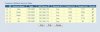
heres a picture of my port forwarding:
ports.jpg
and it is? i made a no-ip of my global so players could connect with that .. but that doesnt work either.
im really dumbfounded as to whats wrong
 
The firewall is for the ports, it blocks the ports if it's on, so it should be off or the ports should be added in it so it doesn't block it. Ye, you should use your static op to open your ports, just checking to be sure, same for the other people that should use your global ip to login.
And an other thing to be sure, you have this ip What Is My IP Address | Shows Your IP Address in config.lua and other people are loggin in with that?

Btw, I can't see your screen.
 
just added the ports in to make sure theyre not blocking it... still doesnt work, still getting the connection timeout error :/ and yes that is the correct ip i am using for my global login.
click on the image to inlarge it.
any other ideas as to why its not connecting ... i made a video but it wont let me upload .. ill upload it to youtube and then provide the link if theres no other ideas as to what the problem is
 
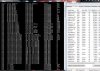
my norton is turned off, still nothing. and damn thats actually pretty cool, sadly it didnt help, screenie of the thing:
proccess.jpg
maybe i missed an import port in there but i dont think so.
i becoming really curious as to what the problem is

i apologize that screenie is god aweful and hard to see idk how to make a better one


Does it matter what server im using...?
 
Last edited:
Probable not, if there was something wrong with the server then also you shouldn't be able to login.
You can check to be sure if the loginport and gameport in your config.lua is 7171 and 7172. Or try restart your router/server/computer.
 
sorry for the late reply i was busy with my exams. i just made sure and my config has that and then i restarted all three of those, still didnt work :/
any otheer ideas??

- - - Updated - - -
 
Last edited:
Back
Top