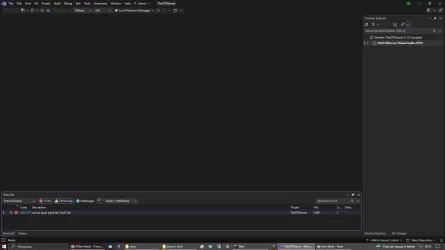
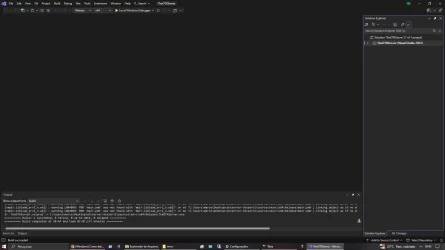
Don’t waste too much time just posting here and waiting for someone to compile OTX2 for you.
It is actually easier if you use an AI IDE, like Cursor, Antigravity, Codex, Kiro, etc.
Just open the OTX source with your AI IDE and send a prompt like this. The AI will analyze the source, check the old Visual Studio project, create a vcpkg.json, remove the old hardcoded paths, and prepare the project to compile with Visual Studio 2022.
After that, open the .sln, enable
vcpkg Manifest Mode, clean/rebuild the solution, and wait. It should download the required libraries automatically and compile successfully.
Prompt example:
Analyze the repository FeTads/otxserver, mainly:
- sources/
- sources/Makefile
- sources/msvc/TheOTXServer.vcxproj
Goal: remove the manual dependency on C:\local\boost_1_84_0 and sources/otx-windows-sdk, creating clean vcpkg support for Visual Studio 2022.
Important:
- This repository does not have a modern CMakeLists.txt.
- The current Windows build uses sources/msvc/TheOTXServer.sln and TheOTXServer.vcxproj.
- Keep x64 Release compilation with PlatformToolset v143.
- Create a vcpkg.json with the real dependencies used by the source:
boost-asio, boost-thread, boost-system, boost-filesystem, boost-regex, boost-bind, boost-function, boost-foreach, libxml2, sqlite3, openssl, libiconv, mpir or gmp, libmariadb or libmysql, and preferably luajit for Lua 5.1 compatibility.
- Check the source includes:
boost/asio, boost/thread, boost/filesystem, boost/regex, libxml, lua.h, lauxlib.h, lualib.h, MySQL headers, SQLite, OpenSSL/Crypto, and gmp.h.
- Adapt the .vcxproj / .props to use $(VcpkgInstalledDir), $(VcpkgTriplet), or native vcpkg integration.
- Remove old hardcoded include/lib paths.
- Do not change server logic yet. Only prepare the build/dependencies.
- If LuaJIT causes include/lib conflicts, keep a Lua 5.1-compatible fallback and document it.
- Also generate short instructions:
vcpkg install --triplet x64-windows
and how to open/compile using Visual Studio.
After that, open the solution in Visual Studio, make sure vcpkg manifest mode is enabled, clean the solution, and build again.