• There is NO official Otland's Discord server and NO official Otland's server list. The Otland's Staff does not manage any Discord server or server list. Moderators or administrator of any Discord server or server lists have NO connection to the Otland's Staff. Do not get scammed!

How to i change the Header/Background in Cyber Layout (Znote AAC)

Tyson12302

New Member
Joined
Aug 6, 2014
Messages
264
Reaction score
4
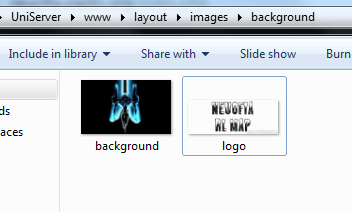
I've been trying to change this "Znote AAC" header for ages and i can't. Here is a php code where the code is being loaded. Here is the Default file which is located in the CCS folder. Here's a pic of my background folder. And finally how my website header looks like when all these codes are imported. Please help, who ever gets still solved i will rep them.
PHP:
</head>
<body>
<div id="page">
       <div id="logo"
    <div id="background"></div>
         <div id="content">
            <div id="menu_top">
                <div class='img'>
                    <div class="left">
                        <div id='menu_top_home'>
                            <a href="index.php">
                                <div class='fadehover'>

Code:
#logo {
    background: url('../images/background/logo.png') no-repeat;
    height: 150px;
    width: 400px;
    margin-left: 30px auto;
}
#body
{
    background: #000000 url('../images/background/background.jpg') top center no-repeat;
    font-size: 11px;
    color: #b7b7b7;
    font-family: Verdana;
    text-shadow: 1px 1px #000;
    padding: 0x;
    margin: 0x;
}
iUwYyzw.png

ddL7HUC.png
 
There was no reason to open a new thread IMO.
Can give us the url to the website so we can inspect it and what is it that you want changed?
 
A tip is to either quote or tag the person you are responding to, that way the person gets a notification about it.

I can't find any text that says znote, If you want the logo image changed (if it's actually in the image, not coded) then you have to ask someone with photoshop skills to do it, but they will most likely need the file photoshop created when the image was first made.
 
A tip is to either quote or tag the person you are responding to, that way the person gets a notification about it.

I can't find any text that says znote, If you want the logo image changed (if it's actually in the image, not coded) then you have to ask someone with photoshop skills to do it, but they will most likely need the file photoshop created when the image was first made.
So there is no either way of getting rid of that Text and just adding the one that is in my images files now.
 
Well I still don't get what you want to do, because there is no text "znote ~".
The header is what i want to change. And the header is "Znote AAC" top of my website. I want to change that text to my own text. It came with a PNG image in the images folder when i got the layout. I then deleted it and added my own images. And it doesnt seem to put my text but the only old text that was there before i changed it.
 
The header is what i want to change. And the header is "Znote AAC" top of my website. I want to change that text to my own text. It came with a PNG image in the images folder when i got the layout. I then deleted it and added my own images. And it doesnt seem to put my text but the only old text that was there before i changed it.

Could you maybe put up some good images explaining it abit more? :p
From what I understood you want to remove some text that is not an image? - Can you confirm this by marking a few of the letters and see if you can mark a couple of them up or if you are marking up an image.
If you can mark up a couple then copy the text and post it here.
 
You want that image centerd or insted of the offline image?
If you want it centerd you can use this in your css file:

Code:
#logo {
     background: url('../images/background/logo.png') no-repeat;
     height: 150px;
     width: 400px;
     align: center;
}
 
You want that image centerd or insted of the offline image?
If you want it centerd you can use this in your css file:

Code:
#logo {
     background: url('../images/background/logo.png') no-repeat;
     height: 150px;
     width: 400px;
     align: center;
}
I put that in saved it and it still shows up as that Znote AAC text on my website
 
Then what is your problem? Because i have no idea what you are talking about. Please post a screenshot so i can understand atleast.
 
Can you take an image of the text you are talking about? Ive inspected the index site and I don't see any znote text - cache?
 
6kTF1F4J6.png


You haven't done alot with websites have you? :p
It's cache related, google how to clear your cache or use the devloper tools if you got chrome.
 
Yeah damn now it looks way different :). Now it looks like my Background doesnt work.
Code:
#body
{
    background: #000000 url('../images/background/background.jpg') top center no-repeat;
    font-size: 11px;
    color: #b7b7b7;
    font-family: Verdana;
    text-shadow: 1px 1px #000;
    padding: 0x;
    margin: 0x;
}

Anything wrong with this?
 
You do not need the top center code, otherwise it looks fine.

Oh and you are not calling the body tag, use .body insted to call the <body> tags, or add tags below <body>.
 
Okay i can see how things are changed now thanks. BTW i got another question. Is there a House Name Query?
 
Last edited:
Back
Top