• There is NO official Otland's Discord server and NO official Otland's server list. The Otland's Staff does not manage any Discord server or server list. Moderators or administrator of any Discord server or server lists have NO connection to the Otland's Staff. Do not get scammed!
  • 2026 staff recruitment is open! Check it out and consider applying!

I Been having trouble making 7.6 work

Bountyman

New Member
Joined
Apr 10, 2026
Messages
2
Reaction score
0
I spent a bunch of hours yesterday trying to make a server of 7.6 work with 1x exp no map or game modifications just the game as is and i want a offline private server , with the help of google ai telling me what to do or where to download stuff etc and it just keeps on either brining me in a vicious circle or a dead end no matter what i did when ever I try too open forgotten the the black window opens very quickly and closes right away I spent like 8 to 10 hours and no resaults I ended up deleting the whole folder, I have windows 11pro tug gaming motherboard last gen for ddr4 , 1000 watts psu, 600$ graphics cards 64 gb ram and the rest the last gen of ddr4
Post automatically merged:

Tuff gaming*
 
How come no one anwsered? No ones interested in helping?
Step-by-step instructions for deploying a ready-made Tibia server based on TFS 1.4.2 using XAMPP for database management.
What we will need:
  • XAMPP — cross-platform build of a local web server. Allows you to run and test web applications without having to upload them to the Internet.
  • Forgotten Server 1.2 actually the server itself
  • OTClient the client for the game
  • MyAAC website for the server
  • Notepad++ — It is a user-friendly text editor for Windows. х32 х64

Установка и запуск XAMPP​

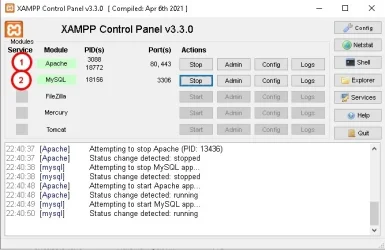
  1. Run the installer XAMPP and select the components:
    Apache (optional);
    MySQL (necessarily);
    phpMyAdmin (necessarily)
  2. After installation, open the control panel XAMPP (C:\xampp\xampp_control.exe).
  3. Launch the module MySQL (click Start).
  4. Запустите модуль Apache (click Start).
  5. Make sure that the status MySQL — Running (The green indicator).

2uln34K87e0abe7Z2hJbM41DMhJp2Yz3FoH60IQc6OaTmLZzUoWDeKKxC2iCoHZtLkthdo7pF59Y31H6aT6xZynSjMD4Y...webp

Creating a database via phpMyAdmin​

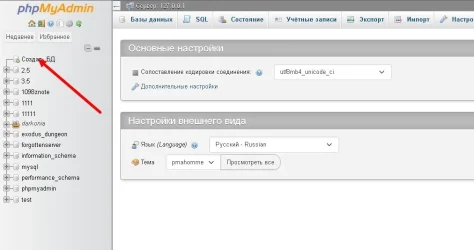
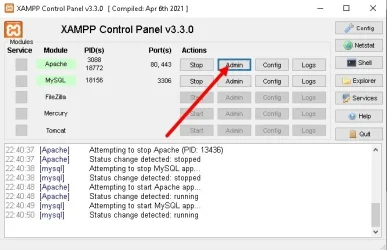
  • In XAMPP, click the admin button.
  • Log in to phpMyAdmin (login: root, password: empty). This is not critical for the local server, but when the server is released, come up with a complex username and password.
  • Unpack the server and the client to a location convenient for you
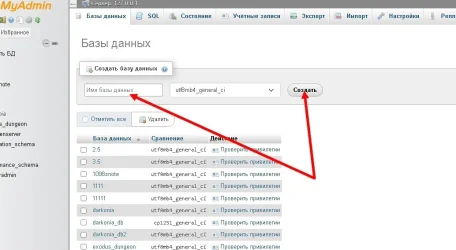
  • Create a new database in phpMyAdmin, name it whatever you like (click create)scale_2400.webp
  • scale_2400 (1).webp
  • we go into the created database
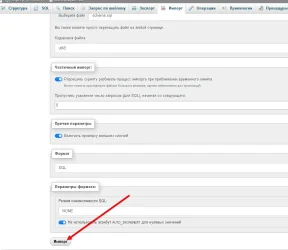
    next, click import
  • выберете файл
  • here you need to specify the path to the schema.sql database. It is located in the root folder with the server
  • importing the database
  • scale_2400 (2).webp
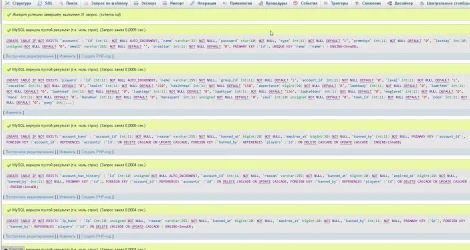
    an example of a successful import (if there are errors, they will be highlighted in red)
  • scale_2400 (3).webp
Post automatically merged:

The database has been installed, now we go to the server

  • open the config file using the Notepad++ program (pcm open with)
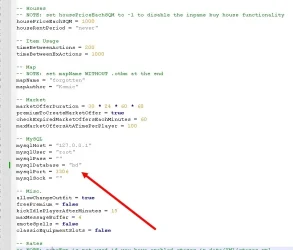
  • Host = 127.0.0.1
  • User = root
  • pass =
  • there, change mysqlDatabase = "your database" in the line

  • scale_2400 (4).webp
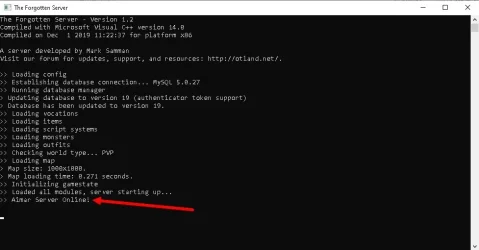
  • don't forget to save your changes. Go to the server folder and run theforgottenserver executable filescale_2400 (5).webp

  • congratulations

    the server is running!!! But we don't have an account yet.

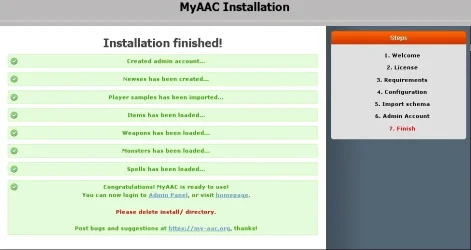
    Go to the folder where you installed XAMPP and open the htdocs folder and delete its contents. Unzip the MyAAC archive to this folder (files from the folder, without the main folder!) next, open the running XAMPP Control panel application and click the Admin button next to Apache.
    scale_1200.webp
    Далее следуем инструкциям
    scale_2400 (6).webp
  • the htdocs folder and delete the folder, open the site (the site is not always updated after edits, it is better to open it again).
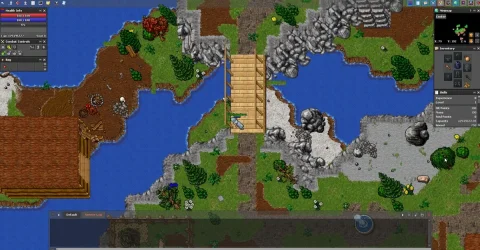
    Run the client's executable file, enter your username and password, select a character, and voila, everything is ready for a pleasant game.scale_1200 (2).webpIf you have any questions, ask them.
 
Last edited:
Back
Top