Hey there,
First off let me say I did use the search function and the solutions I found did not work.
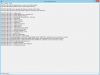
Here's the problem. I'm able to launch my server just fine, but I can't connect to it. This wasn't an issue until recently. I'm stuck at the character list loading.
Things I have checked.
-Proper ports are open and are showing as open on various port checking sites.
-Windows Firewall is disabled
-Reset Router, Cable Modem and PC.
-Ensure the FREE DNS is working correctly. (I have an AAC on same domain, working fine.)
-Have put my PC on a DMZ to test connection, still no luck.
I don't know if this has anything to do with it but it seems like the trouble started after I disabled Account Manager.
Have tried reenabling but still nothing.
I have posted my CONFIG file. I have removed passwords and usernames for security reasons. Those are the "XXX".
Thanks for any insight you can give me.
First off let me say I did use the search function and the solutions I found did not work.
Here's the problem. I'm able to launch my server just fine, but I can't connect to it. This wasn't an issue until recently. I'm stuck at the character list loading.
Things I have checked.
-Proper ports are open and are showing as open on various port checking sites.
-Windows Firewall is disabled
-Reset Router, Cable Modem and PC.
-Ensure the FREE DNS is working correctly. (I have an AAC on same domain, working fine.)
-Have put my PC on a DMZ to test connection, still no luck.
I don't know if this has anything to do with it but it seems like the trouble started after I disabled Account Manager.
Have tried reenabling but still nothing.
-- The Forgotten Server Config
-- Account Manager
accountManager = "no"
newPlayerChooseVoc = "no"
newPlayerSpawnPosX = 52
newPlayerSpawnPosY = 51
newPlayerSpawnPosZ = 7
newPlayerTownId = 1
newPlayerLevel = 1
newPlayerMagicLevel = 0
generateAccountNumber = "no"
-- Banishments
broadcastBanishments = "yes"
banDays = 7
finalBanDays = 30
killsToBan = 0
-- Battle
worldType = "pvp"
hotkeyAimbotEnabled = "yes"
protectionLevel = 1
killsToRedSkull = 3
killsToBlackSkull = 6
pzLocked = 60000
criticalHitChance = 7
removeAmmoWhenUsingDistanceWeapon = "yes"
removeChargesFromRunes = "yes"
removeChargesFromWeapons = "yes"
timeToDecreaseFrags = 24 * 60 * 60 * 1000
whiteSkullTime = 15 * 60 * 1000
oldConditionAccuracy = "no"
stairJumpExhaustion = 2000
-- Commands
displayGamemastersWithOnlineCommand = "no"
-- Connection Config
ip = "127.0.0.1"
bindOnlyGlobalAddress = "false"
loginProtocolPort = 7171
gameProtocolPort = 7172
adminProtocolPort = 7171
statusProtocolPort = 7171
loginTries = 10
retryTimeout = 5 * 1000
loginTimeout = 60 * 1000
maxPlayers = "1000"
motd = "XXX"
onePlayerOnlinePerAccount = "yes"
allowClones = "no"
serverName = "XXX"
loginMessage = "XXX"
adminLogsEnabled = "no"
statusTimeout = 5 * 60 * 1000
replaceKickOnLogin = "yes"
-- Death
-- note: Leave deathLosePercent as -1 if you want to use Tibia's
-- death penalty formula. For the old formula, set it to 10. For
-- no skill/experience loss, set it to 0.
deathLosePercent = -1
deathListEnabled = "yes"
maxDeathRecords = 5
-- Guilds
ingameGuildSystem = "yes"
levelToCreateGuild = 8
minGuildNameLength = 4
maxGuildNameLength = 20
-- Highscores
highscoreDisplayPlayers = 15
updateHighscoresAfterMinutes = 60
-- Houses
housePriceEachSQM = 1000
houseRentPeriod = "never"
-- Idle
kickIdlePlayerAfterMinutes = 15
-- Item Usage
timeBetweenActions = 200
timeBetweenExActions = 1000
-- Map
mapName = "XXX"
mapAuthor = "Misc"
randomizeTiles = "no"
mapStorageType = "relational"
-- Market
marketEnabled = "yes"
marketOfferDuration = 30 * 24 * 60 * 60
premiumToCreateMarketOffer = "yes"
checkExpiredMarketOffersEachMinutes = 60
maxMarketOffersAtATimePerPlayer = 100
-- Messaging
maxMessageBuffer = 4
-- MySQL
mysqlHost = "127.0.0.1"
mysqlUser = "XXX"
mysqlPass = "XXX"
mysqlDatabase = "XXX"
mysqlPort = 3306
-- Premium Account
freePremium = "no"
-- PVP Server
displayOnOrOffAtCharlist = "no"
allowChangeOutfit = "yes"
noDamageToSameLookfeet = "no"
experienceByKillingPlayers = "no"
-- Rates
rateExp = 7
rateSkill = 4
rateLoot = 3
rateMagic = 4
rateSpawn = 2
-- Real Server Save
-- note: serverSaveHour means like 03:00, not that it will save every 3 hours,
-- if you want such a system use autoSaveEachMinutes. this serversave method
-- may be unstable, we recommend using otadmin if you want real serversaves.
serverSaveEnabled = "no"
serverSaveHour = 3
shutdownAtServerSave = "yes"
cleanMapAtServerSave = "yes"
-- Server saving
autoSaveEachMinutes = 15
saveGlobalStorage = "no"
-- Spawns
deSpawnRange = 2
deSpawnRadius = 50
-- SqLite
sqliteDatabase = "forgottenserver.s3db"
-- SQL
sqlType = "MySQL"
passwordType = "sha1"
-- Startup
defaultPriority = "high"
startupDatabaseOptimization = "yes"
-- Shutdown
freeMemoryAtShutdown = "yes"
-- Status
ownerName = ""
ownerEmail = "@otland.net"
url = "http://otland.net/"
location = "Europe"
-- Account Manager
accountManager = "no"
newPlayerChooseVoc = "no"
newPlayerSpawnPosX = 52
newPlayerSpawnPosY = 51
newPlayerSpawnPosZ = 7
newPlayerTownId = 1
newPlayerLevel = 1
newPlayerMagicLevel = 0
generateAccountNumber = "no"
-- Banishments
broadcastBanishments = "yes"
banDays = 7
finalBanDays = 30
killsToBan = 0
-- Battle
worldType = "pvp"
hotkeyAimbotEnabled = "yes"
protectionLevel = 1
killsToRedSkull = 3
killsToBlackSkull = 6
pzLocked = 60000
criticalHitChance = 7
removeAmmoWhenUsingDistanceWeapon = "yes"
removeChargesFromRunes = "yes"
removeChargesFromWeapons = "yes"
timeToDecreaseFrags = 24 * 60 * 60 * 1000
whiteSkullTime = 15 * 60 * 1000
oldConditionAccuracy = "no"
stairJumpExhaustion = 2000
-- Commands
displayGamemastersWithOnlineCommand = "no"
-- Connection Config
ip = "127.0.0.1"
bindOnlyGlobalAddress = "false"
loginProtocolPort = 7171
gameProtocolPort = 7172
adminProtocolPort = 7171
statusProtocolPort = 7171
loginTries = 10
retryTimeout = 5 * 1000
loginTimeout = 60 * 1000
maxPlayers = "1000"
motd = "XXX"
onePlayerOnlinePerAccount = "yes"
allowClones = "no"
serverName = "XXX"
loginMessage = "XXX"
adminLogsEnabled = "no"
statusTimeout = 5 * 60 * 1000
replaceKickOnLogin = "yes"
-- Death
-- note: Leave deathLosePercent as -1 if you want to use Tibia's
-- death penalty formula. For the old formula, set it to 10. For
-- no skill/experience loss, set it to 0.
deathLosePercent = -1
deathListEnabled = "yes"
maxDeathRecords = 5
-- Guilds
ingameGuildSystem = "yes"
levelToCreateGuild = 8
minGuildNameLength = 4
maxGuildNameLength = 20
-- Highscores
highscoreDisplayPlayers = 15
updateHighscoresAfterMinutes = 60
-- Houses
housePriceEachSQM = 1000
houseRentPeriod = "never"
-- Idle
kickIdlePlayerAfterMinutes = 15
-- Item Usage
timeBetweenActions = 200
timeBetweenExActions = 1000
-- Map
mapName = "XXX"
mapAuthor = "Misc"
randomizeTiles = "no"
mapStorageType = "relational"
-- Market
marketEnabled = "yes"
marketOfferDuration = 30 * 24 * 60 * 60
premiumToCreateMarketOffer = "yes"
checkExpiredMarketOffersEachMinutes = 60
maxMarketOffersAtATimePerPlayer = 100
-- Messaging
maxMessageBuffer = 4
-- MySQL
mysqlHost = "127.0.0.1"
mysqlUser = "XXX"
mysqlPass = "XXX"
mysqlDatabase = "XXX"
mysqlPort = 3306
-- Premium Account
freePremium = "no"
-- PVP Server
displayOnOrOffAtCharlist = "no"
allowChangeOutfit = "yes"
noDamageToSameLookfeet = "no"
experienceByKillingPlayers = "no"
-- Rates
rateExp = 7
rateSkill = 4
rateLoot = 3
rateMagic = 4
rateSpawn = 2
-- Real Server Save
-- note: serverSaveHour means like 03:00, not that it will save every 3 hours,
-- if you want such a system use autoSaveEachMinutes. this serversave method
-- may be unstable, we recommend using otadmin if you want real serversaves.
serverSaveEnabled = "no"
serverSaveHour = 3
shutdownAtServerSave = "yes"
cleanMapAtServerSave = "yes"
-- Server saving
autoSaveEachMinutes = 15
saveGlobalStorage = "no"
-- Spawns
deSpawnRange = 2
deSpawnRadius = 50
-- SqLite
sqliteDatabase = "forgottenserver.s3db"
-- SQL
sqlType = "MySQL"
passwordType = "sha1"
-- Startup
defaultPriority = "high"
startupDatabaseOptimization = "yes"
-- Shutdown
freeMemoryAtShutdown = "yes"
-- Status
ownerName = ""
ownerEmail = "@otland.net"
url = "http://otland.net/"
location = "Europe"
I have posted my CONFIG file. I have removed passwords and usernames for security reasons. Those are the "XXX".
Thanks for any insight you can give me.

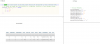
 And I am port forwarded.