• There is NO official Otland's Discord server and NO official Otland's server list. The Otland's Staff does not manage any Discord server or server list. Moderators or administrator of any Discord server or server lists have NO connection to the Otland's Staff. Do not get scammed!
  • 2026 staff recruitment is open! Check it out and consider applying!

items in map and ingame

70011983

Ners
Joined
Nov 21, 2011
Messages
354
Solutions
1
Reaction score
56
Location
Croatia
I putted some items or tiles in map editor (RME) and when I came ingame,they didn't have the sprite I expected...same ID but another sprite
eg: put an zaoan armor in map editor on the floor,when I come in game it has the sprite of another item,another name,same ID
How can I fix it?
 
its not recomended but take the items.otb from data/items/items.otb and put it on c:/program files/remeres/data/860(OR_YOUR_OT_MAP_VERSION) and test again

rme.jpg
 
Last edited:
I advice to use the items.otb and items.xml from your server in your remere, since some server don't accept the remere otb and incase you edited the xml. Go to your remere folder, data and then the client version you use. Then paste the items.otb and the items.xml in it.
 
Found it :P I copied the xml and otb in the folder,there was only creature.xml
Now when I try to open the map it asks for a "RME-win-2.1.msi" Do I ahve to download the map editor again or what?

"The feature you are trying to use is on a network resource that is unavailable."

EDIT:Now it got f***** can't open the map,after I putted that inside the "data" I can't open it

- - - Updated - - -

Someone help me?!
HAAAAAY!!!
 
Last edited:
You don't need to put the whole data directory inside.. only go to Remere's Map Editor folder (in most cases located in C:/) data/CLIENTVERSION, put your items.xml and items.otb from the data/items folder from your server in the client version folder that are you using.
 
I did that,found the folder,inside was data and client.xml,I entered data,and then the folder called "860"
inside was only creature.xml,inside I pasted items.xml and items.otb
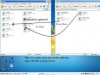
After I did that,this is what I got when I try to open the map editor or the map:
2hf53lt.jpg


How I fix that? Can't open the map now...can't do a sh** anymore

:( :( :( :( :( :( ......
 

Similar threads

Back
Top