
• There is NO official Otland's Discord server and NO official Otland's server list. The Otland's Staff does not manage any Discord server or server list. Moderators or administrator of any Discord server or server lists have NO connection to the Otland's Staff. Do not get scammed!

Login Help.. REP+

Ward_214

Pro PvP
Joined
Dec 11, 2008
Messages
297
Reaction score
0
Whenever I start my server and login, the character list comes up.. But it wont actually log into the game. I know the game port is 7172 and YES I do for SURE have it open...
I've seen some people start threads on the subject but no one has actually given a direct answer, or any answer to resolve this problem.

Thanks. Will REP+
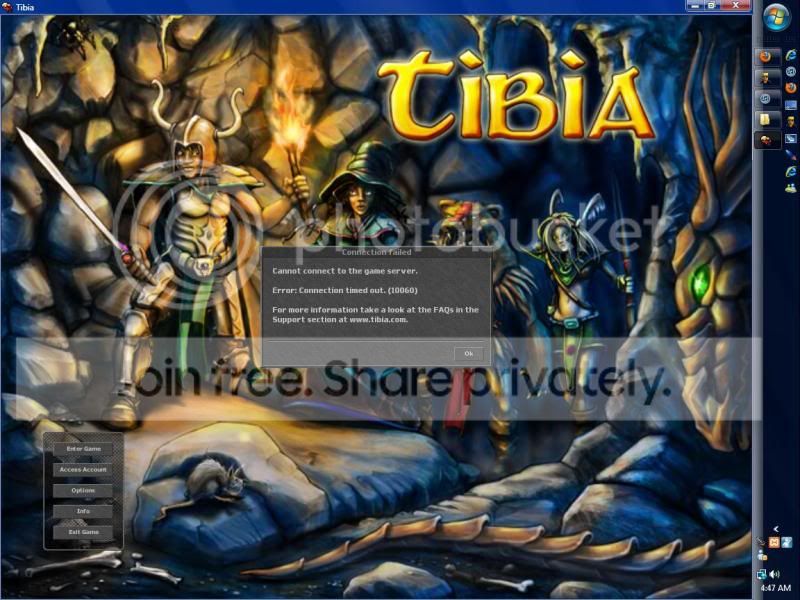
 
I get an error message.. Not sure exactly what it says right now though.

it's just the regular one that says to contact somebody, ya know?

try to login with differnet ip try localhost if the same use the local ip adress

I have tried a different IP.. But I dont understand the use the local ip address part? Can you please explain?
 
Last edited by a moderator:
Heres the error I get... You wait 30 second to 1 minute before it shows up...

error-3.jpg


Edit: If you meant error in console, there isnt one. :p

Okay, well I was thinking.. "I wonder if it would work with the regular host thing.." the 127.0.0.1 IP, so I changed it and tried to login.. I get the message that says "Temple position is wrong". I know for a FACT the position isnt wrong.. I've tried multiple maps that I've randomly downloaded and inserted, it still doesn't work.
I've never experienced anything like this.. Im running this server:
[14/07/2011 05:43:04] EverythingTIbia, version 1.0a1 (New Horizon)
[14/07/2011 05:43:04] Compiled with GNU C++ version 3.4.5 (mingw special) at Aug 19 2010, 00:35:37.

It's version 8.60!

thanks!
 
Last edited by a moderator:
Does that mean I'm supposed to put login and game port to 7171? :P

I've tried almost every single thing I can think of.. I have NO idea what else to do. I've tried different servers and everything. =///
 
Last edited by a moderator:
So did u solve the login problem and now temple pos. is wrong or did i get it wrong? =P
Create a new char and go look in database what town ID they get. Then change your town ID in map editor to the same one u have in database.

If that doesn't work try going to accountmanagement.php and search for line

PHP:
$config['site']['newchar_towns'][0] = array
and change it to
PHP:
$config['site']['newchar_towns'][0] = array(1);
 
Write your global IP in config.lua and set IP-changer on your global IP.
As someone @up said, try using 7171 instead of 7172, people usually use 7171.
also, see if you have portforwarded correctly, with some routers you have to portforward again after some time.
Some routers lets you input local IP when you portforward, be sure to put your computers local ip (for example 192.106.0.101) in there otherwise you havent technically portforwarded for your computer.
Also try to restart your router/access point/(w/e)

hope something above helps.
 
Back
Top