• There is NO official Otland's Discord server and NO official Otland's server list. The Otland's Staff does not manage any Discord server or server list. Moderators or administrator of any Discord server or server lists have NO connection to the Otland's Staff. Do not get scammed!
  • 2026 staff recruitment is open! Check it out and consider applying!

OTClient Mapping with 100% custom sprites

Chemiann

Active Member
Joined
Jun 8, 2010
Messages
197
Reaction score
37
I would love to start mapping with remeres and otclient from scratch, but I would like to use 100% custom sprites, heres my problem:

1. Do you know, if there are any 100% custom packs to obtain?

If yes, could you, please, guide me, how to upload them to remere/otclient, and then open the remere and just start the mapping?

Please, help !

Best regards :-)
 
You could have simply asked on the same thread post, instead of making a new one related to the same question.
1) No, there is not unless you want to pay cash for it, you can check discords such as: Open-Tibia-Academy which offers a lot.
2) To upload the new sprites to RME, simply swap out:
Remere's Map Editor/data/clientVersion/set file such as items.xml

Then simply use the new .dat and .spr files on your current client files and it'll update RME.

3) To swap the files out for OTClient, simply swap out the client files in /things, to use the new .dat and .spr files.

If you make yet another thread about the same issue, I'll not respond anymore.

If this is unclear in anyway, ask away and I'll give a better detailed version to guide you.
 
Thank you! This topic is just a bit different and more strict and simple, so I didin't wanted to make any mess in the previous one. Great thanks for all your answers, I will look through the web, and now I'm learning a bit with changing the sprites using ObjectBuilder, and trying different AIs to make custom ones (not really working, but looks promising)
 
Thank you! This topic is just a bit different and more strict and simple, so I didin't wanted to make any mess in the previous one. Great thanks for all your answers, I will look through the web, and now I'm learning a bit with changing the sprites using ObjectBuilder, and trying different AIs to make custom ones (not really working, but looks promising)
Happy to help,
if anything else just ask away and I'll try my best to explain it to you.

Good luck on your adventure!
 
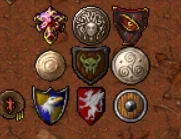
1759265253267.webpOkay! I've managed to put it into the tibia.dat and open with RME, I just wonder, why this shield (in the middle) is soo dark? Have I made something wrong, or is it just sprited so dark? /edit fk, I've posted it in wrong thread, sorry :P It supossed to be there: OpenTibia Sprite Pack (https://otland.net/threads/opentibia-sprite-pack.254815/page-18#post-2772499)
Post automatically merged:

You could have simply asked on the same thread post, instead of making a new one related to the same question.
1) No, there is not unless you want to pay cash for it, you can check discords such as: Open-Tibia-Academy which offers a lot.
2) To upload the new sprites to RME, simply swap out:
Remere's Map Editor/data/clientVersion/set file such as items.xml

Then simply use the new .dat and .spr files on your current client files and it'll update RME.

3) To swap the files out for OTClient, simply swap out the client files in /things, to use the new .dat and .spr files.

If you make yet another thread about the same issue, I'll not respond anymore.

If this is unclear in anyway, ask away and I'll give a better detailed version to guide you.
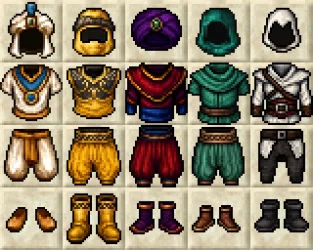
btw. I know how to swap the .dat files, but how to swap the .spr ones? and what are they anyway? :D (I'm swapping the .dat files just using OpenTibia from github - I've just tried and it works, swaping pic by pic)
 
Last edited:
View attachment 95049Okay! I've managed to put it into the tibia.dat and open with RME, I just wonder, why this shield (in the middle) is soo dark? Have I made something wrong, or is it just sprited so dark? /edit fk, I've posted it in wrong thread, sorry :P It supossed to be there: OpenTibia Sprite Pack (https://otland.net/threads/opentibia-sprite-pack.254815/page-18#post-2772499)
Post automatically merged:


btw. I know how to swap the .dat files, but how to swap the .spr ones? and what are they anyway? :D (I'm swapping the .dat files just using OpenTibia from github - I've just tried and it works, swaping pic by pic)
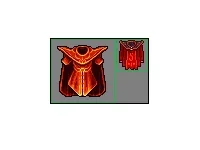
So there are a few possible outcomes
1) Inside the editor, I do not have this downloaded myself.
There's an option for color, which might cause this. Its unlikely.

2) The gamma settings, lightning or a color shade is added to the shield itself, which you suggest. You can check how it looks like on the image itself before its added, it may just be that something is applied in items/object editor.

I'd check the image first, you can also make a duplicate with a bit lighter shade using photoshop, gimp or your selected tool.

--
.dat = is like a data file, where is stores data about items, objects etc.
In short, it controls/stores what is and how an object, outfit etc. behaves.
.spr = sprite file, it contains graphics, so images of those set files
 
So there are a few possible outcomes
1) Inside the editor, I do not have this downloaded myself.
There's an option for color, which might cause this. Its unlikely.

2) The gamma settings, lightning or a color shade is added to the shield itself, which you suggest. You can check how it looks like on the image itself before its added, it may just be that something is applied in items/object editor.

I'd check the image first, you can also make a duplicate with a bit lighter shade using photoshop, gimp or your selected tool.

--
.dat = is like a data file, where is stores data about items, objects etc.
In short, it controls/stores what is and how an object, outfit etc. behaves.
.spr = sprite file, it contains graphics, so images of those set files
Okay, I apparently the shield was made with AI and it was just darker - if I would manage to light it up and make a bit "shiny" would clook great :-)

and I silly thought the opposite, that .dat contains sprites - because I thought, that I'm editing .dat file with ObjectBuiler, but now I understand that its the .spr file (which makes sense, when I compare the size of both)

I'm struggling with one thing now, been looking on the web, and found no technical info, so:

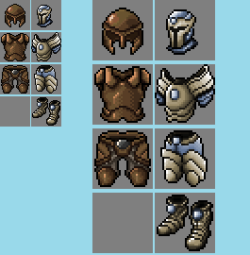
Are everything in tibia created with 32x32 sprites? Some of things are just connected together? Because walls are 64x64, if I'm not wrong, but when I open the .spr with ObjectBuilder, each sprite is only 32x32, and the walls are just made of 4x 32x32 sprite, and my problem is... I've made some basic sprite with AI and gimp/paint, just to check if I can swap it and how it will work in RME 1759329021138.webp but to upload it to .spr with ObjectBuilder, I would have to cut it to 4 pieces, right? and then just find exact 4 sprites of original tibia wall and swap them with my custom?because that's the only way I can think for now and it seems like horendous work...
 
Okay, I apparently the shield was made with AI and it was just darker - if I would manage to light it up and make a bit "shiny" would clook great :-)

and I silly thought the opposite, that .dat contains sprites - because I thought, that I'm editing .dat file with ObjectBuiler, but now I understand that its the .spr file (which makes sense, when I compare the size of both)

I'm struggling with one thing now, been looking on the web, and found no technical info, so:

Are everything in tibia created with 32x32 sprites? Some of things are just connected together? Because walls are 64x64, if I'm not wrong, but when I open the .spr with ObjectBuilder, each sprite is only 32x32, and the walls are just made of 4x 32x32 sprite, and my problem is... I've made some basic sprite with AI and gimp/paint, just to check if I can swap it and how it will work in RME View attachment 95057 but to upload it to .spr with ObjectBuilder, I would have to cut it to 4 pieces, right? and then just find exact 4 sprites of original tibia wall and swap them with my custom?because that's the only way I can think for now and it seems like horendous work...
"Everything" is created using 32x32, OTC, some people make 64x64, but most sprites are 32x32.
Walls are created to connect using different sprites ( Usually ), If I am not mistaken.

I do not have this setup, so let me try using some google images to explain this. I am sorry if this is confusing.

Let me try to reference this..
Each tile is 32x32 pixels, meaning it takes
So for x1 64x64, it requires x4 32x32 squares
Using math formula for this:
Really badly formed,

Are (Total Pixels) = Width x Height
32x32:
32x32 = 1024 pixels

64x64 = 4096 pixels
1759332506185.webp1759332674889.webp


Back
Top