• There is NO official Otland's Discord server and NO official Otland's server list. The Otland's Staff does not manage any Discord server or server list. Moderators or administrator of any Discord server or server lists have NO connection to the Otland's Staff. Do not get scammed!
  • 2026 staff recruitment is open! Check it out and consider applying!

MYSQL not connecting?

Zodz

New Member
Joined
Jul 14, 2009
Messages
20
Reaction score
2
Hello,

I've been here a while but now I wanted to start my own serv, totally new at this.
When I try to run the forgotten server with sqlite it works and when I run it with mysql it says: [05/12/2014 01:41:52] > ERROR: Failed to connect to database, read doc/MYSQL_HELP for information or try SQLite which doesn't require any connection.

I dont know why it failed to the database, could anyone help me with this?
Again when I run sqlite it works since it doesnt need any connection.

Where can I fix this, please help.

Thanks!
 
Yeah I did, but he said something about opening the ports at around 03:00 I just cant get the server connected to the internet. Dont know why. Btw the uniform server has a newer version so its a little bit different then a while ago like the video.
 
You don't need to open ports to use MySQL, just 7171/7172 to login to your server and port 80 for your website.
Did you do everything the same as in that tutorial and you still get the exact same error?
Post how you changed it in config.lua.
 
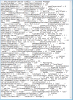
It's pretty messy but here, I think I've gotten everything right. Dont know why I cant connect, sorry for the late reaction. I've been kinda busy the last few days. Here you are: (as i said, its still messy to read)


upload_2014-12-10_16-4-56.png

Dont know what I am doing wrong though.

btw, Im using 32 bit atm since this is an old crap pc. I couldnt download the 64bit but I will once I get my new pc.
 
Last edited by a moderator:
It's better if you open the configuration file in notepad++, wordpad, sublime or something alike so it's more readable, then you can pastebin it or simply put it in CODE-tags.

Ignazio
 
Back
Top