• There is NO official Otland's Discord server and NO official Otland's server list. The Otland's Staff does not manage any Discord server or server list. Moderators or administrator of any Discord server or server lists have NO connection to the Otland's Staff. Do not get scammed!
  • 2026 staff recruitment is open! Check it out and consider applying!

Open ports

hejd12345

New Member
Joined
Apr 11, 2012
Messages
255
Reaction score
1
Location
Sweden
I need some help open my ports.
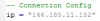
When I use CMD and use the commands "ipconfig" I get this

upload_2014-5-20_17-14-45.png
and that is the only information I get.
1. So should I take the IP adress behind the green box and put it in my config.lua?
2. Should I take the IP adress behind the green box and use it when I portforward ports 7171, 7172, 80, 3306? (did I miss any ports)?
 
Dont forward port 3306 and yes use the external IP, behind that green box there is probably an ip that looks like 192.168.1.x or 10.0.x.x
 
Better to get an host... i been hosting an war map and my computer is to hot.. i cant even shut it off... you should buy host recommanded!
 
Your Router is blocking connections to your server machine.
So you have to port forward your server machine by using the ip address you are hiding with the green light as your local IP address in your router.
you have to port forward this ports 7171 , 7172 , 80
and use your DNS ip address ( the one you got before at http://whatismyipaddress.com ) in your config.lua.
 
Thanx for the replies. Someone from the forum took his time and tried to help me but we could not fix it. I think it is something strange with my router. I am using ASUS RT-N56U.
 
You go to your routers page, go to ports, open 7171/7172 on TCP & UPD enter the address behind the green box. Which by the way nobody can do anything with because it's private to your network, not to mention if your hosting a server on your computer your going to be giving people your public address so......? Enter your public IP in config lua, players need to use the public IP to connect to your server. Make sure you don't have a firewall blocking connections. Nothings wrong with your router.
 
You go to your routers page, go to ports, open 7171/7172 on TCP & UPD enter the address behind the green box. Which by the way nobody can do anything with because it's private to your network, not to mention if your hosting a server on your computer your going to be giving people your public address so......? Enter your public IP in config lua, players need to use the public IP to connect to your server. Make sure you don't have a firewall blocking connections. Nothings wrong with your router.
Should Port Range and Local Port both be for example: 7171 and 7171?
 
You have to forward 7171 and 7172 and if your using mysql 3306 + 80 (unless you are using a differant port) UDP and TCP (I had to do mine seperate and not do the both setting)

If it still doesnt show a service you have to allow 7171 7172 3306 80 through firewall through Control Panel\System and Security\Windows Firewall Advanced settings click inbound rules on the left and then new rule on the right and make sure its open for both public and private... if the problem continues feel free to shoot me a PM and i can help you :)

ALSO make sure your using your IPV4 in your port forward options :)

Good Luck - Forsaken
 
You have to forward 7171 and 7172 and if your using mysql 3306 + 80 (unless you are using a differant port) UDP and TCP (I had to do mine seperate and not do the both setting)

If it still doesnt show a service you have to allow 7171 7172 3306 80 through firewall through Control Panel\System and Security\Windows Firewall Advanced settings click inbound rules on the left and then new rule on the right and make sure its open for both public and private... if the problem continues feel free to shoot me a PM and i can help you :)

ALSO make sure your using your IPV4 in your port forward options :)

Good Luck - Forsaken

You dont have to forward 3306, its actually unsafe to do it because it you will be allowing remote access to it for hackers/idiots.
 
Back
Top