• There is NO official Otland's Discord server and NO official Otland's server list. The Otland's Staff does not manage any Discord server or server list. Moderators or administrator of any Discord server or server lists have NO connection to the Otland's Staff. Do not get scammed!
  • 2026 staff recruitment is open! Check it out and consider applying!

Windows Please! Help me: how i can connect my server with tibia

Wesllen Delfino

New Member
Joined
Apr 1, 2015
Messages
14
Reaction score
1
Good night people,

Please someone pass me a link where contains a tutorial (already tried a lot) or help me !
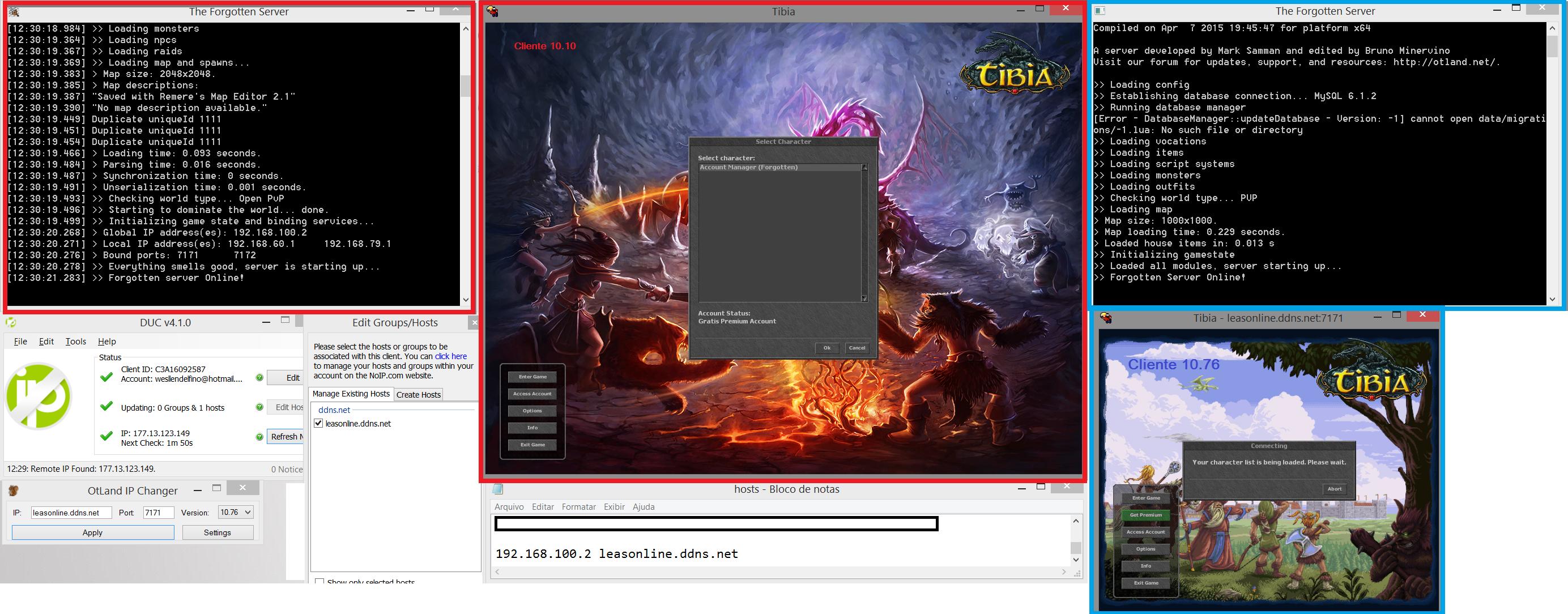
It is this: after several time i'm finally compile with sucess the source tfs 1.1 and server ready for use. Now what 's happening seems a joke ... I can't login into the game ( is showing the message that is connecting and nothing
happens) someone help me ?
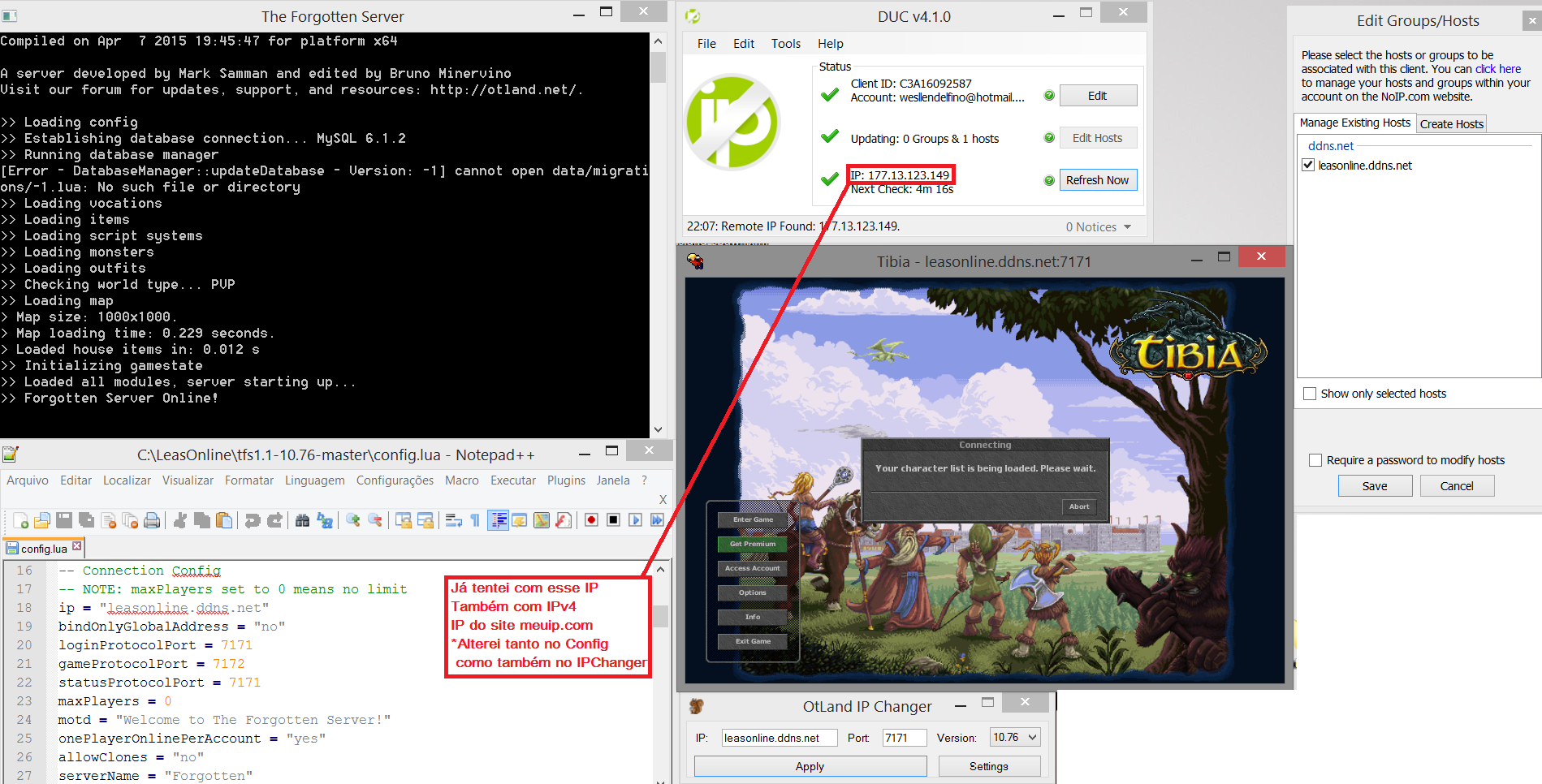
P3nHeyx.png


is written the following on the red:
I've tried with this IP
Also with IPv4
The IP of my internet (from website meuip.com )
* Changed both config.lua but also in IPChanger
 
try connecting to 127.0.0.1
Your external ip is for people outside your home.
127.0.0.1 is your own computer's address, so it simply loops back to yourself.

"There's no place like 127.0.0.1"

:p

Computer -> <- Computer (for you connecting 127.0.0.1)
Computer -> Router -> Server (for people in your home) 192.168.x.xx (your internal IP)
computer -> router -> internet -> router -> server (for other's connecting leasonline.ddns.net)
 
Last edited by a moderator:
try connecting to 127.0.0.1
Your external ip is for people outside your home.
127.0.0.1 is your own computer's address, so it simply loops back to yourself.

"There's no place like 127.0.0.1"

:p

Computer -> <- Computer (for you connecting 127.0.0.1)
Computer -> Router -> Server (for people in your home) 192.168.x.xx (your internal IP)
computer -> router -> internet -> router -> server (for other's connecting leasonline.ddns.net)

Hii, still cant connect :(

I tried:
IP Changer: 127.0.0.1
Config.Lua: Ip = "127.0.0.1" / "177.13.123.149" / "192.168.100.2" or "192.168.79.1" (from cmd: ipconfig) / "leasonline.ddns.net"

What more i can do?
 
I really don't know what happens.. all like correct and still cant login to character list.
I tried open a server tibia 10.10 and sucess (with ip fix / using host) but when i open a TFS 1.1 for tibia 10.76 cant load character list
Someone can help me please?

hosts (C:/Windows/system32/drivers/etc/hosts)
192.168.100.2 leasonline.ddns.net

config.lua
ip = "leasonline.ddns.net" (too tried with ip global from http://www.whatismyip.com )
bindOnlyGlobalAddress = "no"
loginProtocolPort = 7171
gameProtocolPort = 7172
statusProtocolPort = 7171

IP Changer
- 127.0.0.1
- my ip global (177.13.123.149)
- my host (leasonline.ddns.net)

Firewall ports
7171
7172
80

what more i can do?
 
Did you try the one I linked? Since it's not on the screenshots.
Is your IPv4 address correct? In config.lua the ip should be your domain if you use your domain in your IPChanger.
 
WOW, PERFECT! After changed IP Changer my server connect with character list!
Very good Limos!!

But i'm happy just for short time :( because my next click (enter game) give other problem. i'm not luck today lol
but ok.. can help me?

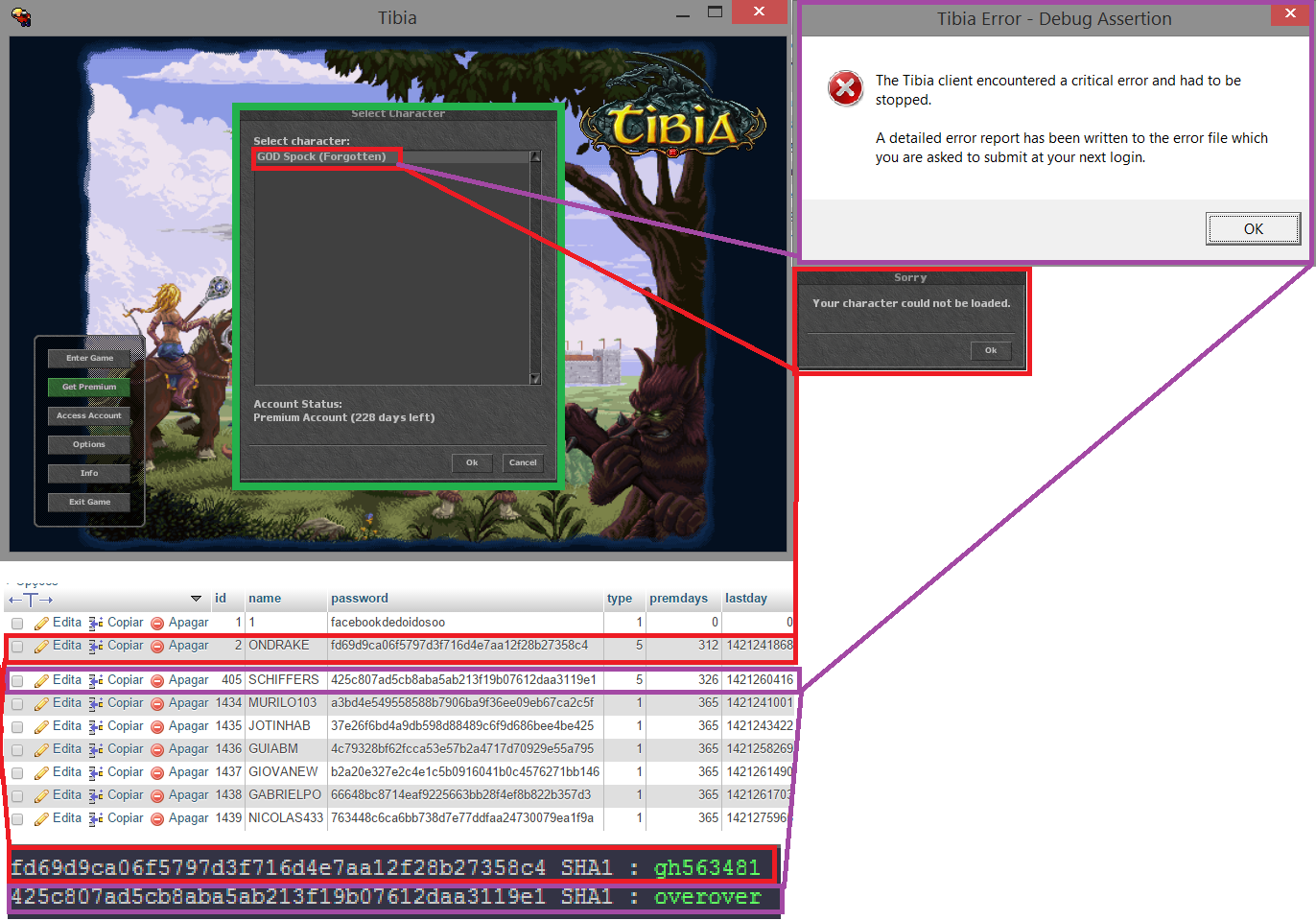
Look the image:
EsP3tV.png

let me explain:
I tried to login with two different accounts , the first red generates the message that my character can not be loaded. The second purple account generates an exception and close the game.
How i can fix this?

And i have a question:
It seems to me that someone changed the password for the account manager (1/1 to 1 / facebookdedoidosoo ) how do I get back to normal ? or drop this database and look for another database? ( tried to get the most current database)
 
lol, after closed ip changer, when i open ip-changer again like old version.
I downloaded again IP-Changer from OTLand but still like old version, you know what happens?
I cant look console for errors because now cant load characters (because IP-Changer), i need fix it 1st.
 
Okay resolved.
Solution: My system re-start and my IPv4 changed. After copy the new IPv4 and past it for drivers/hosts then work.

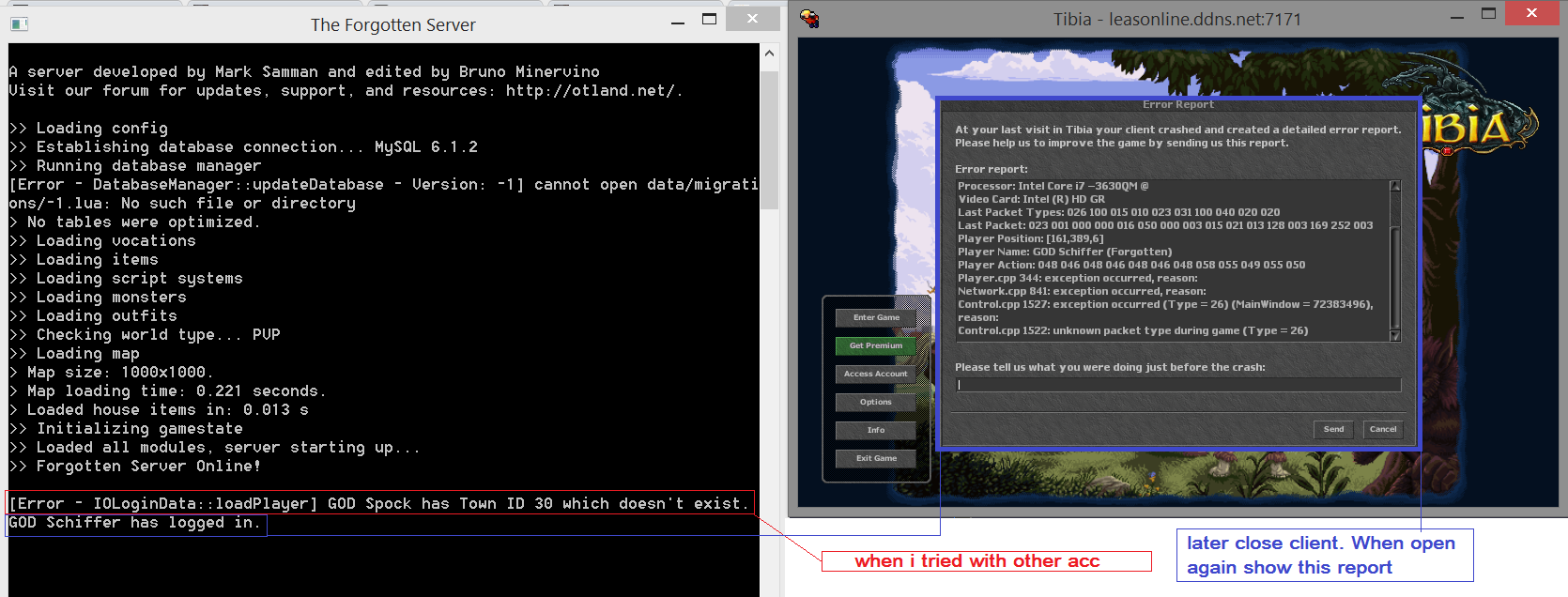
Now the debug:
pQ0f0q.png


maybe i need download new map? or database wrong information on tables then give error, try new database?
*The description on blue: "After selected character give a exception and later close cliente. When open again show this report"

if sure can give me link.
 
Last edited:
Resolved: need change map to global map.

FINALLY!

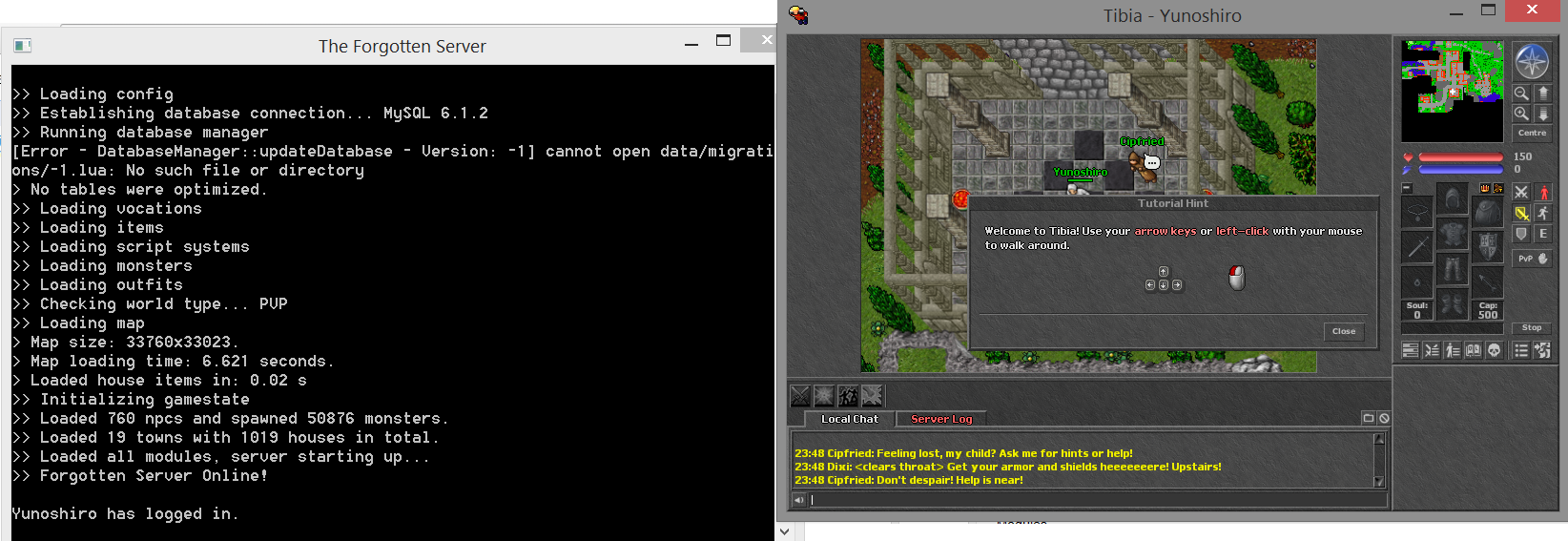
After almost two days i'm done: compiled server, run server, create and run web site, and enter in game!
Thx so much Limos

Now time for EDIT and EDIT yeah!
\o/

PUxQWS.png
 
Back
Top