• There is NO official Otland's Discord server and NO official Otland's server list. The Otland's Staff does not manage any Discord server or server list. Moderators or administrator of any Discord server or server lists have NO connection to the Otland's Staff. Do not get scammed!
  • 2026 staff recruitment is open! Check it out and consider applying!

Port fowarding problems

elnelson

Lunaria World Dev
Joined
Jun 20, 2009
Messages
595
Solutions
2
Reaction score
66
Location
México
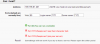
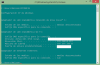
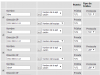
Hello, im having problems with my ports i lready opened them but i cant host the server, BTW i already disabled firewall and problem still there. (both webpage and servers are running)

i cant connect to my server even with 127.0.0.1/localhost/192.168.0.113
this happens when i chnge the ip in config.lua

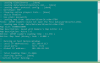
can anyone help me?ports problem.pngports problem 2.png port problem 3.png
 
Last edited:
You need to put yout global IP in config.lua.

Also, remember to put your PC in "nombre del equipo".
 
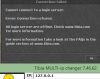
port pboblem 4.png port problem 5.png @Limos yeah my server was running when i found the problem
@loneyyeah i put my global ip (189.196.81.201) and still cant login with my local ip or localhost (this happens if i change the ip in config.lua)
 
Last edited:
@Limos yeah my server was running when i found the problem
Your server has to be running when you use the tool because else it will say the ports are closed even when they are open.

Which server do you use?

How did you open port 80? Already tried to open 7171 and 7172 the same way?
 
check if your firewall is blocking connections from port 7171/7172..


  1. press on startup button
  2. search for firewall
  3. click on firewall with advanced security
  4. Inbound rules
  5. New rule
  6. Click on port then next
  7. Leave it as TCP & specific port, now enter 7171 then hit next
  8. Allow connect --> Next
Repeat this process but put 7172 this time :)


PS: If you still don't understand just tell me and ill make one with photos for you but it will take some time :P
 
@Limos @ghettobird i opened ports 80 in my router configuration also 7171/7172 but i cant connect even with firewall disabled

in a few words i already port fowarded and disabled firewall, and still cant connect i have the router D-link dir600
 
Last edited by a moderator:
If your ports are open then check from checkmyport and you see open? When u run server ,if it shows that its not opened then that means your ports are blocked by your ISP.
 
i use Othire 7.72 sorry my bad xD

i use Othire 7.72
@Limos i've done what the post said but stil cant connect
 
Last edited by a moderator:
i added this on hosts and nothing happens
192.168.0.113 189.196.81.201
192.168.0.113 veridic.servegame.com
189.196.81.201 veridic.servegame.com
192.168.0.113 localhost
localhost 189.196.81.201
192.168.0.113 127.0.0.1

@Limos yeah the same way
 
Back
Top