
i have a server i use "The Forgotten Server, version 0.3.6 (Crying Damson)"
the people can enter but in my pc I can't .... please help what is the problem?
I use no-ip... ( whiteside.no-ip.info )
What is the correct configuration in config.lua?
what IP I need use?
i can enter in the character list but no in the game
i see this in the console
[Warning - Protocol::RSA_decrypt] Not valid packet size
who is?
and in the config.lua i have " ip = "whiteside.no-ip.info" is ok?
I did try....
if i use global ip ...no works...
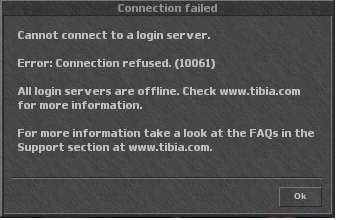
if i use local ip ( localhost, 127.0.0.1 ) i enter en char list... but then i return to the problem
the people can enter but in my pc I can't .... please help what is the problem?
I use no-ip... ( whiteside.no-ip.info )
What is the correct configuration in config.lua?
what IP I need use?
i can enter in the character list but no in the game
Code:
[COLOR="Black"]WHEN IN CONFIG.LUA I SET
"IP = 127.0.0.1" I NOT HAVE PROBLEM BUT
 I SET " IP = WHITESIDE.NO-IP.INFO " I CAN'T
ENTER IN THE GAME BUT I CAN ENTER IN THE CHAR LIST[/COLOR]
i see this in the console
[Warning - Protocol::RSA_decrypt] Not valid packet size
who is?
and in the config.lua i have " ip = "whiteside.no-ip.info" is ok?
Code:
HeyThereDelilah:
They should be able to connect using whiteside.no-ip.org
You should be able to connect using 127.0.0.1
Or just go What [URL="http://whatismyipaddress.com/"]Is My IP Address? - Lookup IP, Hide IP, Change IP, Trace IP[/URL] and more... and copy your address and you should be able to connect xDif i use global ip ...no works...
if i use local ip ( localhost, 127.0.0.1 ) i enter en char list... but then i return to the problem


