Follow along with the video below to see how to install our site as a web app on your home screen.
Note: This feature may not be available in some browsers.
There is NO official Otland's Discord server and NO official Otland's server list. The Otland's Staff does not manage any Discord server or server list. Moderators or administrator of any Discord server or server lists have NO connection to the Otland's Staff. Do not get scammed!
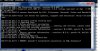
o.. a simple beginners fold, Close your server > open your config.lua > change sqltype="sqlite to sqltype"mysql > sqlUser = "root" > sqlPass = "your127.0.0.1/phpmyadminpassword" > sqlDatabase = "databasenameyoucreatedin127.0.0.1/phpmyadmin" than save it. > And try to start the server again.
make sure your details in your config.lua is right.
sqlType = "mysql" - whatever type you are using.
sqlHost = "localhost"
sqlPort = 3306
sqlUser = "root" - your username to connect to database
sqlPass = "PASSWORD" - your password to connect to database
sqlDatabase = "theforgottenserver" - the name of your database
sqlFile = "forgottenserver.s3db"
sqlKeepAlive = 0
mysqlReadTimeout = 10
mysqlWriteTimeout = 10
encryptionType = "plain"


 Namnlös.jpg38.8 KB · Views: 15 · VirusTotal
