
rajmek126p
Active Member
- Joined
- Nov 13, 2020
- Messages
- 13
- Reaction score
- 30
Hello OTLand community!
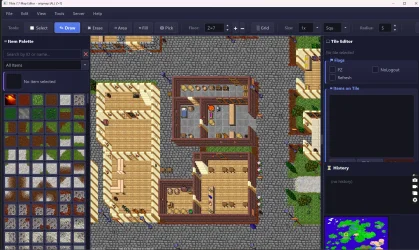
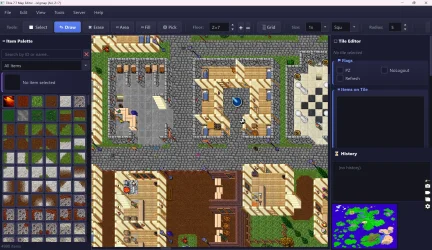
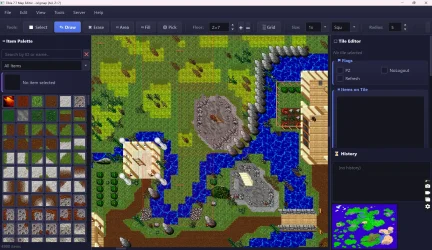
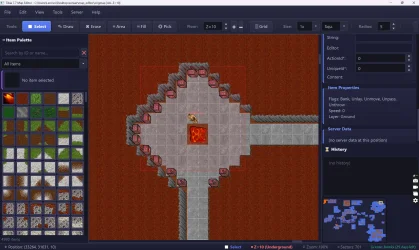
I'd like to share a project I've been working on recently. Inspired by the amazing work of fusion32 on his tibia-game project (which reverse-engineers the original Tibia 7.7 client), I decided to tackle something that I believe has been missing in the OT community for a long time: a proper map editor that works directly with the original CipSoft .sec sector files.
Unlike most OT map editors that work with OTBM format, this editor reads and writes the original binary .sec files used by the real Tibia 7.7 server. If you've ever worked with the original CipSoft server files (dat/, mon/, npc/, origmap/), you know that editing those maps has always been a pain. This project aims to change that.
How It Was Built
The editor is written entirely in Python 3 using PyQt5 (Qt5 framework) for the GUI. The rendering engine is based on QGraphicsView / QGraphicsScene, which provides hardware-accelerated 2D rendering with built-in zoom, pan, and viewport culling.
Technology Stack:
The project is fully modular - each component (map canvas, tile editor, item palette, server data loader, creature sprite extractor, undo/redo system) is its own Python module.
Complete Feature List
Core Map Editing
Full Map Loading with Viewport Culling
Server Data Integration
Creature Sprite Extraction (Tibia.spr + Tibia.dat)
Visual Overlays (10 types)
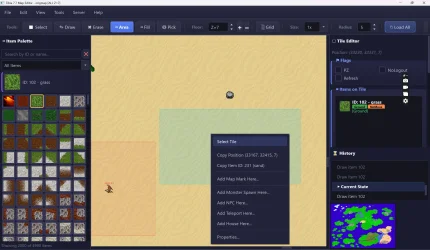
Right-Click Context Menu (Full Editing)
Find & Replace
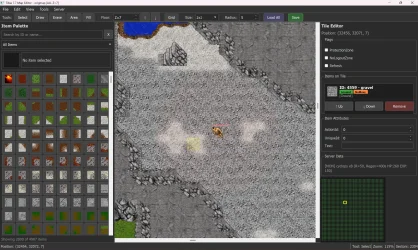
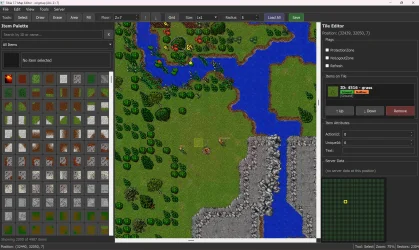
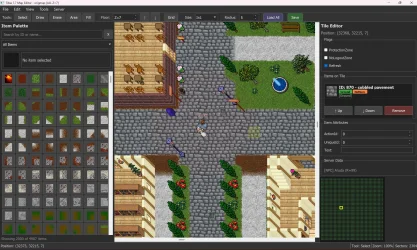
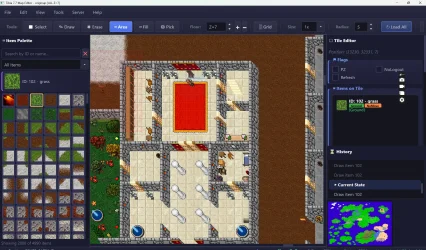
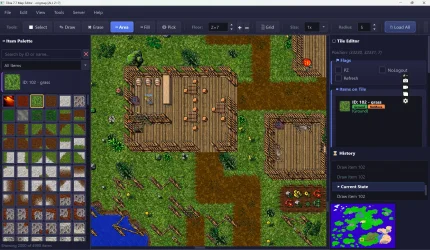
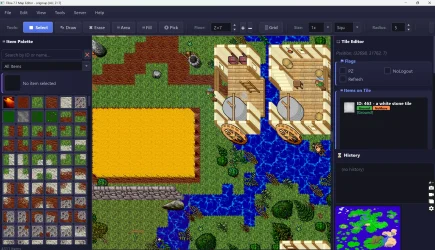
Tile Editor Panel
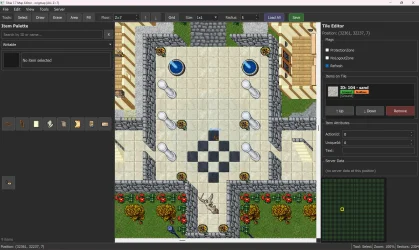
Item Palette
Other Features
Pre-Alpha Status & Known Issues
I want to be transparent - this is a pre-alpha project. It works and is usable, but it has some rough edges:
Looking for Testers & Feedback
I have a few questions for the community:
If you're interested in testing or contributing, let me know! I can share the source code and setup instructions.
Thanks for reading, and a huge thanks to fusion32 for the tibia-game project that made this possible by documenting the original file formats!
Note: This project is not affiliated with CipSoft in any way. It is a fan-made tool for educational and hobbyist purposes.
I'd like to share a project I've been working on recently. Inspired by the amazing work of fusion32 on his tibia-game project (which reverse-engineers the original Tibia 7.7 client), I decided to tackle something that I believe has been missing in the OT community for a long time: a proper map editor that works directly with the original CipSoft .sec sector files.
Unlike most OT map editors that work with OTBM format, this editor reads and writes the original binary .sec files used by the real Tibia 7.7 server. If you've ever worked with the original CipSoft server files (dat/, mon/, npc/, origmap/), you know that editing those maps has always been a pain. This project aims to change that.
How It Was Built
The editor is written entirely in Python 3 using PyQt5 (Qt5 framework) for the GUI. The rendering engine is based on QGraphicsView / QGraphicsScene, which provides hardware-accelerated 2D rendering with built-in zoom, pan, and viewport culling.
Technology Stack:
- Python 3 - Core language
- PyQt5 - GUI framework (QMainWindow, QGraphicsView, QGraphicsScene, QToolBar, QMenu, etc.)
- struct module - Binary parsing of .sec, .spr, .dat files
- Custom binary parsers - Hand-written parsers for every CipSoft file format (sec_parser.py, creature_sprites.py, sprite_manager.py)
- Dark theme - Full dark mode UI via Qt stylesheets
The project is fully modular - each component (map canvas, tile editor, item palette, server data loader, creature sprite extractor, undo/redo system) is its own Python module.
Complete Feature List
Core Map Editing
- Native .sec format support - Reads and writes original CipSoft sector files (XXXX-YYYY-ZZ.sec). Full binary parsing including tile flags, item stacking, teleport destination encoding/decoding (AbsTeleportDestination format).
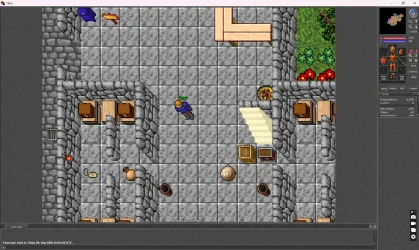
- Real Tibia 7.7 sprites - Renders actual item sprites extracted from the game files. Multi-tile items (2x2, 2x3, etc.) are correctly positioned with the anchor tile at bottom-right.
- Z-ordered rendering - Items are rendered in correct priority layers: Bank (ground) → Clip → Bottom → Top → Normal, with proper overlap calculation based on world position.
- 5 drawing tools - Select, Draw, Erase, Area Select, and Flood Fill (bucket tool). Each tool supports brush sizes from 1x1 up to 7x7.
- Full Undo/Redo system - Command-pattern based with up to 100 operations. Supports undo for: draw item, erase item, paste tiles, flood fill, move/remove items, change flags, change attributes.
- Copy/Cut/Paste - Select rectangular areas, copy/cut tiles to clipboard, paste with live preview following the cursor. Escape to cancel. Supports full tile stacks with all items and attributes.
- Flood Fill - BFS-based flood fill that replaces connected ground tiles of the same type. Safety limit of 5000 tiles per fill operation.
- 16 floor levels - Full support for Z levels 0-15. Quick floor switching with PageUp/PageDown or arrow buttons. Floor change reloads all sectors for the new Z.
Full Map Loading with Viewport Culling
- Load All Sectors - Can load the entire map for a given floor (thousands of .sec files) with a progress dialog.
- Viewport culling - When the full map is loaded, only sectors visible in the viewport (+1 buffer) are rendered. Sectors outside the view are dynamically unloaded and reloaded as you scroll/zoom. This keeps the editor responsive even with 9000+ sectors loaded.
- Autoloader - On startup, automatically detects and loads map data from the local origmap/ folder and server data from dat/, mon/, npc/ folders.
- Load Everything - One-click button to load all map sectors + all server data with a two-phase progress dialog (0-80% map, 80-100% server data).
Server Data Integration
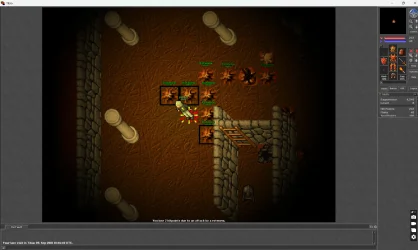
- monster.db - Loads all monster spawn definitions (race, position, radius, amount, regen time). Displays spawn points on the map with actual creature sprites.
- *.mon files - Parses monster race definitions (name, outfit/looktype, HP, experience).
- *.npc files - Loads NPC definitions (name, home position, radius, sex, outfit).
- houses.dat + houseareas.dat - Loads house definitions with field positions, exit points, rent info, and area/town associations.
- map.dat - Loads map marks (named locations like cities, dungeons), depots, and player start positions (newbie/veteran).
- moveuse.dat - Parses teleport rules (both absolute and relative MoveTop/MoveRel) with section tracking.
- *.evt files - Loads raid/event definitions with spawn intervals and positions.
- objects.srv - Parses all 66 item flags and attributes for proper item classification and rendering.
Creature Sprite Extraction (Tibia.spr + Tibia.dat)
- Binary .spr parser - Reads the original Tibia.spr file, parses the sprite offset table, and extracts individual 32x32 sprites using RLE decompression (transparency runs + RGB colored pixel runs).
- Binary .dat parser - Parses the Tibia.dat file header (items/outfits/effects/distances counts), skips all item entries, and extracts outfit entries with full sprite layout information (width, height, layers, pattern X/Y/Z, animation phases).
- LookType mapping - Maps server LookType IDs to .dat outfit entries. Supports all 254 outfits from Tibia 7.7.
- Direction & animation support - Each outfit has 4 directions (N/E/S/W) and multiple animation frames. Monsters are rendered facing south by default.
- Multi-tile creature compositing - Large creatures (2x2 tile outfits like Cyclops, Demon, Hydra) are composited from 4 individual sprites into a single pixmap.
- Sprite caching - Rendered outfit pixmaps are cached by (looktype, direction) for fast repeated access.
Visual Overlays (10 types)
- Grid (G) - Shows tile grid with highlighted sector boundaries (32x32).
- Lower Floor Preview (L) - Semi-transparent rendering of the floor below for reference.
- Protection Zones (Z) - Green tint on PZ tiles, purple on NoLogout zones.
- Teleport Markers (T) - Orange highlight with "T" label on tiles containing teleport items.
- Ingame Viewport Box (I) - Shows the actual Tibia 7.7 client viewport (15x11 tiles) as a green rectangle.
- Blocking/Unpassable (B) - Red overlay on tiles with blocking items (excludes ground).
- Light Sources (J) - Visualizes light source items with colored glow circles.
- Navigation Spots (R) - Green highlight on rope spots and climb areas.
- Monster Spawns (M) - Renders actual creature sprites at spawn positions with name labels, amount, and spawn radius circle.
- NPC Positions (N) - Renders NPC outfit sprites at their home positions with name labels.
- House Areas (H) - Semi-transparent overlay on house tiles with exit markers and house name labels.
- Server Teleports (P) - Purple markers from moveuse.dat with destination coordinates.
- Map Marks (K) - Yellow labels for named locations (cities, dungeons, POIs).
- Toggle All (Ctrl+Shift+O) - Enable/disable all server overlays at once.
Right-Click Context Menu (Full Editing)
- Tile actions - Select tile, copy position, copy item ID
- Teleport navigation - Jump to teleport destination
- Server data info - Shows all monsters, NPCs, houses, teleports at the clicked position
- Map mark management - Add, edit, delete named locations
- Monster spawn management - Add new spawn (with race dropdown of all loaded monsters), edit spawn (position, amount, radius, regen time), move spawn, delete spawn
- NPC management - Add new NPC (name, radius, outfit), edit NPC (all properties), delete NPC
- Teleport management - Add new teleport (item type + destination), edit destination, navigate to destination, delete teleport
Find & Replace
- Find Items (Ctrl+F) - Search by Item ID, Item Name, Action ID, or Unique ID. Found tiles are highlighted on the map and the view centers on the first match.
- Replace Items (Ctrl+H) - Replace one item ID with another across the entire loaded map or within a selected area. Shows replacement count.
Tile Editor Panel
- Tile position display - Shows X, Y, Z coordinates
- Flag editing - Toggle ProtectionZone, NoLogoutZone, Refresh flags with checkboxes
- Item stack view - Lists all items on the tile with sprites, IDs, names
- Attribute display - Shows ActionId, UniqueId, Text, Teleport destination for each item
- Flag badges - Color-coded badges for item properties (Unpass, Unmove, Unthrow, Light, Container, Take, Top, Bottom, etc.)
- Item reordering - Move items up/down in the stack
- Item removal - Remove specific items from tiles
Item Palette
- Search - Search by ID number or item name (case-insensitive, debounced)
- 19 categories - All Items, Ground Tiles, Objects, Containers, Doors, Keys, Food, Runes, Weapons, Shields, Armor, Lights, Teleports, Readable, Writable, Hangable, Rotatable, Blocking, Cumulative
- Grid display - 8-column grid of clickable item buttons with sprite previews
- Item preview - Large preview with ID and name for selected item
Other Features
- Minimap widget - Small overview showing all loaded sectors. Green = has tiles, gray = empty. Clickable to navigate.
- Screenshot export (Ctrl+Shift+S) - Export visible map area as PNG/JPEG image.
- Map Statistics - Detailed breakdown: sector count, tile count, PZ/NoLogout tiles, item stats, server data summary.
- Recent Maps - Remembers up to 5 recently opened map folders.
- Save All (Ctrl+Alt+S) - Saves both modified map sectors and server data (monster.db) in one operation.
- Full keyboard shortcuts - Tools (S/D/E/A/F), overlays (G/L/Z/T/I/B/J/R/M/N/H/P/K), brush sizes (1/2/3/4), floor navigation (PageUp/PageDown).
- Zoom - Mouse wheel zoom (12.5% to 400%) anchored at cursor position.
- Pan - Middle mouse button drag to pan the map.
Pre-Alpha Status & Known Issues
I want to be transparent - this is a pre-alpha project. It works and is usable, but it has some rough edges:
- Some visual bugs with multi-tile sprite positioning in certain edge cases
- The creature sprite rendering doesn't apply outfit colors (head/body/legs/feet color tinting) yet - creatures are shown with their base template colors
- Performance can drop when displaying thousands of monster overlays simultaneously on the full map
- The NPC save function preserves only position data (full .npc file regeneration is not implemented yet)
- Some item flag combinations from objects.srv may not be parsed 100% correctly
- The UI could use more polish - some dialogs are basic
- No rotation/mirror support for items yet
- Moveuse.dat save only preserves the original file (new teleport rules added via editor are stored in memory but not appended to the file yet)
Looking for Testers & Feedback
I have a few questions for the community:
- Does a project like this make sense? Is there actual demand for a .sec format map editor, or is everyone happy with OTBM-based workflows? I know there are still people running CipSoft-based servers who might benefit from this.
- Would anyone be willing to test it? I'm looking for people who have access to original Tibia 7.7 server files (or similar 7.x versions) to test the editor with their maps. Feedback on bugs, missing features, or usability issues would be incredibly valuable.
- What features would you prioritize? I have a long list of planned improvements but I'd love to hear what the community considers most important.
If you're interested in testing or contributing, let me know! I can share the source code and setup instructions.
Thanks for reading, and a huge thanks to fusion32 for the tibia-game project that made this possible by documenting the original file formats!
Note: This project is not affiliated with CipSoft in any way. It is a fan-made tool for educational and hobbyist purposes.
Attachments
-
 Screenshot_1886.webp661.6 KB · Views: 337 · VirusTotal
 -
 Screenshot_1887.webp727 KB · Views: 375 · VirusTotal
 -
 Screenshot_1888.webp580.1 KB · Views: 363 · VirusTotal
 -
 Screenshot_1889.webp441.5 KB · Views: 392 · VirusTotal

 , maybe:



 (if you ever decide to implement house creation / editing in your mapeditor.


