
• There is NO official Otland's Discord server and NO official Otland's server list. The Otland's Staff does not manage any Discord server or server list. Moderators or administrator of any Discord server or server lists have NO connection to the Otland's Staff. Do not get scammed!
  • 2026 staff recruitment is open! Check it out and consider applying!

"We only have what we give"

mikezeid

New Member
Joined
Jan 9, 2013
Messages
60
Reaction score
1
Alright,
I'm kind of new to making ots and I just made my first ot. Day after day working , searching , and downloading crap of the internet. So here's the problem I started my ot successfully. But when you login there's only a piece of square that you can walk in . i created a god , thought i could just walk on the other side and every thing will turn out well. Well too bad i was wrong. I need help for putting a map or how to upload a map into your server .

Here take a look 75757757.jpg
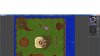
When I walked with the gm . Its a dead end :/ so help me .
 
Download a map, like above stated, just put it on world folder and rename it in config.lua.
To look map positions, open RME map editor and click on CTRL + T, so you will be able to look towns / positions.
 
If you get temple position is wrong. Go into your database, click on players. Edit the account manager's x,y,z position to a position that is "real" on the map.

real defined as there is a tile there to stand on.

~~steps if retard was reading (not saying your a retard)~~
1. GET A MAP (you can download in download section.)
2. Put it in your servers world folder. TFS>data>world
3. Open config.lua (control + F) mapName="forgotten" Change it with the name of your map.
4. Open server
5. If you log in and account manager is in wrong position.
6. Go to database, and edit account manager.
7. Set position x,y,z to a position on the map with a stackable tile (ex. grass.)
 
Last edited:
If you get temple position is wrong. Go into your database, click on players. Edit the account manager's x,y,z position to a position that is "real" on the map.

real defined as there is a tile there to stand on.

~~steps if retard was reading (not saying your a retard)~~
1. GET A MAP (you can download in download section.)
2. Put it in your servers world folder. TFS>data>world
3. Open config.lua (control + F) mapName="forgotten" Change it with the name of your map.
4. Open server
5. If you log in and account manager is in wrong position.
6. Go to database, and edit account manager.
7. Set position x,y,z to a position on the map with a stackable tile (ex. grass.)

Its better to set a town, temple position for x,y,z so if your character can't spawn it will be moved to that position.
 
Unless you have a custom place for account manager. Acc manager should always make new player where it is told on the config.lua newPlayerTownId= 1....

<I script 8.54> So i wouldn't know for other protocols.
 
Back
Top