• There is NO official Otland's Discord server and NO official Otland's server list. The Otland's Staff does not manage any Discord server or server list. Moderators or administrator of any Discord server or server lists have NO connection to the Otland's Staff. Do not get scammed!
  • 2026 staff recruitment is open! Check it out and consider applying!

Whoisonline

xLosT

Member
Joined
Jan 11, 2010
Messages
1,021
Reaction score
13
Location
Brasil, Rio Grande do Sul
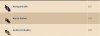
my list online so this

1.JPG

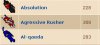
I want you so

2.JPG

PHP:
$players_rows .= '<TR BGCOLOR='.$bgcolor.'><TD><image src="outfiter/outfiter.php?id='.$player['looktype'].'&addons='.$player['lookaddons'].'&head='.$player['lookhead'].'&body='.$player['lookbody'].'&legs='.$player['looklegs'].'&feet='.$player['lookfeet'].'"/></TD><TD WIDTH=60%><A HREF="?subtopic=characters&name='.urlencode($player['name']).'">'.$player['name'].'</A> '.$position.' <br>'.$gmm.'</TD><TD WIDTH=10%>'.$player['level'].' </TD><TD WIDTH=20%>'.$vocation_name[$world_id][$player['promotion']][$player['vocation']].'</TD></TR>';
}


sry bad english
 
It can do in .CSS only you need to create a new class that justify the size and IMG position. If I found the code i'll post for you here.
 
Look in my thread, I updated the code so it's using divs instead.

- - - Updated - - -

PHP:
<div style="position: relative; width: 32px; height: 32px;"><div style="background-image: url(\'outfiter/outfiter.php?id='.$player['looktype'].'&addons='.$player['lookaddons'].'&head='.$player['lookhead'].'&body='.$player['lookbody'].'&legs='.$player['looklegs'].'&feet='.$player['lookfeet'].'\'); position: absolute; width: 64px; height: 80px; background-position: bottom right; background-repeat: no-repeat; right: 0px; bottom: 0px;"></div></div>
 
Last edited:
Back
Top