• There is NO official Otland's Discord server and NO official Otland's server list. The Otland's Staff does not manage any Discord server or server list. Moderators or administrator of any Discord server or server lists have NO connection to the Otland's Staff. Do not get scammed!

Not valid packet

Andrezitta

New Member
Joined
Sep 19, 2025
Messages
12
Reaction score
2
Location
Brasil
I've never had a problem with this before, but now it's happening on the server. Does anyone know what it is?
And how can it be resolved?


ddddddddd.webp
 

Attachments

I've never had a problem with this before, but now it's happening on the server.
Do you have problems with login to OTS or just see that error message in OTS console?

If login to OTS works and you just see that message, it's fine. Whenever someone connects with wrong RSA/wrong network packet to your server, it reports that error. I can go my Linux server and type telnet 91.236.131.83 7171, if server is online, I can type XX random letters, press Enter and you will get that error in OTS console. Bots (hackers) scanning random ports (ex. trying to SSH to port 7171/7172) will generate that error message.

If you cannot login to OTS (error in OTC/Tibia client), it means you are using server/client with modified RSA key, not official OTS RSA key. You have to change OTS and OTC/Tibia client RSA to official OTS RSA or generate new pair of random client-server RSA keys ( OTS RSA Generator (https://ots.me/rsa/) ) and use them in client and server.
 
Code:
As chaves RSA não foram modificadas. Uma mensagem aparece e, em seguida, o servidor trava imediatamente. Você pode me ajudar? O que posso fazer para resolver o problema?

The RSA keys have not been modified. A message appears and then the server crashes immediately. Can you help me? What can I do to solve the problem?
 
The RSA keys have not been modified. A message appears and then the server crashes immediately. Can you help me? What can I do to solve the problem?
Freez, like nobody can move in game and nobody can login or what?
Did you install any changes related to OTClient packets in C++?
What OTS engine do you use? Can you post link, where we can download/view it?
 
I already know what it is!
Unfortunately, someone is flooding my OT server with nothing better to do. Unfortunately, I stopped at TFS 0.4 and they were going to continue making a small project for people to play around with, but some idiot is attacking the server with an account manager. I don't know how to work with websites, but I'll see if I can put one online, and I'd be grateful!
 
I already know what it is!
Unfortunately, someone is flooding my OT server with nothing better to do. Unfortunately, I stopped at TFS 0.4 and they were going to continue making a small project for people to play around with, but some idiot is attacking the server with an account manager. I don't know how to work with websites, but I'll see if I can put one online, and I'd be grateful!
I suggest to update to a more recent framework, such as TFS 1.5 or newer. The server receives a packet with an invalid RSA block size, so it rejects it before decrypting. In other words your server can't decrypt the packet sent by client.

My advice is first read the error using cmd, so you can check the log even if it crashes.
You can read the error if you start it up through cmd like this:
Code:
cd "your_tfs_directory"
theforgottenserver.exe

Then check this guide to use a more recent framework (is a little outdated but it will help).

I know some distributions have the option autoBanishUnknownBytes = false, but, this could lead us to a few mistakes. If you're using classic tibia client, elfbot is known for sending unknown packets and that will do unjustified banishments if you're allowing elfbot. If you wish to go further, at c++ you can see this:
C++:
bool Protocol::RSA_decrypt(NetworkMessage& msg)
{
    if ((msg.getLength() - msg.getBufferPosition()) != 128) {
        return false;
    }

    g_RSA.decrypt(reinterpret_cast<char*>(msg.getBuffer()) + msg.getBufferPosition()); //does not break strict aliasing
    return msg.getByte() == 0;
}

So the warning you attached means someone connected to the server port, but the packet they sent was not a valid Tibia/TFS login packet. At older TFS this is handled by:
C++:
if ((msg.getLength() - msg.getBufferPosition()) != 128) {
    return false;
}

But modern TFS, if i'm not wrong, uses:
C++:
if (msg.getRemainingBufferLength() < RSA_BUFFER_LENGTH) {
    return false;
}

tfs::rsa::decrypt(msg.getRemainingBuffer(), RSA_BUFFER_LENGTH);
return msg.getByte() == 0;
which is more flexible. I'll quote the following:
Modern TFS does not really “decrypt invalid packets better”; it rejects them earlier and more safely. It also changed the RSA size check from requiring the remaining packet to be exactly 128 bytes to requiring at least 128 bytes, then decrypting only the RSA block. This makes the login parser more compatible with newer packet structures and avoids some false invalid-size cases.

Being this said, this is not a solution yet since we're going to need you to provide more information in order to move forward. Are you hosting your server using your own router? You're receiving wrong packets due server-side implementations or you got proof that is user-provoked? You can login to the server?

Regards!
 
I just changed the source code; I put in a new one—the same one I was using before, but without the modifications. I restarted the OT server, and I'm the only one logged in using a standard, unmodified Tibia 8.60 client.
Even so, the message popped up. The server is still running, though. Unfortunately, I'm not tech-savvy enough to compile using Visual Studio; I'm stuck using the old Dev-C++. I spent the whole night trying to get the website online, but with no luck! =[
But I appreciate your willingness to help!

Also, my server isn't hosted at home; it's on a paid VPS!
Post automatically merged:

I was just wondering—could it be something related to the VPS?
Because when I run my OT server at home, it doesn't happen like that...
Post automatically merged:

Hey guys, I just spoke with a player who was trying to play on my OT server—it was just the two of us online. He told me he uses OTC, and specifically the OTC bot!

So that must be it, right?

Is there any way to block clients other than the original Tibia 8.60 client?
 

Attachments

Last edited:
Unfortunately, I'm not tech-savvy enough to compile using Visual Studio;
Newest servers like canary/Atlas (TFS 1.7+) compile in Visual Studio, but older like Nekiro1.5, TFS 1.4 etc. will generate a lot of errors in Visual Studio and you will have to fix them, which may take hours :(
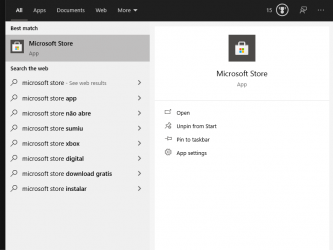
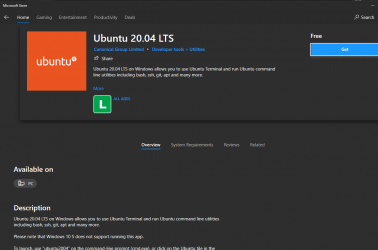
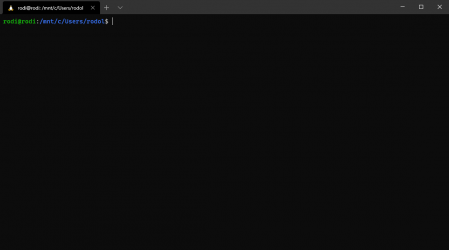
It's much easier to compile on Linux. If you have 16+ GB RAM, you should use 'Docker for Windows' with 'WSL2' (Windows Subsystem for Linux):
Here is docker config I use:
with little changes (use other Linux version, install other C++ libraries in Linux) I can run TFS 0.3, 0.4, 1.2, 1.4 and any other OTS.
I spent the whole night trying to get the website online, but with no luck! =[
It should be easy to setup any old acc. maker on new machine, but I do not recommend using old acc. makers. There were many security bugs found. You should use newest MyAAC:
Because when I run my OT server at home, it doesn't happen like that...
You mean that RSA error? You should ignore it. New servers do not show it as it would spam on each server available in internet. Whenever anyone scans open ports of your Linux, it will connect to port 7171 and then it can try to send some invalid packets - not Tibia packets - that will make old servers show that error.
You can remove line that prints it in TFS 0.4:
Is there any way to block clients other than the original Tibia 8.60 client?
Make it harder to login with OTC? Possible, you need to hire someone, who will make .dll that modifies a bit your Tibia 8.6 client .exe and add code on server to detect these changes (ex. use different network packet IDs than on RL tibia, add some bytes to some packets [ex. 'use item packet'] at end).
It does not make sense, people can still use RL Tibia 8.6 bots, write new Tibia bots with AI or extract your "modified Tibia 8.6 client" changes from .exe/.dll and add them to their OTC.
Then check this guide to use a more recent framework (is a little outdated but it will help).
Don't waste time on that YT tutorial. It won't work. It worked on YT, because tutorial was made 4 years ago - when last version of Nekiro 1.5 was released. Problem is that 'vcpkg' always downloads newest version of C++ libraries. Nekiro used C++ libraries in version they were 4 years ago. If you follow that tutorial today, it will download newest version of C++ libraries and Nekiro C++ code won't compile with these versions.

 
Back
Top