Unfortunately, I'm not tech-savvy enough to compile using Visual Studio;
Newest servers like canary/Atlas (TFS 1.7+) compile in Visual Studio, but older like Nekiro1.5, TFS 1.4 etc. will generate a lot of errors in Visual Studio and you will have to fix them, which may take hours

It's much easier to compile on Linux. If you have 16+ GB RAM, you should use 'Docker for Windows' with 'WSL2' (Windows Subsystem for Linux):
Hello there!
Well, that's a tip for a lot of ppl who virtualize with another programs, use: WSL2.
Windows Subsystem for Linux
WSL2 it's a resource, developed by Microsoft to install new Linux Images on Windows.
Microsoft provides a simple tutorial how-to setup everything.
https://docs.microsoft.com/en-us/windows/wsl/install-win10
YOUR WINDOWS 10 NEED TO BE UPDATED TO THE LAST VERSION
Download your Linux image on
Microsoft Store:
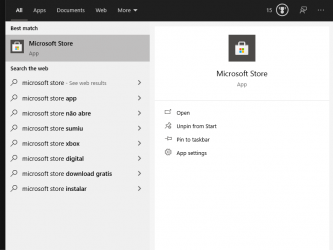
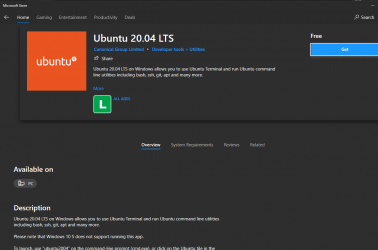
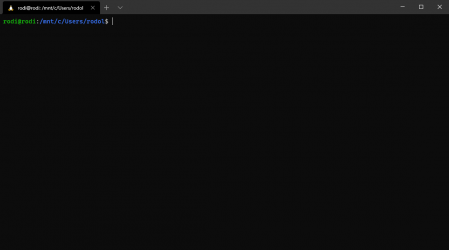
Have a nice day

Here is docker config I use:
Hey there brother, would love to test this out and set up a local "test" server to run updates/tests on; did you end up creating a docker for TFS setup by chance?
My current Windows TFS dev:
- OTS compiles inside docker Linux machine
- OTS runs inside docker Linux machine
- MySQL runs on Windows
- Website + phpmyadmin runs on Windows
To connect to server use IP 127.0.0.1 and port 7171.
Tested on TFS 1.4
How to install/run:
- install WSL2
- install Docker for Windows
- install XAMPP - we install MySQL and website on Windows
- edit file...
with little changes (use other Linux version, install other C++ libraries in Linux) I can run TFS 0.3, 0.4, 1.2, 1.4 and any other OTS.
I spent the whole night trying to get the website online, but with no luck! =[
It should be easy to setup any old acc. maker on new machine, but I do not recommend using old acc. makers. There were many security bugs found. You should use newest MyAAC:
Automatic Account Creator (AAC) for Open Tibia Servers written in PHP - slawkens/myaac

github.com
Because when I run my OT server at home, it doesn't happen like that...
You mean that RSA error? You should ignore it. New servers do not show it as it would spam on each server available in internet. Whenever anyone scans open ports of your Linux, it will connect to port 7171 and then it can try to send some invalid packets - not Tibia packets - that will make old servers show that error.
You can remove line that prints it in TFS 0.4:
TFS repository once kept private, converted from SVN - otland/tfs-old-svn
github.com
Is there any way to block clients other than the original Tibia 8.60 client?
Make it harder to login with OTC? Possible, you need to hire someone, who will make .dll that modifies a bit your Tibia 8.6 client .exe and add code on server to detect these changes (ex. use different network packet IDs than on RL tibia, add some bytes to some packets [ex. 'use item packet'] at end).
It does not make sense, people can still use RL Tibia 8.6 bots, write new Tibia bots with AI or extract your "modified Tibia 8.6 client" changes from .exe/.dll and add them to their OTC.
Then check this guide to use a more recent framework (is a little outdated but it will help).
Don't waste time on that YT tutorial. It won't work. It worked on YT, because tutorial was made 4 years ago - when last version of Nekiro 1.5 was released. Problem is that 'vcpkg' always downloads newest version of C++ libraries. Nekiro used C++ libraries in version they were 4 years ago. If you follow that tutorial today, it will download newest version of C++ libraries and Nekiro C++ code won't compile with these versions.



 ddddddddd.webp4.7 KB · Views: 13 · VirusTotal





