EDIT:
I did not see your previous post with IP
93.105.110.9.
I made client for your IP:
https://skalski.pro/tmp/styller-ots-93.105.110.9-client.zip
I put it in .zip, as web browsers often block .exe downloads.
OLD POST:
My IP is longer, I can't change it without breaking the client
Tibia clients use 17 and 19 letters IPs/domains (these values were domains in original Tibia.exe:
login01.tibia.com -
login05.tibia.com and
tibia05.cipsoft.com -
tibia05.cipsoft.com; more info:
Custom Client [8.6 - 10.XX] (https://otland.net/threads/custom-client-8-6-10-xx.212219/) )
.exe format does not allow you to change size in bytes (easily), but it's not a problem.
127.0.0.1 is 9 bytes and every Tibia client allows at least 17 bytes as IP and longest IPv4 is 15 bytes (
123.123.123.123).
If you change size of .exe, it won't start, which you probably report as 'breaking client'.
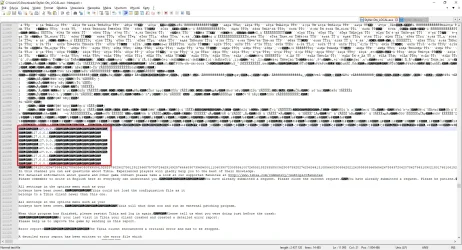
In
Styller-Ots_LOCAL.exe client there are
127.0.0.1 (9 characters) with multiple
NUL characters after them (added by author of that client), you can replace these
NUL with your IP. (It's related to how C++ process 'strings', where
NUL character means 'end of string' and number of `NUL`s at end does not affect where client connects)
After edition number of characters in .exe must be the same and each IP must start from same 'byte offset' in .exe, so if your IP is 2 characters longer ex.
192.168.1.5 (11 characters), you have to remove 2x
NUL after each IP
127.0.0.1 replaced.
In
Styller-Ots.exe there are domains
sv.styller-ots.com, not IP
127.0.0.1:
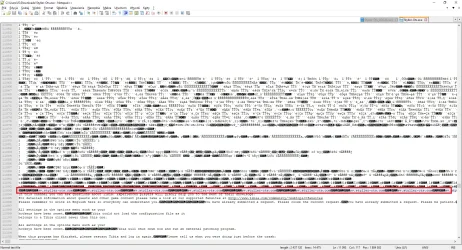
In both files list of server IPs starts in 11093 line (using Notepad++ editor).
If you want to test this server yourself, without sending client to friends etc., you can edit Windows
hosts file and set domain
sv.styller-ots.com to point to your IP. Then
Styller-Ots.exe will connect to your IP. You can easily find in Google how to edit
hosts file in Windows.



