
I'm adding the mount system to an 8.00 server.
Server: GitHub - Brunowots/RealMap-Global-8.0-TFS1.2 (https://github.com/Brunowots/RealMap-Global-8.0-TFS1.2)
I added all the sources and data, enabled the mounts in the client, added the sprite to the client, added the lookmount to the database, and also added the WindowOTC instances. However, when I activate the mount, the sprite doesn't transfer to the character.
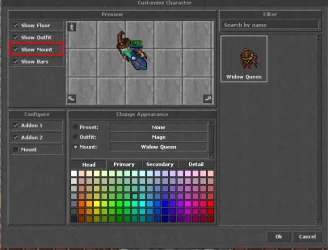
When I activate the mount, it doesn't appear in the set outfit.
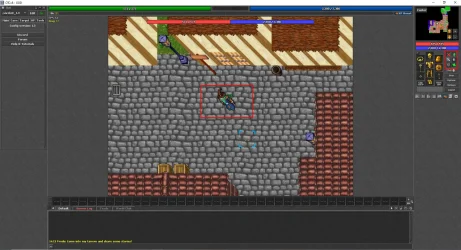
And when I activate it, my name changes location as if I were about to receive the mount, but nothing happens.
I've been trying to add this system for about 3 days, I've fixed thousands of errors, but I can't find a solution for this one.
Also, I didn't add the viewer.cpp and viewer.h files, and I also didn't add the case RELOAD_TYPE_MOUNTS: return mounts.reload(); because base 800 doesn't have a boolean value. Game::reload
* EDIT *
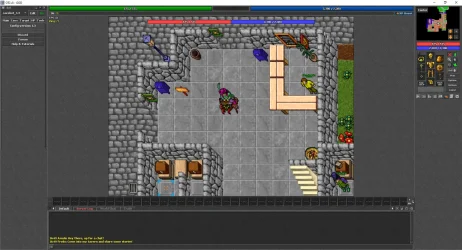
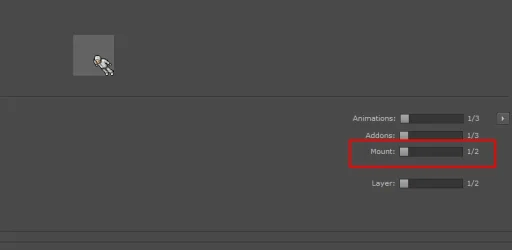
I managed to fix it; the problem was that my sprite and dat files didn't have the mount option. I downloaded version 8.60 with mount functionality, copied the sprites using ObjectBuilder, and added them to my 8.00 version, and it worked. I need to replace all the sprites to enable mount functionality, but I managed to do it, thank you.
Server: GitHub - Brunowots/RealMap-Global-8.0-TFS1.2 (https://github.com/Brunowots/RealMap-Global-8.0-TFS1.2)
I added all the sources and data, enabled the mounts in the client, added the sprite to the client, added the lookmount to the database, and also added the WindowOTC instances. However, when I activate the mount, the sprite doesn't transfer to the character.
When I activate the mount, it doesn't appear in the set outfit.
And when I activate it, my name changes location as if I were about to receive the mount, but nothing happens.
I've been trying to add this system for about 3 days, I've fixed thousands of errors, but I can't find a solution for this one.
Also, I didn't add the viewer.cpp and viewer.h files, and I also didn't add the case RELOAD_TYPE_MOUNTS: return mounts.reload(); because base 800 doesn't have a boolean value. Game::reload
* EDIT *
I managed to fix it; the problem was that my sprite and dat files didn't have the mount option. I downloaded version 8.60 with mount functionality, copied the sprites using ObjectBuilder, and added them to my 8.00 version, and it worked. I need to replace all the sprites to enable mount functionality, but I managed to do it, thank you.
Last edited:


