• There is NO official Otland's Discord server and NO official Otland's server list. The Otland's Staff does not manage any Discord server or server list. Moderators or administrator of any Discord server or server lists have NO connection to the Otland's Staff. Do not get scammed!
  • 2026 staff recruitment is open! Check it out and consider applying!

NPC Generator — Visual Blueprint Editor with Inspector, Groups, and Bookmarks

maxil

Member
Joined
Oct 10, 2008
Messages
16
Reaction score
13
Hello everyone,

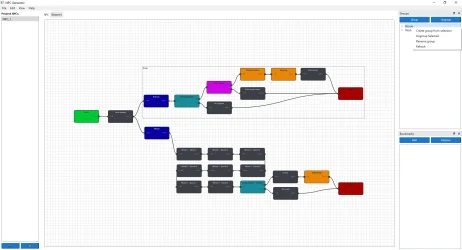
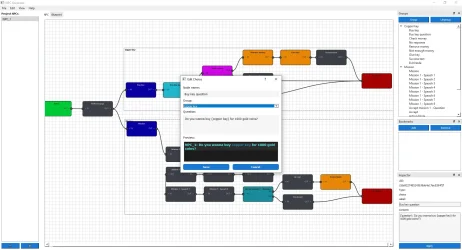
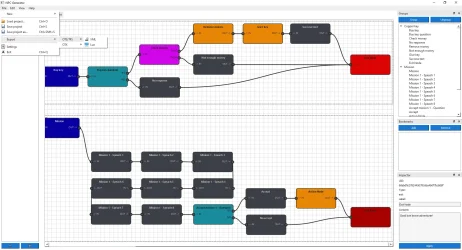
I’m sharing concept of a small desktop tool I built to design NPC behavior visually. It’s a node-based Blueprint editor with per‑NPC persistence and useful UX features for building dialogues, triggers and scripted events.

Key features
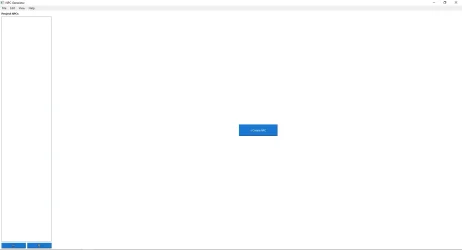
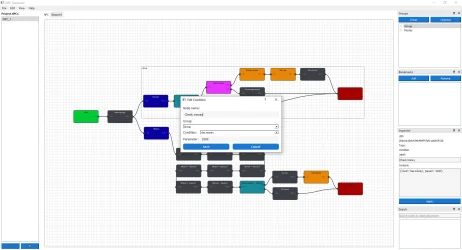
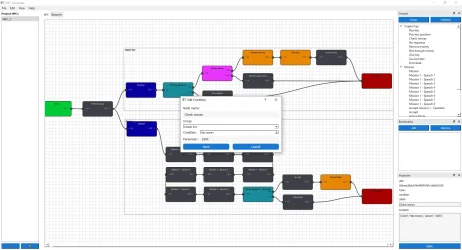
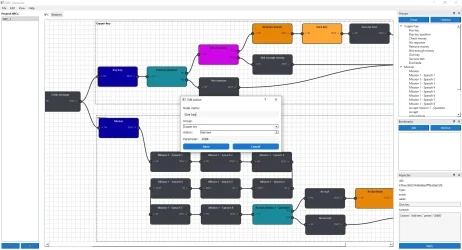
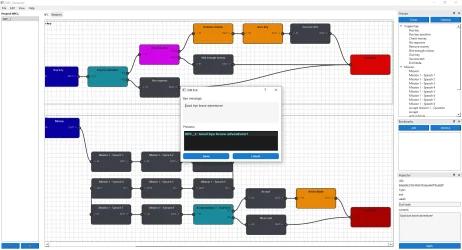
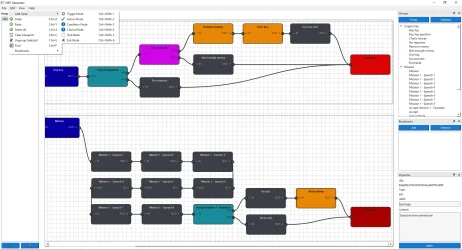
  • Node-based Blueprint editor: drag nodes, connect sockets, and create branching logic (trigger, action, condition, choice, text, exit).
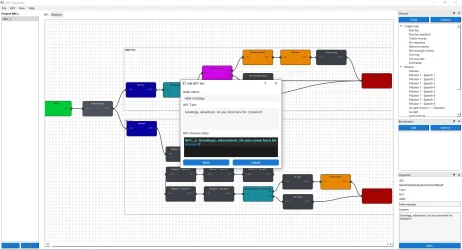
  • Inspector: view and edit selected node/group properties (UID, type, label, content) from a dock.
  • Groups & Outline: create groups (containers) of nodes, rename and move them; Outline dock shows groups and node tree for quick navigation.
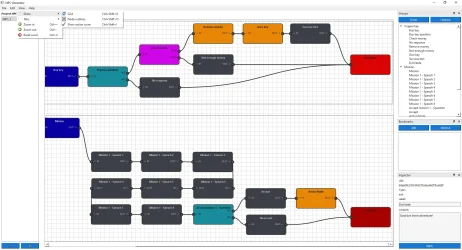
  • Bookmarks: save and jump to view frames (camera positions/zoom) via a Bookmarks dock or menu.
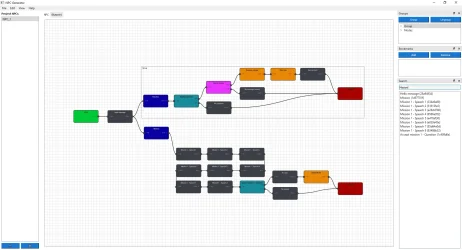
  • Search & Results: incremental search for nodes by label, UID or content with a clickable results list.
  • Undo/Redo and safe node deletion: history for recent edits and confirmations to avoid accidental loss.
  • Per‑NPC blueprint persistence: each NPC has a saved blueprint (JSON project export/import).
  • Themes & translations: runtime language selection and light/dark theme support.
  • Misc UX: grid background, node outlines toggle, action icons, auto‑zoom to nodes/groups, and keyboard shortcuts for common tasks.
Who it’s for

  • Game designers prototyping NPC behaviors and dialogue flows.
  • Modders who need a visual way to serialize NPC scripts into JSON/Lua.
  • Anyone who wants a compact visual tool to model event-driven NPC logic.


1.webp
  • What to capture: left NPC list, top menu, tabs (NPC + Blueprint) and right docks (Outline/Bookmarks/Inspector if visible).
  • Where to put: first image in the post, near the opening paragraph to show the overall UI.
  • Tip: use a slightly wide crop so the blueprint area is visible.
2.webp
  • What to capture: several connected nodes, one selected node, and visible connection curves.
  • Where to put: below the "Node-based Blueprint editor" bullet to illustrate editing and connections.
  • Tip: annotate or highlight one connection and node label if possible.
11.webp
  • What to capture: a group container surrounding nodes, the Outline tree expanded showing that group.
  • Where to put: near the "Groups & Outline" section.
  • Tip: crop so both the group and Outline entries are legible.
12.webp
  • What to capture: Inspector dock showing UID, Type, Label and Content fields with values.
  • Where to put: near the "Inspector" bullet.
  • Tip: show the Apply button and a short edited value to demonstrate live edits.
13.webp
  • What to capture: search box with results list populated and Bookmarks dock visible (optional).
  • Where to put: near the "Search & Results" and "Bookmarks" bullets.
  • Tip: show a clicked result or active bookmark so readers see the jump/zoom.
Post automatically merged:

3.webp4.webp5.webp6.webp7.webp
Post automatically merged:

8.webp9.webp10.webp
 
Last edited:
This is one of the most original ideas I've seen in the community in a while
 
Hello everyone,

I’m sharing a small desktop tool I built to design NPC behavior visually. It’s a node-based Blueprint editor with per‑NPC persistence and useful UX features for building dialogues, triggers and scripted events.

Key features
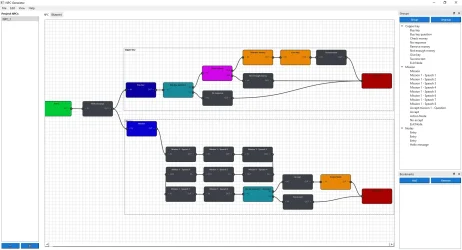
  • Node-based Blueprint editor: drag nodes, connect sockets, and create branching logic (trigger, action, condition, choice, text, exit).
  • Inspector: view and edit selected node/group properties (UID, type, label, content) from a dock.
  • Groups & Outline: create groups (containers) of nodes, rename and move them; Outline dock shows groups and node tree for quick navigation.
  • Bookmarks: save and jump to view frames (camera positions/zoom) via a Bookmarks dock or menu.
  • Search & Results: incremental search for nodes by label, UID or content with a clickable results list.
  • Undo/Redo and safe node deletion: history for recent edits and confirmations to avoid accidental loss.
  • Per‑NPC blueprint persistence: each NPC has a saved blueprint (JSON project export/import).
  • Themes & translations: runtime language selection and light/dark theme support.
  • Misc UX: grid background, node outlines toggle, action icons, auto‑zoom to nodes/groups, and keyboard shortcuts for common tasks.
Who it’s for

  • Game designers prototyping NPC behaviors and dialogue flows.
  • Modders who need a visual way to serialize NPC scripts into JSON/Lua.
  • Anyone who wants a compact visual tool to model event-driven NPC logic.


View attachment 97630
  • What to capture: left NPC list, top menu, tabs (NPC + Blueprint) and right docks (Outline/Bookmarks/Inspector if visible).
  • Where to put: first image in the post, near the opening paragraph to show the overall UI.
  • Tip: use a slightly wide crop so the blueprint area is visible.
View attachment 97631
  • What to capture: several connected nodes, one selected node, and visible connection curves.
  • Where to put: below the "Node-based Blueprint editor" bullet to illustrate editing and connections.
  • Tip: annotate or highlight one connection and node label if possible.
View attachment 97633
  • What to capture: a group container surrounding nodes, the Outline tree expanded showing that group.
  • Where to put: near the "Groups & Outline" section.
  • Tip: crop so both the group and Outline entries are legible.
View attachment 97634
  • What to capture: Inspector dock showing UID, Type, Label and Content fields with values.
  • Where to put: near the "Inspector" bullet.
  • Tip: show the Apply button and a short edited value to demonstrate live edits.
View attachment 97635
  • What to capture: search box with results list populated and Bookmarks dock visible (optional).
  • Where to put: near the "Search & Results" and "Bookmarks" bullets.
  • Tip: show a clicked result or active bookmark so readers see the jump/zoom.
Post automatically merged:

View attachment 97636View attachment 97637View attachment 97638View attachment 97639View attachment 97640
Post automatically merged:

View attachment 97641View attachment 97642View attachment 97643
I liked the idea it is funny somehow that whenever I build an NPC I always make this exact flow chart xD
 
Hello everyone,

I’m sharing a small desktop tool I built to design NPC behavior visually.
Lie Detector GIF
 
I worked on similar website tool 10-15 years ago, but when it get to NPCs that give mission after completing previous mission and I add around 10 missions, config of NPC (visual) became harded to read, than Lua code (if clean coded).
 
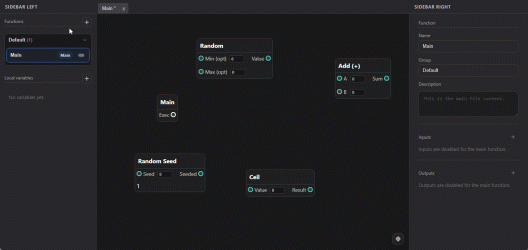
I've been having fun with something similar recently while learning new things. (Electron)
I might finish it later this year, and if so, I'd most likely publish it as open source


chrome_t8t0oIdtSp.gif
 
Back
Top