Well there's kinda a hint to your problem. OTC by default saves configuration files (which contain hotkeys, recent chats, minimap mark settings, options settings, etc.) and minimap files in /Users/<name>/, and when you start the client, it tries to load them from here. According to your error, it is not able to create files properly, so it may be a permission issue with your Windows.
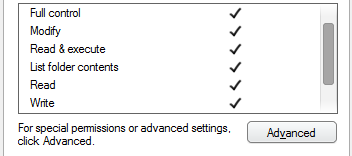
Try to run otclient as administrator, or even better, go to this folder /Users/snavy and check permissions for this folder with Right Click -> Properties -> Security. You should see stuff like this for each user, make sure you give the OTC user the proper permissions to write here: