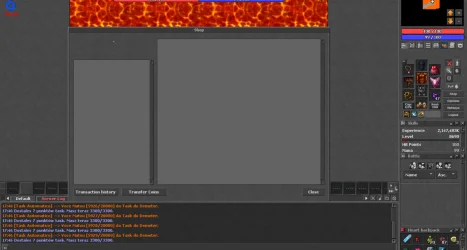
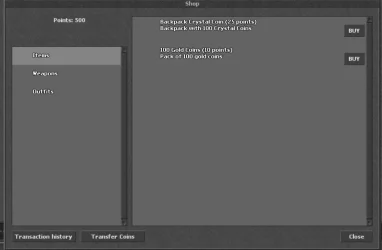
-- shop.lua
-- OTClient 8+ / OTX 2.16 compatible
-- Ready-to-use shop with categories and items

local SHOP_EXTENDED_OPCODE = 201
local CUSTOM_OFFERS = {
    -- ITEMS
    { id=1, category="Items", type="image", image="images/items/crystal_coin_bp.png", cost=25, title="Backpack Crystal Coin", description="Backpack with 100 Crystal Coins" },
    { id=2, category="Items", type="image", image="images/items/gold_coin.png", cost=10, title="100 Gold Coins", description="Pack of 100 gold coins" },

    -- WEAPONS
    { id=3, category="Weapons", type="image", image="images/items/sword_iron.png", cost=50, title="Iron Sword", description="A sturdy iron sword." },
    { id=4, category="Weapons", type="image", image="images/items/sword_steel.png", cost=100, title="Steel Sword", description="A sharp steel sword." },

    -- OUTFITS
    { id=5, category="Outfits", type="outfit", outfit=35, addons=3, cost=150, title="Demon Outfit", description="Full demon outfit with 3 addons" }
}

local shop, shopButton, msgWindow = nil, nil, nil
local CATEGORIES, STATUS = {}, { points = 1000 } -- example points

-- Sends a buy request
local function sendAction(action, data)
    if not g_game.getFeature(GameExtendedOpcode) then return end
    local protocolGame = g_game.getProtocolGame()
    if protocolGame then
        protocolGame:sendExtendedJSONOpcode(SHOP_EXTENDED_OPCODE, { action=action, data=data })
    end
end

-- Show confirmation dialog
local function showConfirm(offer)
    if msgWindow then msgWindow:destroy() msgWindow=nil end
    local title = "Buying from shop"
    local msg = "Do you want to buy "..offer.title.." for "..offer.cost.." points?"
    msgWindow = displayGeneralBox(title, msg, {
        { text="Yes", callback=function() sendAction("buy", offer) end },
        { text="No", callback=function() msgWindow:destroy() msgWindow=nil end }
    })
    msgWindow:show()
    msgWindow:raise()
end

-- Adds an offer to UI
local function addOfferToUI(offer)
    local widget
    if offer.type == "image" then
        widget = g_ui.createWidget('ShopOfferImage', shop.offers)
        widget.image:setImageSource(offer.image)
    elseif offer.type == "outfit" then
        widget = g_ui.createWidget('ShopOfferCreature', shop.offers)
        widget.creature:setOutfit({ type=offer.outfit, addons=offer.addons })
        widget.creature:setAutoRotating(true)
    end
    widget.title:setText(offer.title.." ("..offer.cost.." points)")
    widget.description:setText(offer.description)
    widget.buyButton.onClick = function() showConfirm(offer) end
end

-- Change category
local function changeCategory(widget, newCategory)
    if not newCategory then return end
    shop.offers:destroyChildren()
    local id = tonumber(newCategory:getId():split("_")[2])
    local category = CATEGORIES[id]
    if category and category.offers then
        for _, offer in ipairs(category.offers) do
            addOfferToUI(offer)
        end
    end
end

-- Create shop UI
local function createShopUI()
    if shop then return end
    shop = g_ui.displayUI('shop')
    shop:hide()
    shopButton = modules.client_topmenu.addRightGameToggleButton('shopButton', "Shop", '/images/topbuttons/shop', function()
        if shop:isVisible() then shop:hide() else shop:show() end
    end, false, 8)

    -- Build categories
    CATEGORIES = {}
    local categoryNames = {}
    for _, offer in ipairs(CUSTOM_OFFERS) do
        if not categoryNames[offer.category] then
            categoryNames[offer.category] = true
            table.insert(CATEGORIES, { name=offer.category, offers={} })
        end
    end

    -- Assign offers to categories
    for _, offer in ipairs(CUSTOM_OFFERS) do
        for _, category in ipairs(CATEGORIES) do
            if category.name == offer.category then
                table.insert(category.offers, offer)
            end
        end
    end

    -- Add category widgets
    for i, category in ipairs(CATEGORIES) do
        local widget = g_ui.createWidget('ShopCategoryItem', shop.categories)
        widget:setId("category_"..i)
        widget.name:setText(category.name)
        widget.onClick = function() changeCategory(nil, widget) end
    end

    -- Show first category
    if #CATEGORIES > 0 then
        local first = shop.categories:getChildByIndex(1)
        if first then changeCategory(nil, first) end
    end
end

-- Initialize shop
function init()
    createShopUI()
end

-- Terminate shop
function terminate()
    if shopButton then shopButton:destroy() shopButton=nil end
    if shop then shop:destroy() shop=nil end
    if msgWindow then msgWindow:destroy() msgWindow=nil end
end