• There is NO official Otland's Discord server and NO official Otland's server list. The Otland's Staff does not manage any Discord server or server list. Moderators or administrator of any Discord server or server lists have NO connection to the Otland's Staff. Do not get scammed!
  • 2026 staff recruitment is open! Check it out and consider applying!

Remere - showing light effects

Chemiann

Active Member
Joined
Jun 8, 2010
Messages
197
Reaction score
37
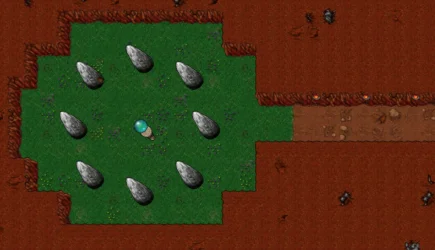
1760180252306.webp Is there a way, to see how (for example this one) some areas would look with ingame light effects? I mean I want to see how this cave would look like for a player ingame, where everything is dark and only the torches are lighting up
 
View attachment 95282 Is there a way, to see how (for example this one) some areas would look with ingame light effects? I mean I want to see how this cave would look like for a player ingame, where everything is dark and only the torches are lighting up
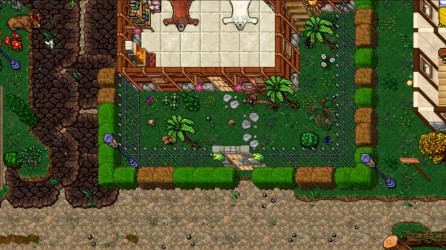
Yes, the rme ot academy offers an option regarding light.

Code:
https://github.com/OTAcademy/RME
 
Yes, the rme ot academy offers an option regarding light.

Code:
https://github.com/OTAcademy/RME
ouch, I'm trying to run this one but... where's the map editor .exe file? I'm not a great hacker and I dunno what to do >.> I've jointed their discord now to ask or find tutorial, how to run it, but I can't type there cuz I can't verify my discord acc right now :D
Post automatically merged:

ouch, I'm trying to run this one but... where's the map editor .exe file? I'm not a great hacker and I dunno what to do >.> I've jointed their discord now to ask or find tutorial, how to run it, but I can't type there cuz I can't verify my discord acc right now :D
Compiling on Windows (https://github.com/hampusborgos/rme/wiki/Compiling-on-Windows) - do I have to do all those steps to run it? There's no simpler way? >.>
 
Last edited:
ouch, I'm trying to run this one but... where's the map editor .exe file? I'm not a great hacker and I dunno what to do >.> I've jointed their discord now to ask or find tutorial, how to run it, but I can't type there cuz I can't verify my discord acc right now :D
Post automatically merged:


Compiling on Windows (https://github.com/hampusborgos/rme/wiki/Compiling-on-Windows) - do I have to do all those steps to run it? There's no simpler way? >.>
Code:
https://github.com/hampusborgos/rme/releases/tag/v3.7
 
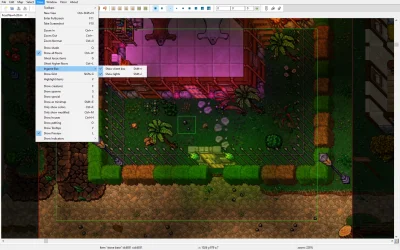
Only click in View -> Ingamebox -> Show lights/ Show client box (RME 3.8)
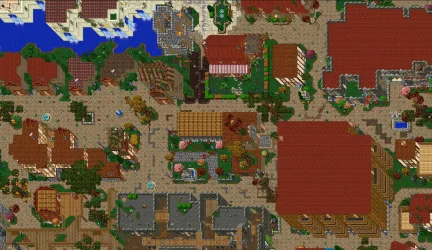
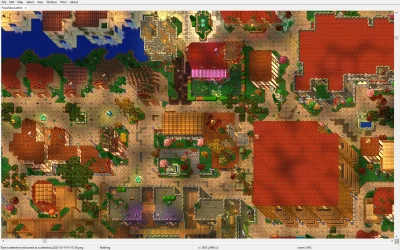
Detail: t only displays the lighting effects when the "Show customer box" option is checked.In OTacademy RME, it displays the entire effect.
 

Attachments

  • screenshot_2025-10-14-0-5-44.webp
    screenshot_2025-10-14-0-5-44.webp
    309.5 KB · Views: 25 · VirusTotal
  • screenshot_2025-10-14-0-5-45.webp
    screenshot_2025-10-14-0-5-45.webp
    208.1 KB · Views: 25 · VirusTotal
  • screenshot_2025-10-14-0-13-34.webp
    screenshot_2025-10-14-0-13-34.webp
    691.2 KB · Views: 25 · VirusTotal
  • screenshot_2025-10-14-0-13-35.webp
    screenshot_2025-10-14-0-13-35.webp
    735.3 KB · Views: 27 · VirusTotal
Thaaank you but mine doesn't have it :-( I've tried newer versions of RME (they probably had this function) but they were not compatibile (or maybe I did something wrong) with 8.0 or 7.7
Only click in View -> Ingamebox -> Show lights/ Show client box (RME 3.8)
Detail: t only displays the lighting effects when the "Show customer box" option is checked.In OTacademy RME, it displays the entire effect.
do you know, if there are any newer map editors with such function and compatibile with 7.7 and 8.0 ?

regards
Post automatically merged:

Okay, I've managed to run newest RME, and it's compatibile with 8.0 and has light effects - it just needs to unpack another file into the RME client, exe.dll and thats it :-) thanks everyone
 
Last edited:
Back
Top