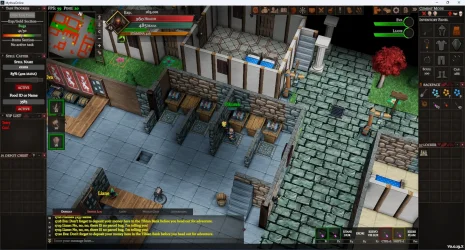
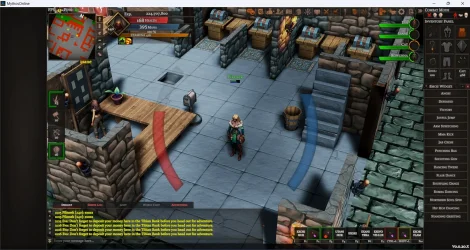
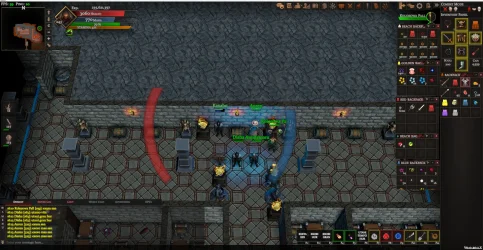
• There is NO official Otland's Discord server and NO official Otland's server list. The Otland's Staff does not manage any Discord server or server list. Moderators or administrator of any Discord server or server lists have NO connection to the Otland's Staff. Do not get scammed!
  • 2026 staff recruitment is open! Check it out and consider applying!

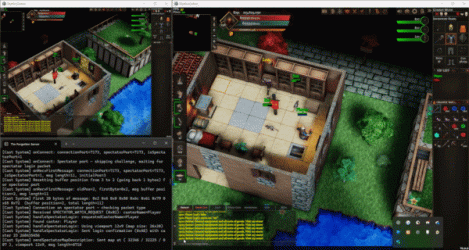
Tibia 3D Multiplayer Project - what do you think?

Tibia 3D Project


  • Total voters
    152
New client version available
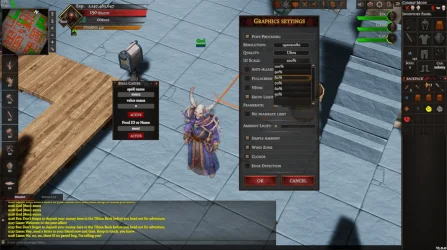
version: v0.0.3
version_v3.webp
  • Fixed auto-walk when going down holes and stairs (previously the character stopped before the hole or stairs instead of entering).
  • Added the AutoSpellCaster panel for automatic spell casting and eating food.
  • Backpacks in the side panel should no longer glitch and can now be moved freely.
  • Saving the window state of the VIP Panel and SpellCaster (open/closed after exiting the game).
  • Resizing windows outside the side panel no longer stretches them vertically from both sides.
  • Minimizing windows outside the screen no longer pulls them back to the center; they now remain in place.
  • The spell Exevo Vis Lux is now visible.
  • Some doors had incorrect objects assigned (open instead of closed and vice versa); this is now fixed.
  • The hungry icon in the combat panel is now visible when your character is hungry.
  • The Report Bug panel now sends correct information, and the window can be opened with CTRL + R.
  • Changed default combat mode from Defensive to Offensive.
  • When rotating the camera by 90°, 180°, or 270°, diagonal movement now works correctly.
  • Using “look at” on a creature in the battle list no longer logs you out to the character selection.
  • Light effects from hidden floors no longer leave a glow behind.
  • Your character’s light point now produces a soft lighting effect.
  • Fixed Invisible Creatures for stealth ring and utana vid spell
  • Added UI Scaler for Graphic Settings Options
  • Resizable cursor position is correct for resizable panels
 
It is getting better and better, good job!
You can change minimap to something new, different style, another colors etc.
 
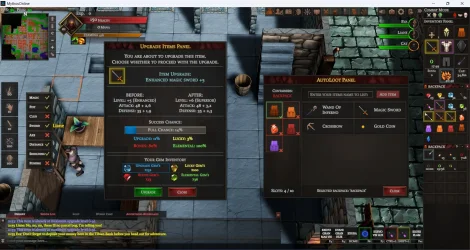
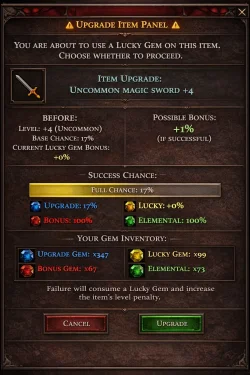
Hey everyone! Sorry for my recent absence — when I’m deeply focused on development, I tend to disappear for a while.Over the past few days, I’ve been working on two major features: the item upgrade system, which is currently being implemented, and the cast system. The cast system is becoming increasingly stable and will be released with the next client updateI also want to inform you that the game will now be called Mythos Online. It will no longer be associated with 3Dragons.Games. I don’t want my project to be linked to RonIT, so we mutually agreed that the game will continue under this new brand.

Cast System:
3a50971915f70c2e0917e64db3011809.gif

Drop and Upgrade Items System:
drop_system.webp
 
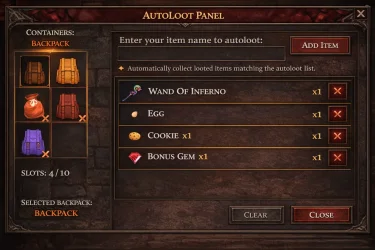
AutoLoot System v1
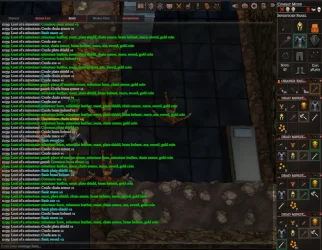
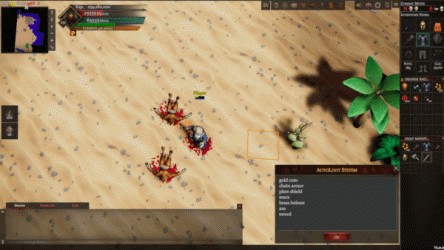
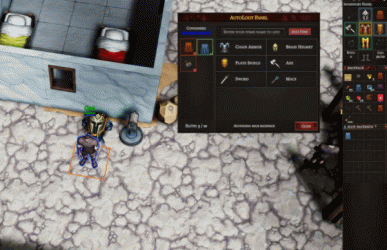
I am currently working on the AutoLoot system. This is only the first version, but I wanted to share it with you already. The system is not fully developed yet, however the first results of its functionality are already visible. AutoLoot will be gradually expanded and improved in upcoming updates.

ec1a771069b985f984ad1f282cb2fdbf.gif
 
As mentioned earlier, the game is changing its name to Mythos Online.The domain 3dragons.online now redirects to Latest News - Mythos (https://playmythos.online/), which will be the main official website of the game going forward.The 3dragons.online domain will remain active as a redirect for the next few months and will eventually expire. This transition period is intentional and is meant to help players gradually get used to the new game name and website.This decision was made by mutual agreement with RonIT. We agreed not to interfere with each other’s projects, and the goal is for this game to develop under its own independent brand, without being associated with the previous name.

mythos_online_v8.webp

New Discord Server:

Update Released v8
A new update has been deployed, and I hope this version will finally completely eliminate desynchronization issues.
In addition, a new patch for the Upgrade Items System has been released.

What’s new:
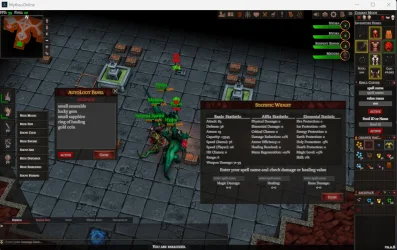
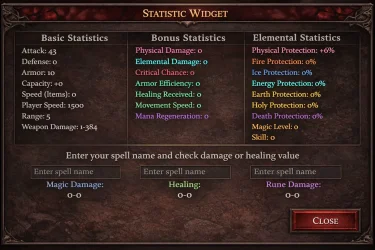
A brand new Statistic Panel has been added, allowing you to preview your character’s current, fully calculated stats in real time.
You can now enter a spell and check the expected damage range it can deal.
The panel also allows you to:
check rune damage output
preview healing values from selected healing spells

As always, please test the update and report any issues you may encounter.
Your feedback is very important for further improvements.


Additionally, I would like to emphasize that the game is 100% safe.
If you have any doubts, you can scan the .exe file yourself and there will be no issues.

Windows may report it as a potentially unwanted application only because I do not yet have a Windows code-signing certificate. Over time, Windows should automatically recognize and trust the application.

 
Last edited:
Happy New Year everyone!

It’s been a while since the last update, but I wanted to let you know that the game is doing better than ever and is continuously improving. Development is moving forward smoothly, and the progress has been very solid.

I wish you all the best in the New Year — good health, success, and plenty of fun in the game.

Below is a list of the latest changes and improvements. I highly encourage you to test the game, because it’s truly worth it — everything is starting to work and look better and better with each update.

MythosOnlinev12.webp

🔧 Recent Changes & Improvements​

  • Auto Loot Panel 2.0
  • Upgrade Items Panel 2.0
  • Hotkeys Widget with individual key customization options
  • Fixed an issue where, if a creature died while under mouse focus, its corpse could not be opened immediately. Previously, you had to move the cursor away and back — this is now fixed, and the corpse can be opened right away.
  • Cosmetic UI improvements
  • It is now possible to purchase an egg from an NPC
  • Optimization improvements between versions v10 and v11
    These issues should now be fully resolved in v12, as reported by players

🧾 NPC Trade Window Improvements​

  • When an NPC was buying or selling a large number of items, item loading caused visible delays and panel freezes. From now on, subsequent openings of the trade window no longer reload items and no longer cause freezes during the same game session.
  • When dragging an item in the UI, the actual item icon is now displayed and moves together with the cursor.
Once again, feel free to jump in and test everything — the game is evolving quickly, and it’s becoming more enjoyable with every update.


See you in game!
 
Love your passion, but I think you should hire someone to design the UI for your project from scratch.
Thank you for the suggestion and for the kind words — I really appreciate your support and the fact that you enjoy the game.


If I manage to find more time, I will definitely focus more on the UI as well. At the moment, I’m prioritizing more critical systems and core mechanics, but improving the interface is absolutely on my list. I agree that it still needs work, and it’s something I want to refine further.

1000032444.webp1000032443.webp1000032441.webp
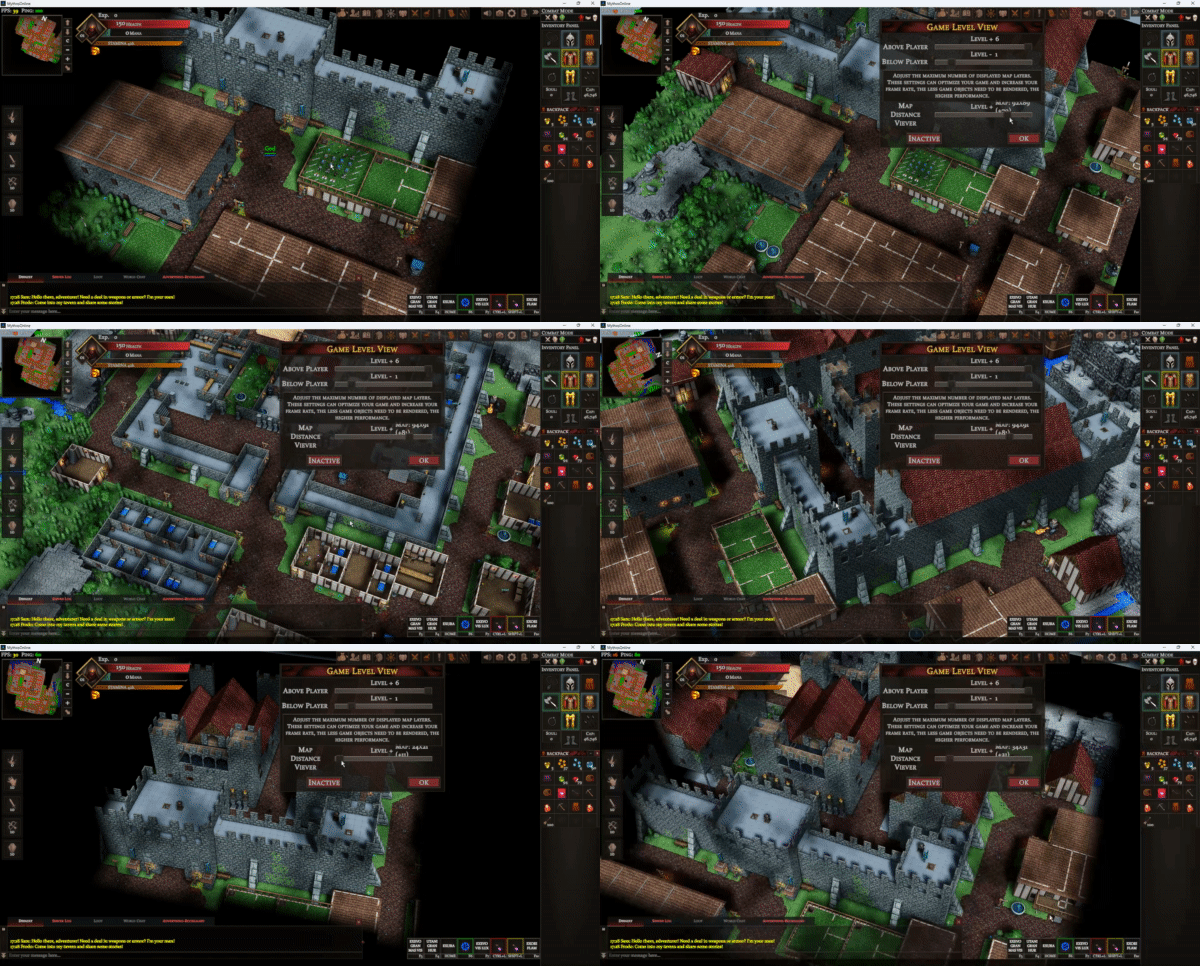
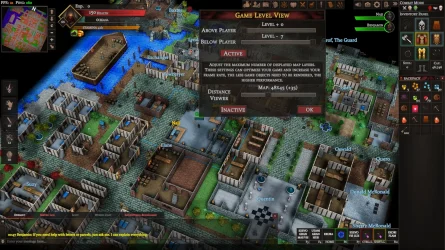
At the moment, I’m working on expanding the field of view. This will mainly be an individual setting, adjusted to the computing power of each player’s machine, and it will provide mostly visual benefits rather than any form of power abuse. All core systems related to visible creatures and other players will still operate on the exact same tile range for everyone.
Additionally, there will be an option to switch to a free camera mode, allowing players to explore the map and, for example, preview monster spawns.
I’m already at a slightly more advanced stage than what is shown in the video, but there are still a few things left to refine.
Please also note that the video was recorded on my laptop using an integrated graphics card and without any optimization. The FPS shown in the video is not fully representative — the goal was simply to demonstrate the direction I’m aiming for.

 
Hello Everyone!

MythosOnlinev13.webp
I’ve eliminated the black screen issue when moving between floors. This required rebuilding the entire tile-loading system.

Pathfinding has been significantly improved — it’s now much more intuitive. You can move across longer distances, and the system no longer tries to route paths through walls or inaccessible areas.

The minimap is now fully visible and also shows a shaded view of the floor below when you are above it.

The most problematic and time-consuming change, which took the majority of my time, was related to loading additional tiles. This is a purely cosmetic and visual improvement, but it creates the impression of a much larger game world.

Please keep in mind:
The number of additionally generated tiles is an individual setting and depends primarily on the computing power of your PC. These extra tiles do not affect gameplay mechanics such as increased creature spawn range, player visibility range, or the casting range of runes and spells. All core mechanics still operate within the default map range.

This version is being released mainly for testing purposes, personal experience, and to gather suggestions for improvements or potential issues. With this done, I can now move on to the promised Task Panel, followed by the Quest Panel.

See you in game — I’m looking forward to your feedback.

 
Hello everyone!

Mythos Online never sleeps and is constantly evolving. Here are the new features and improvements I’ve prepared for you.

task_system.webp
Pathfinding Improvements:
Pathfinding has been fully reworked and heavily refined.
It should now work flawlessly and far more reliably than before.

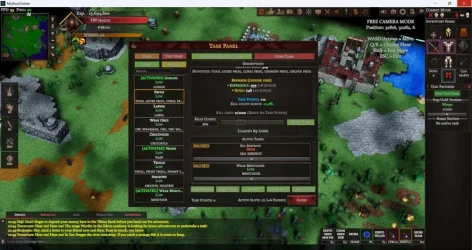
Task Panel:
You can now choose between two types of Tasks:

Experience / Gold Tasks
  • Fully individual and adjustable
  • Task can be reset after reaching the limit of 1000 killed creatures
Item Tasks
* One-time tasks that can be completed only once

For every completed task you receive Task Points, which can be used to:
  • Unlock additional extra task slots (allowing more tasks at the same time)
  • Reset the 1000 creature kill limit for a specific task
Free Camera Viewer:
A free map exploration system.
Simply click on a location on the minimap with the right mouse button and the camera will instantly move you to that position.

Spell & Rune Balance
The most important change is Exura San for Paladins, and others lists

Items Ghost Mode
From now on, when you pick up an item, a ghost preview of it appears on the map. This makes it easier to clearly see which item you grabbed and exactly where it will be placed when you drop it.
https://i.gyazo.com/356eb0303440c0cfb85a6e29896df058.mp4
 
Last edited:
Today, while hunting Minotaurs, I started creating loot piles that I planned to move into backpacks later and then sell in the shop.
While dragging items into the backpack, I realized that the process felt clunky, irritating, and time-consuming.

Because of that, I came up with the idea to add a View Stack system, which automatically moves an entire stack into your backpack.
You can think of it as a form of auto-loot directly from a stack 🙂

4ae671f25b3416644c894d9f9a71bc2d.gif
 
Today, while hunting Minotaurs, I started creating loot piles that I planned to move into backpacks later and then sell in the shop.
While dragging items into the backpack, I realized that the process felt clunky, irritating, and time-consuming.

Because of that, I came up with the idea to add a View Stack system, which automatically moves an entire stack into your backpack.
You can think of it as a form of auto-loot directly from a stack 🙂

View attachment 97660
gj.
 
New client version v16

Message box customization

  • Text size
  • Number of displayed lines
  • Text visibility

Save password checkbox
  • When enabled, your password will be remembered and automatically filled in after restarting the client​

Default FPS limit set to 60
  • Can still be changed in settings
  • Useful for new players, as without a limit the CPU could run at full load

Item dragging bug fix
  • In some cases, moving items on the floor was impossible on certain tiles
  • This issue should now be resolved

Stack Viewer
  • Allows you to view items on a specific tile
  • Useful when collecting loot that was previously stacked

Casted spells
  • Casted spells should no longer appear in private messages​

Pathfinding
  • Right-click pathfinding improved
  • In some cases the calculated path was longer than necessary; it should now choose a shorter route

Minimap
  • Dragging the minimap could sometimes trigger pathfinding
  • Pathfinding will no longer activate when you only want to move the map

Containers
  • When removing containers from the panel, an empty space sometimes remained
  • This should no longer occur

Light Surface & Underground
  • During login in underground areas, the lighting was not being checked correctly, which could result in surface light being applied instead of proper underground lighting. This issue has now been fixed.​
 
v17.webp
Devlog: New client version v17

VIP List
  • Fixed an issue with the context menu when clicking on the VIP list. In some cases, the menu appeared outside the game screen and was impossible to click.
Shadow Quality
  • Fixed shadow flickering that occurred when floors appeared or disappeared during map exploration. The visible flashing effect should now be eliminated.
Water Visibility
  • Fixed rendering collisions where water on certain levels overlapped with objects that should have been hidden.
Death Panel
  • After death, the camera no longer remains locked above the character.
  • Higher floors are now displayed correctly.
  • Camera movement, rotation, and zoom are properly disabled while the death panel is active.
Battle List
  • Fixed an issue where targeting creatures did not always change their name color to red.
  • NPCs can no longer be selected as attack targets in the Battle List, preventing the false impression that an NPC was being attacked.
NPC Channel
  • Fixed an issue where messages could appear duplicated.
Server Info Channel
  • Fixed an issue where messages could appear duplicated.
Creature Targeting
  • Target selection is now performed directly on the creature itself instead of relying on tile detection, regardless of which server tile the creature is assigned to.
NPC Oracle / Rookgaard
  • You can now leave Rookgaard at any level.
  • Health, mana, and capacity are recalculated properly after choosing a profession.
Task System Panel
  • The Task System Panel has been completely reworked.
  • Reward calculations are now significantly more profitable and properly scaled to the number of creatures killed.
Spell & Rune Balance
  • Spell and rune calculations have been reviewed once again.
  • Several values were adjusted to better match Tibia 8.6 balance.
Containers & Item Usage
  • Item dragging, opening, and swapping inside backpacks is now much smoother and more comfortable while moving.
 
v19.webp

Devlog: New client version v19

Item Dragging on the Map

  • Fixed an issue where dragging items on the ground sometimes required the character to step onto the item before moving it again.
  • Item movement should now work correctly and consistently.

Message Spam (Server Info)

  • Damage messages are now displayed only for your own character.
  • Damage dealt or received by other players will no longer appear in the Server Info channel, significantly reducing spam.

Auto Spell Caster

  • Updated the spell list with missing spells that were previously omitted and could not be cast from the panel.
  • Mana calculation has been changed to use a percentage-based threshold instead of a fixed numeric value.

Side Container Panel

  • Fixed an issue where containers moved outside of the side panel could not receive items from the ground or accept item placement.
  • Containers now work correctly regardless of their position.

Container Item Usage

  • Fixed an issue where the character could step backward while using items from containers during movement.

WSAD Mode

  • Fixed an issue where pressing the spacebar in WSAD mode could unintentionally toggle certain UI panels.

Creature Paralysis

  • Creatures should no longer paralyze each other (e.g. Medusas).

Extra Left Panel

  • Added an additional extra panel on the left side, which can be freely opened or closed at any time.

UI Interaction & Movement

  • Fixed an issue where clicking UI panels could still trigger character movement.
  • UI interactions no longer register as in-game movement inputs.

Outliner & Targeting

  • Added an outline effect for selected creatures.
  • Fixed outline detection for objects that were not always detected correctly before.
 
1769807203516.webp

Devlog: New client version v20

Pathfinding

  • Fixed an issue with pathfinding, mainly affecting the Venore area.
  • The system should now correctly detect and calculate all valid paths.

Containers

  • Fixed an issue with incorrect item transfers between backpacks, where items could end up in a different backpack than the one currently focused.

Hotkeys

  • Added mouse hotkeys support.

Character Outfits

  • Added outfits for Free Account and Premium Account.
  • Completed the missing female variants.

Emoji System

  • Completed the emote system, a feature that has been awaited for quite some time.

Missing Objects

  • Started filling in missing objects and creatures across the game world.

Floor View / Stack Detection

  • Fixed incorrect floor detection when the character stands on a stack of items.
  • In some cases, a higher floor could appear above the character even though they were actually standing on a lower level — this issue has now been resolved.

Animations

  • Improved creature animations.
  • Added swimming animations.
 
Back
Top