• There is NO official Otland's Discord server and NO official Otland's server list. The Otland's Staff does not manage any Discord server or server list. Moderators or administrator of any Discord server or server lists have NO connection to the Otland's Staff. Do not get scammed!
  • 2026 staff recruitment is open! Check it out and consider applying!

OTClient OTCv8 & TFS1.7 <Can't log in>

xYzPrototype

Just a standard member
Joined
Feb 27, 2015
Messages
57
Reaction score
6
Location
EUW
Hello all,

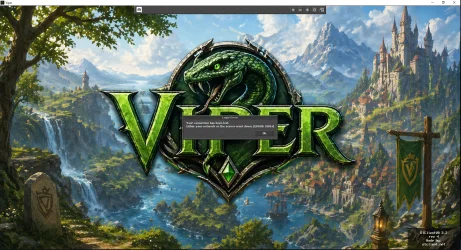
Forgive me if this is a silly question for some, but i am trying to start a new tibia server project using TFS 1.7. I've compiled and loaded for the first time, no issues, but I am trying to log in using OTCv8. I keep getting errors saying i can't log in. ERROR 2 or ERROR 10053 to be exact. I've investigated these and it may be because my version of OTC is not compatible with TFS 1.7. Can someone help me resolve this so i can log in please. Point me in the direction of the correct OTC client or advise a workaround. Thanks!

Github TFS 1.7: GitHub - otland/forgottenserver: A free and open-source MMORPG server emulator written in C++ (https://github.com/otland/forgottenserver)
Github OTCv8: GitHub - OTCv8/otclientv8: Clean, ready to use version of OTClientV8 - Alternative, highly optimized Tibia client (https://github.com/OTCv8/otclientv8)
 

Attachments

Solution
Quick tutorial to use protocol 13.10 on Mehah / OTClient Redemption


First, you need the official CipSoft 13.10 client files.


Open the official client folder:

tibia-client-13.10.12892/assets
Inside this assets folder you will see several files.


Copy all files from the assets folder.


Then go to your Mehah / OTClient folder and paste everything here:
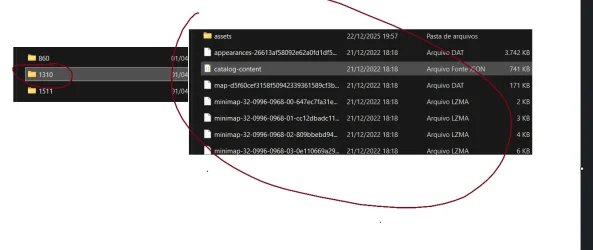
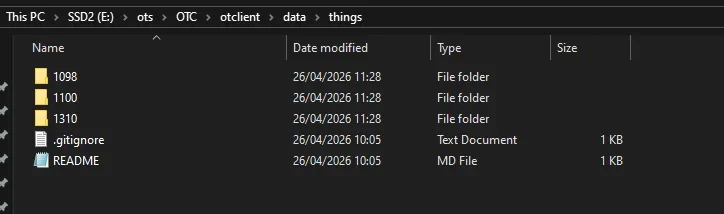
data/things/1310/
In case you do not have the official 13.10 client, here is the link:

1777204378995.webp

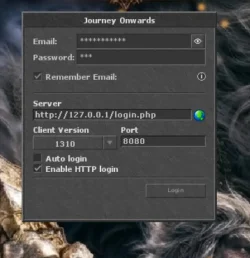
After that, open the client and configure the login like in the screenshot:

Server: http://127.0.0.1/login.php
Client Version: 1310
Port: 8080
Enable HTTP login...
Hello ! :D can be multiply reasons first of all have you fixed everything correct in config.lua? meaning correct ip try first localhost
ip = "127.0.0.1"
loginProtocolPort = 7171
gameProtocolPort = 7172

try hit me up in PM and ill try to help you
 
Hello ! :D can be multiply reasons first of all have you fixed everything correct in config.lua? meaning correct ip try first localhost
ip = "127.0.0.1"
loginProtocolPort = 7171
gameProtocolPort = 7172

try hit me up in PM and ill try to help you
Hey! This is my config.lua in my server:

-- Connection Config
-- NOTE: maxPlayers set to 0 means no limit
-- NOTE: allowWalkthrough is only applicable to players
-- NOTE: two-factor auth requires token and timestamp in session key
-- NOTE: statusCountMaxPlayersPerIp allows you to only count up to X players per IP in status response (0 = disabled)
ip = "127.0.0.1"
bindOnlyGlobalAddress = false
gameProtocolPort = 7172
statusProtocolPort = 7171
httpPort = 8080
httpWorkers = 1
maxPlayers = 0
onePlayerOnlinePerAccount = false
allowClones = false
allowWalkthrough = true
serverName = "Forgotten"
statusTimeout = 5000
statusCountMaxPlayersPerIp = 0
replaceKickOnLogin = true
maxPacketsPerSecond = 100
enableTwoFactorAuth = false
 
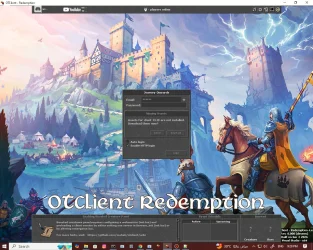
When i start up my server i get no errors, nothing at all. Probably because i haven't started working on it. Trying to login with OTCv8 first and foremost! This is my init.lua for OTCv8 and config.lua for TFS (attached). The problem i have is i don't know what version of tibia TFS1.7 is, it doesn't say anywhere so i'm a bit stuck. With this configuration i get ERROR 2 as shown in the image. Can i even use OTCv8 for TFS 1.7?
 

Attachments

OTCv8? This OTCv8 only supports up to 11.x, no support for 12+.


If you want OTC with support up to 15.x, use Mehah (OTClient - Redemption).


Since your TFS 1.7 is protocol 13.10, you should use Mehah.


Take the CIP client folder (appearance), copy everything and put it into Mehah under things/1310.
Then enable HTTP, set IP, port 80 and 7171.


And that’s it, it should work fine
 
OTCv8? This OTCv8 only supports up to 11.x, no support for 12+.


If you want OTC with support up to 15.x, use Mehah (OTClient - Redemption).


Since your TFS 1.7 is protocol 13.10, you should use Mehah.


Take the CIP client folder (appearance), copy everything and put it into Mehah under things/1310.
Then enable HTTP, set IP, port 80 and 7171.


And that’s it, it should work fine
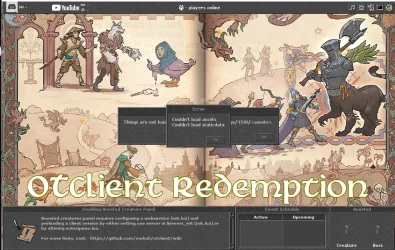
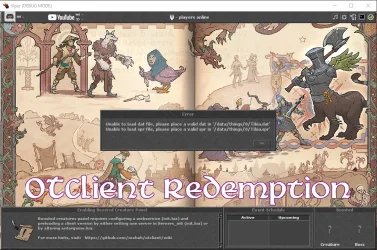
Thanks so much for the advice! I followed your instructions, got the client application compiled, and have the following issue. The client is not recognising the 1310 folder despite the folder being there. I adjusted my init.lua to protocol 1310 also.
 

Attachments

Quick tutorial to use protocol 13.10 on Mehah / OTClient Redemption


First, you need the official CipSoft 13.10 client files.


Open the official client folder:

tibia-client-13.10.12892/assets
Inside this assets folder you will see several files.


Copy all files from the assets folder.


Then go to your Mehah / OTClient folder and paste everything here:
data/things/1310/
In case you do not have the official 13.10 client, here is the link:

1777204378995.webp

After that, open the client and configure the login like in the screenshot:

Server: http://127.0.0.1/login.php
Client Version: 1310
Port: 8080
Enable HTTP login: checked

1777208308949.webp
Important: for HTTP login to work, you need to have a website installed, for example the official MyAAC.


Without a website/login.php, the client cannot authenticate the account and log into the game.


The login flow is basically:

OTClient -> website login.php -> account authentication -> enters the game server

Also check your server config.lua and find:

bindOnlyGlobalAddress = false
Change it to:
bindOnlyGlobalAddress = true
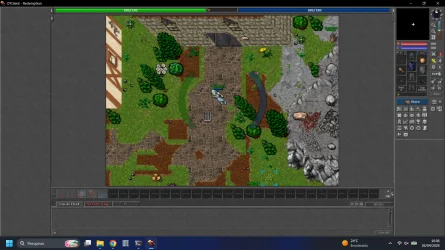
After that, with the website working, HTTP login enabled, and the assets copied to data/things/1310/, the client should connect normally.
Post automatically merged:

Just to let you know quickly: the TFS version you downloaded is basically abandoned.


Someone forked it and they are actively working on it, with many changes like smart pointers, structure improvements, optimizations, and more. It is still a fork based on the official TFS from Otland.


Take a look here:
It still supports protocol 13.10, but in my opinion it is already better than the official one because it is being maintained and improved.
Post automatically merged:

1777208818358.webp
 
Last edited:
Solution
Back
Top