Ruyzen
Active Member
- Joined
- Jan 20, 2026
- Messages
- 49
- Reaction score
- 28
xmapp lastet version better.No better Uniform server?

xmapp lastet version better.No better Uniform server?
Thank you, it's now workingDelete config.local.php and install the website again and don’t forgot replace all status ips to your new ip
i use xampp latest version for me i like most because im familiar with xampp but for some things uniform server is betterNo better Uniform server?
Enjoy!Thank you, it's now working

Can a map rl be adapted to it?I’ve got my hands on the Evolisca files through one of its developers and decided to share them with the community since I won’t be using them.
The distribution includes the Evolisca proxy system, Datapack (with sources), its official OTClient, and MyAAC files. Hopefully, this can help someone build a better server or make use of its modules, systems, sprites, and more.
Evolisca is a custom evolution-based server built on the OTX2 engine, with many modules, systems, and custom sprites.
Some info about the server:
- Custom Missions
- Custom Islands
- New Vocation Buffs
- Custom Equipment
- Charms
- Dungeons
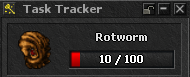
- Task System
- Cursed Chests
- Monster Orbs
- Monster Skulls
- Daily Rewards
- Enchanted Items System
- Talents
- Market
- Boss Cooldown
- Waypoints
- Craft System
- Fishing System
- Footprints
- Birds
Keep in mind: A large portion of the scripts appear to be AI-generated.
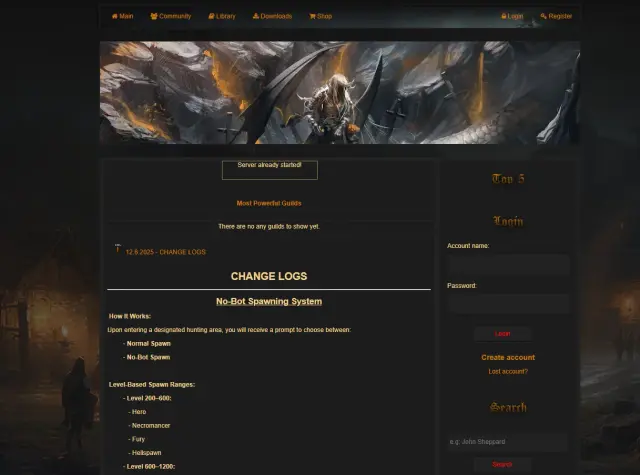
Here are some screenshots of the project:
View attachment 99772
View attachment 99773
View attachment 99774
View attachment 99775
View attachment 99776
View attachment 99777
View attachment 99778
View attachment 99779
View attachment 99780
View attachment 99781
View attachment 99782
View attachment 99784
View attachment 99785
View attachment 99786
Client Setup:
Download all 3 files:
Evolisca Client + things.rar + items.rar
Steps:
1. Extract the Evolisca Client
2. Extract things.rar and move the (things) folder into: Client\data
3. Extract items.rar and place items.otb inside: Client\data\things
4. Final structure should look like: Client\data\things\items.otb
If you have login issues with the client, remove the “proxy” lines from init.lua in your client folder. A fixed file is already attached.
Evolisca AAC:
GitHub - Aizendaza/Evolisca-AAC (https://github.com/Aizendaza/Evolisca-AAC)
Virus Scan: Evolisca_server.zip
Virus Scan: Evolisca_proxy_system.zip
Virus Scan: Evolisca_client.zip
Virus Scan: Evolisca_AAC.zip
Im not assuring that you are ignorant, but.Hello again.
Why I cannot attack other player. protection lvl ive got 8 level.
View attachment 99887
EDIT::Maybe the same ip on MC?
Yes, in programming pretty much anything is possible. But I’d recommend either taking the system and putting it into another OTX2, or rewriting it so it actually fits your setup. Don’t just slap an RL map onto this one it’s probably going to turn into a messCan a map rl be adapted to it?
 Try doing the opposite instead.
Compile it in ubuntu 24.04 better.1.) Has anyone managed to compile it on Ubuntu? 20.04 ?
use his rme , i try it and working fine without any issues.Hello again. ; )
how to read a map correctly in rme ? i ve got rme 3.3 and folder 8.60 from data/things/860

2. Converting the Map Version in RME
The simplest (but often problematic) way is to change the version in the editor itself:

Open the Evolisca map in RME (you must provide the editor with the path to the client on which the map is based).

Go to the Map -> Properties tab.

Change the "Client Version" to 8.60
 and save .
View attachment 100290
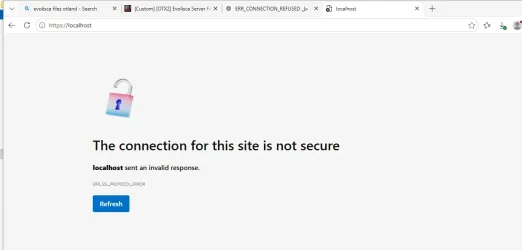
need to fix this when i open the aac with xampp
Delete config.local.php and install the website again and don’t forgot replace all status ips to your new ip

you need to configure init.luawhere i can change new ips
He ask about the Website not Client.you need to configure init.lua
There's a fixed corrected version of init.lua in this thread. Just read through the whole thread and you'll see how to properly set up the server.
"Just read through the whole thread and you'll see how to properly set up the server"He ask about the Website not Client.