No it doesn't support 32x32 you new to downscaled the images to that size.
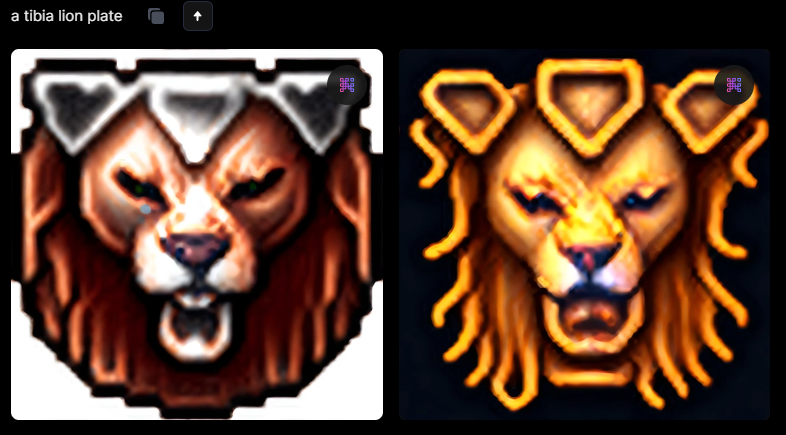
Leonardo by itself won't generate it out of the box. You need to train your own model, for free you can only train one but if you pay you can do more. It's quiet easy to train as you just provide pictures and wait till training is done. I have done it on pictures with size 360x360 but make sure that the pictures of armor you provide have proper naming like "plate armor" and you need to set up your instance prompt which you should sort of use it in your final prompt. For example, you set up instance prompt as "a tibia armor" and in your train data you added a picture of a golden armor and dragon scale armor but you want it to be mixed then you use prompt like 'a tibia golden scale armor" and you generate pictures. I would say sometimes you don't have a successful generation and you end with some picture of dragon for example so it's a bit of hit and miss. After I generate the images I use creative upscale provided by Leonardo AI for best results as images can be blurry, then I remove the background and downscale them to 32x32. As the last step I use a pixelator program to work on the saturation to get final result.
You can remove background in Leonardo but to not waste a tokens I use
Login (https://express.adobe.com/sp/tools/remove-background).
For downscaling I use a website
32x32 pixel art converter - safeimagekit (https://safeimagekit.com/32x32-pixel-art-converter).
Here is the link for pixelator:
Pixelator App (http://pixelatorapp.com) - for commercial use you need a licence.
You can try on cipsoft data if you want just type in google: tibia fandom armor and you should get some pics in size of 360x360 on google images but I recommend to use your own ones or some free ones. For upscaling you can try and use
Nero AI explores more professional AI solutions. Innovation, efficiency, endless potential. (https://ai.nero.com/enhance) it can give quiet good results but could be too smooth.
This is my set up for generating pictures
View attachment 75910
This is are generated pictures after creative upscale:
This is the final result:
View attachment 75907