

Cygnus Server
Member
- Joined
- Dec 14, 2024
- Messages
- 12
- Reaction score
- 12
Hey everyone,
I want to share some of the new modifications and features I’ve been working on for my client.
Right now, I have 6 major modifications ready, along with a bunch of quality-of-life improvements to make the gameplay feel much more customized and engaging. The best part? Almost everything can be fully toggled off in the options if you prefer the classic feel.
Here is a breakdown of what’s new:
It also works on players, showing both their current health and mana.
That’s all I wanted to showcase for now! There are plenty of other minor QoL tweaks under the hood, but these are the main ones. I’ll keep updating this thread as I implement new features.
I’d love to hear your thoughts, so any constructive feedback is highly appreciated!
If you like what you see, please consider joining our Discord server. I’ll be posting more updates there, and we'll soon be looking for people to test the Alpha, which is scheduled for early July. I will also set up English channels so everyone feels welcome!
Discord Link: Join the Cygnus Server Discord Server! (https://discord.gg/9eHJsCccY)
I want to share some of the new modifications and features I’ve been working on for my client.
Right now, I have 6 major modifications ready, along with a bunch of quality-of-life improvements to make the gameplay feel much more customized and engaging. The best part? Almost everything can be fully toggled off in the options if you prefer the classic feel.
Here is a breakdown of what’s new:
1. Custom Spellbar
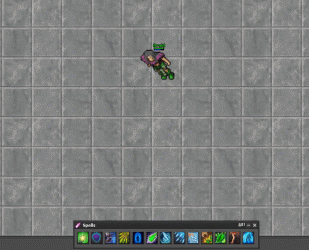
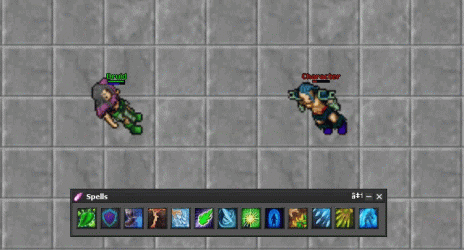
There are already a few spellbars available on the forum, and mine follows a similar concept but with some great additions. You can drag it anywhere on the screen, switch between a horizontal/vertical bar or a box layout, and fully reorder your spells.- The Highlight: The biggest feature here is how it handles targeted spells (like exura sio). You can still type the spell manually, but now you can also just click the spell icon on the bar, get a crosshair, and click on the player. The client automatically grabs their name and casts the spell. Extremely useful for healers.
2. Lightweight Tooltip
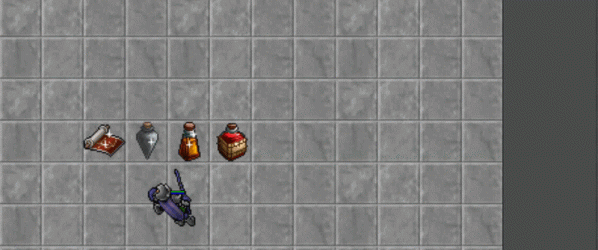
A simple, clean, and very lightweight tooltip system. It’s not cluttered, but it shows essential info like item names, attributes, and weight. It connects perfectly with the next system I’m going to show.- Rarity Colors: If an item is Rare, Epic, or Legendary, the item name and its unique attributes will change colors accordingly.
3. Inspect System (Spect)
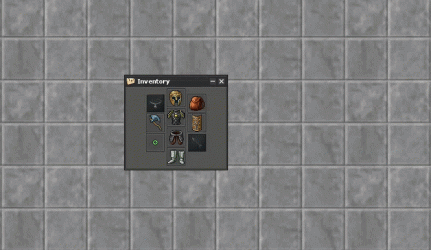
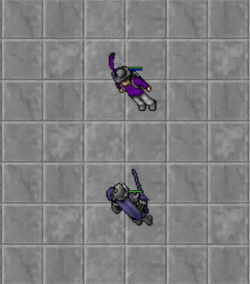
This works hand-in-hand with the tooltip. You can now inspect other players to see their gear. It’s a simple feature but makes checking out other people's builds a lot smoother and more dynamic.4. Profession Progress Tracker
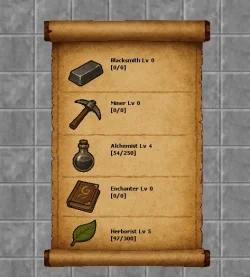
I’ve added a small, clean button that opens a window showing your current profession progression. It’s nothing overly fancy, but it’s a great way to keep track of your levels. (The profession system itself is pretty cool, and I might make a dedicated post for it in the future).
Post automatically merged:
5. Target UI
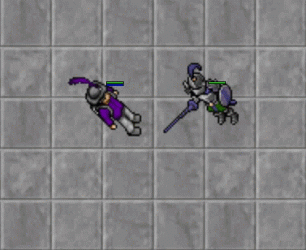
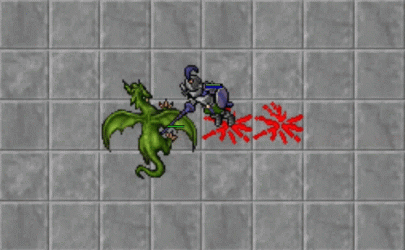
A clean, simple rectangle that displays your current target's name and exact health numbers, so you know exactly how much HP a monster has left.It also works on players, showing both their current health and mana.
6. Buff Duration Tracker
In Cygnus, you can get various buffs from potions, elixirs, spells, and more. This system adds a clean indicator in the corner of your screen showing the exact remaining duration of each buff, helping you manage your cooldowns and uptimes a lot better.That’s all I wanted to showcase for now! There are plenty of other minor QoL tweaks under the hood, but these are the main ones. I’ll keep updating this thread as I implement new features.
I’d love to hear your thoughts, so any constructive feedback is highly appreciated!
If you like what you see, please consider joining our Discord server. I’ll be posting more updates there, and we'll soon be looking for people to test the Alpha, which is scheduled for early July. I will also set up English channels so everyone feels welcome!
Discord Link: Join the Cygnus Server Discord Server! (https://discord.gg/9eHJsCccY)
Last edited:


